Up to 100% accurate
Custom Connector:
No native connector for the platform you need? Send it your Tracklution events as a server-side postback, a custom pixel, or both. Enter your website to start your 14-day free trial
14-day trial • No credit card required • SOC2 & ISO27001 compliant
Recover +34.2% more conversions (avg. uplift) with server-side tracking and send them to the platforms our native connectors don't cover (yet!)
Send any Standard or Custom event to any URL as a GET or POST request, with values, click IDs and your own event data filled in automatically
Run it in Test Mode first to see exactly what would be sent, then switch it on once the output looks right





Send conversions to any postback URL without building it yourself
Getting conversions into a platform with no ready-made integration usually ends in tag manager workarounds and custom code that a developer has to maintain. Is that really the best use of your resources? The Custom Connector keeps the postback, the pixel and the click ID logic together in your Tracklution dashboard.
Tracklution Custom Connector
Postback, pixel or both, configured in one connector
Values, click IDs and event data filled in with dynamic parameters
Click ID Matching with Last click or Any click attribution
Rename events to the format the receiving platform expects
Test Mode and Test Webhook before anything goes live
Webhook Log of every request and its response code
Switch the webhook or pixel off without losing its setup
Manual build (tag manager + custom code)
Postback and pixel split between a tag manager and your own code
Values and click IDs mapped by hand in every tag or script
Click ID storage and attribution logic built by a developer
Event names hardcoded per destination
Testing usually means firing live requests
No central request log unless you build one
Every change goes back to the developer
Missing a connector for one of your platforms?
Start your 14-day free trial and set up your first Custom Connector. From the platform, you'll need its postback URL and parameter names (or its pixel snippet), plus an API key if it asks for one.
Missing a connector for one of your platforms?
Start your 14-day free trial and set up your first Custom Connector. From the platform, you'll need its postback URL and parameter names (or its pixel snippet), plus an API key if it asks for one.
Works alongside our native connectors
Meta, Google Ads, TikTok, LinkedIn and the other platforms in this ribbon have native connectors. For a platform outside that list that accepts a postback URL or gives you a pixel snippet, add a Custom Connector.

Google Ads

Meta Ads


Snapchat Ads

TikTok Ads



Awin

Adtraction

Klaviyo

Bing Ads

LinkedIn Ads

GTM

Adform

DV360

CM360
Google Analytics 4

OpenAI Ads

Outbrain
Custom Connector
Google Ads
Meta Ads
Snapchat Ads
TikTok Ads
Awin
Adtraction
Klaviyo
Bing Ads
LinkedIn Ads
GTM
Adform
DV360
CM360
Google Analytics 4
OpenAI Ads
Outbrain
Custom Connector
Google Ads
Meta Ads
Snapchat Ads
TikTok Ads
Awin
Adtraction
Klaviyo
Bing Ads
LinkedIn Ads
GTM
Adform
DV360
CM360
Google Analytics 4
OpenAI Ads
Outbrain
Custom Connector
Google Ads
Meta Ads
Snapchat Ads
TikTok Ads
Awin
Adtraction
Klaviyo
Bing Ads
LinkedIn Ads
GTM
Adform
DV360
CM360
Google Analytics 4
OpenAI Ads
Outbrain
Custom Connector
Google Ads
Meta Ads
Snapchat Ads
TikTok Ads
Awin
Adtraction
Klaviyo
Bing Ads
LinkedIn Ads
GTM
Adform
DV360
CM360
Google Analytics 4
OpenAI Ads
Outbrain
Custom Connector
Google Ads
Meta Ads
Snapchat Ads
TikTok Ads
Awin
Adtraction
Klaviyo
Bing Ads
LinkedIn Ads
GTM
Adform
DV360
CM360
Google Analytics 4
OpenAI Ads
Outbrain
Custom Connector
Google Ads
Meta Ads
Snapchat Ads
TikTok Ads
Awin
Adtraction
Klaviyo
Bing Ads
LinkedIn Ads
GTM
Adform
DV360
CM360
Google Analytics 4
OpenAI Ads
Outbrain
Custom Connector
Google Ads
Meta Ads
Snapchat Ads
TikTok Ads
Awin
Adtraction
Klaviyo
Bing Ads
LinkedIn Ads
GTM
Adform
DV360
CM360
Google Analytics 4
OpenAI Ads
Outbrain
Custom Connector
Custom Connector
Outbrain
OpenAI Ads
Google Analytics 4
CM360
DV360
Adform
GTM
LinkedIn Ads
Bing Ads
Klaviyo
Adtraction
Awin
TikTok Ads
Snapchat Ads
Meta Ads
Google Ads
Custom Connector
Outbrain
OpenAI Ads
Google Analytics 4
CM360
DV360
Adform
GTM
LinkedIn Ads
Bing Ads
Klaviyo
Adtraction
Awin
TikTok Ads
Snapchat Ads
Meta Ads
Google Ads
Custom Connector
Outbrain
OpenAI Ads
Google Analytics 4
CM360
DV360
Adform
GTM
LinkedIn Ads
Bing Ads
Klaviyo
Adtraction
Awin
TikTok Ads
Snapchat Ads
Meta Ads
Google Ads
Custom Connector
Outbrain
OpenAI Ads
Google Analytics 4
CM360
DV360
Adform
GTM
LinkedIn Ads
Bing Ads
Klaviyo
Adtraction
Awin
TikTok Ads
Snapchat Ads
Meta Ads
Google Ads
Custom Connector
Outbrain
OpenAI Ads
Google Analytics 4
CM360
DV360
Adform
GTM
LinkedIn Ads
Bing Ads
Klaviyo
Adtraction
Awin
TikTok Ads
Snapchat Ads
Meta Ads
Google Ads
Custom Connector
Outbrain
OpenAI Ads
Google Analytics 4
CM360
DV360
Adform
GTM
LinkedIn Ads
Bing Ads
Klaviyo
Adtraction
Awin
TikTok Ads
Snapchat Ads
Meta Ads
Google Ads
Custom Connector
Outbrain
OpenAI Ads
Google Analytics 4
CM360
DV360
Adform
GTM
LinkedIn Ads
Bing Ads
Klaviyo
Adtraction
Awin
TikTok Ads
Snapchat Ads
Meta Ads
Google Ads
Custom Connector
Outbrain
OpenAI Ads
Google Analytics 4
CM360
DV360
Adform
GTM
LinkedIn Ads
Bing Ads
Klaviyo
Adtraction
Awin
TikTok Ads
Snapchat Ads
Meta Ads
Google Ads
Everything a postback or pixel needs, in one place
Send your Tracklution events in exactly the format the receiving platform asks for.
Send server-side postbacks to any URL
Pick GET or POST and paste the platform's postback URL. Map each parameter to static text or a dynamic value, like the order value. The URL Preview shows the final URL before you save.
See exactly what was sent
In Test Mode, the Webhook Log shows what would have gone out, without sending anything. Once you're live, it keeps the timestamp, full URL and response code for every request. If a platform starts returning errors, you'll see it there.
Send the conversions browsers miss
Server-side tracking recovers conversions that ad blockers and browser restrictions cut. Your postback passes them on too, no browser needed.
How to set up a Custom Connector
Tracklution needs to be tracking your events first. After that, everything happens in the Connectors section of your dashboard.
Step 01
Step 01
Install Tracklution on your website
Add Tracklution with the Shopify app, WooCommerce plugin, Google Tag Manager template, a direct script, or even with your AI assistant.
Make sure each event you want to send has reached your container at least once, because the connector can only send events Tracklution has already tracked.
Step 02
Step 02
Add a Custom Connector and choose trigger events
In your tracking container, open Connectors and add a Custom Connector.
Give it a name you'll recognize (for example "Affiliate Network X"), then pick one or more Standard or Custom events as Trigger Events.
Step 03
Step 03
Configure the webhook, the custom pixel or both
For a postback, enter the webhook URL, method, parameters and any headers the platform asks for.
For a pixel, paste its snippet into the HTML / Script editor.
Turn on Click ID Matching if the platform needs its click ID back, and if that platform's pixel already runs on your website, remove it so conversions aren't counted twice.
Step 04
Step 04
Test, then enable
Set the connector to Test Mode and review the Webhook Log (add trl_test=1 to the URL to force one real request).
When the output looks right, switch it to Enabled and events will start flowing to the platform.
All done
Your platform will receive every trigger event in the format it expects.
Each request is logged in Tracklution's dashboard, giving you transparency, so say goodbye to black box tracking!
Under the hood:
Say a purchase reaches your Tracklution container and it's one of the connector's trigger events. The Custom Connector takes the request you set up and fills in each dynamic parameter: the event name, the value, the transaction ID or a custom field from your own event data.
A GET request carries those values in the query string, and a POST request carries them in the body. Any HTTP headers you added (an Authorization header with your API key, for instance) are sent too. All of this happens server to server, so the visitor's browser isn't involved.
Custom pixels are a bit different. We swap in the same parameters on our side and deliver the finished snippet in the tracking response, so the code that lands in the browser already has the real order value in it.
The sandbox is on by default, which is what most image and conversion pixels want. If a pixel needs the page's DOM, cookies or dataLayer, you can run it in the main window instead, but remember that gives it full access to your website.
Then there's Click ID Matching, for platforms that pay out on their own click IDs. A partner sends someone to ?click_id=12345 and we store that value. When the conversion happens, we look back through session history inside your attribution window.
Last click only fires if that platform was the most recent click source. Any click fires for any matching click in the window. If a few of your Custom Connectors use the same click ID name, add a Click Source parameter (utm_source=platform_x, say) so we know which platform the click really came from.
For the full field-by-field setup, read the Custom Connector guide in our docs.
Put your current setup to the test
Tracklution's free tracking audit scans your current setup and shows you exactly where you're losing conversion data, plus what to fix first.
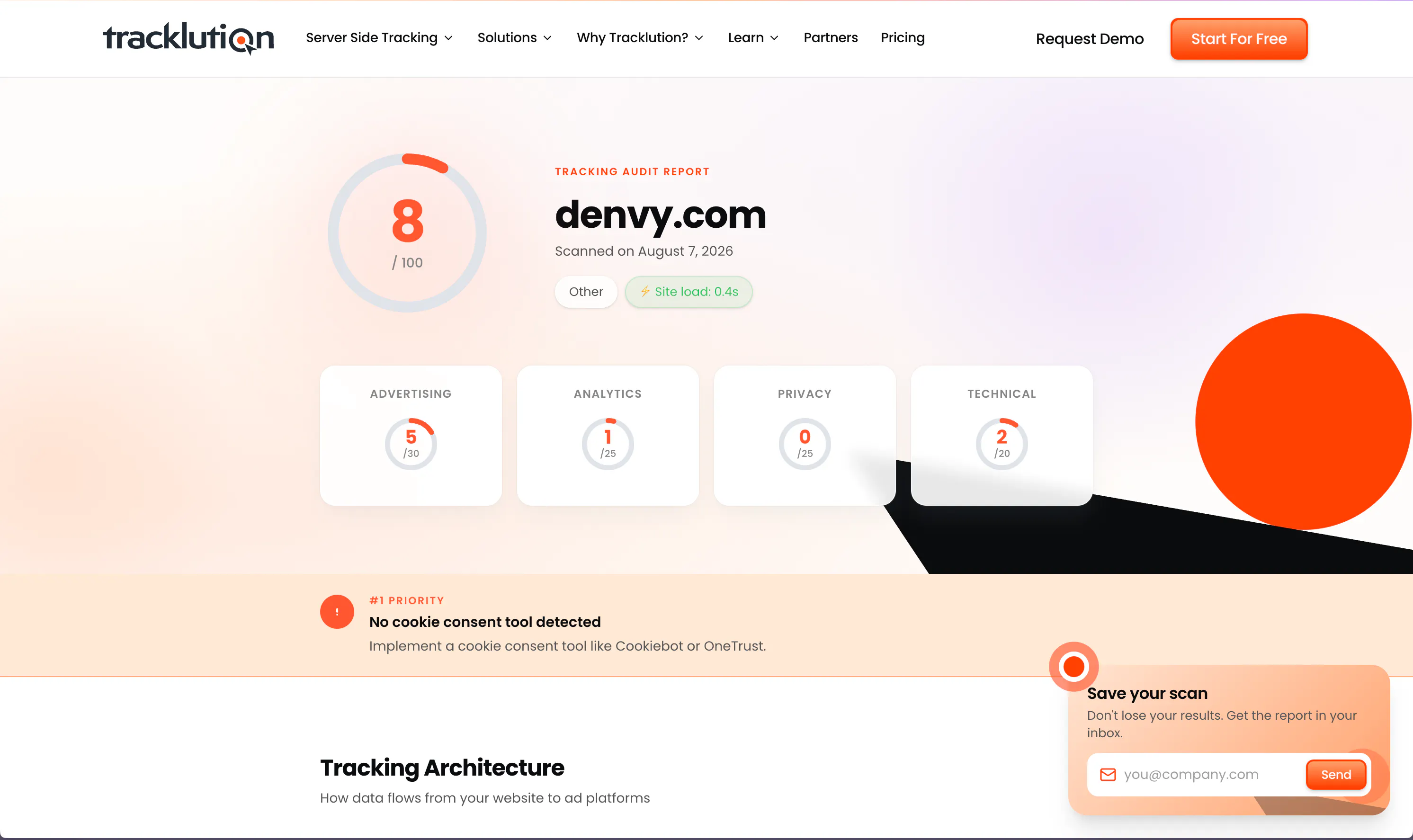
Put your current setup to the test
Tracklution's free tracking audit scans your current setup and shows you exactly where you're losing conversion data, plus what to fix first.
What you can send with the Custom Connector
Map any of these to the parameter names the receiving platform uses, with static text wherever a value never changes.
Event name
Send the event name as it is or rename it to match the receiving platform's format.
Conversion value
Pass the value so the platform records what each conversion was worth.
Transaction ID
Include the order's transaction ID so the platform can tie each conversion to an order.
Partner click ID
Return the click ID the platform attached when it sent you the visitor.
Ad click IDs
Forward Google and Meta click IDs (gclid and fbc) to platforms that use them.
Contact details
Add the visitor's email and phone number when the receiving platform needs them.
Custom events
Trigger on any Custom event and pass any field from your own event data.
Trusted by performance teams worldwide
See how teams like yours recover lost conversions, lower CAC, and get their campaigns optimizing on complete data.


Now we know exactly which campaigns drive real appointments – and we’ve cut acquisition costs by more than 30% while keeping bookings steady.
Jesse Bartels, Chief Smile Officer @ Orthoclear


The system runs so smoothly that contact with Tracklution is minimal. Support response time is excellent. Overall very positive experience with minimal issues.
Jacob Blæsbjerg, Founder @ The Morning Show


While others are still debating whether to modernise, we’ve already built the foundation for the next decade of advertising
Shaan Raja, Teamlead SEO & Integration Analyst @ The Platform Group


Almost every client we have onboarded to Tracklution has seen a growth in conversions. For reference, the media spend for these companies starts at just €500 a month.
Mikael Lahtinen, Head of Advertising @ Tagomo

We made Tracklution a standard part of our service agreement and technology stack for clients. It’s like a quality guarantee for conversion data. And setting it up doesn’t take more than a few minutes.
Sampo Soininen, Digital Strategist @ Aava & Bang

Tracklution has certainly had a positive impact. I would be comfortable with a ballpark percentage of 15 to 20%, certainly in that region, as a saving.
John Cove, Marketing Manager @ ScotlandShop
Why sending data to every platform matters

Partners can only credit the conversions they receive
Affiliate networks pay publishers for the postbacks they get. So, if a conversion never shows up, your partner isn't paid and your program looks worse than it is. Server-side postbacks don't depend on the visitor's browser to get there.

One data source keeps your numbers consistent
When native connectors and one-off scripts each count conversions their own way, reports drift apart. Give every platform the same Tracklution events (through native or custom connectors) and everyone's working from the same numbers.

A connector list shouldn't decide your tracking tool
Plenty of teams pick a tracking tool based on whether it reaches every platform they use. With the Custom Connector, a missing native connector won't stop your data from getting where it needs to go.
Privacy and security you can rely on
Tracklution is certified under both ISO27001 and SOC2. Your data remains 100% yours and we never claim any rights to it. You have full control over what is tracked and what is sent to other platforms, including through a Custom Connector. Tracklution is designed and operated in the EU, with data and servers located in the EU area.
SOC2, TYPE 2
Secure SSL Transactions
ISO 27001
Questions and answers
Can Tracklution send data to a platform that isn't on your integrations list?
Yes, as long as the platform accepts a server-side postback (an HTTP request to a URL) or gives you a pixel snippet to fire in the browser. The Custom Connector sends any Standard or Custom event Tracklution tracks, with the parameters the platform asks for.
What's the difference between Custom Connector, Webhooks and Custom Installation?
Custom Connector sends data out of Tracklution to another platform. Webhooks bring data in from a CRM, booking tool, payment system or backend, and Custom Installation is the script that collects events from your website. Most setups use one of the inbound methods to collect data, then native or custom connectors to pass it on.
Does the Custom Connector replace your native connectors?
No, it works alongside them. Use native connectors for Meta, Google Ads, TikTok, LinkedIn and the other platforms we support (they handle the event mapping for you), and add a Custom Connector for each platform that isn't on the list. You can run several at once, each with its own name and trigger events. Plus, we're always happy to hear which connectors our customers would love to use next!
Do I need a developer to set it up?
Usually not. You set up a webhook in your Tracklution dashboard without writing any code: paste the URL, choose GET or POST and pick the parameters you want from the list. What you do need is the receiving platform's postback format (their docs or account manager will have it) and any API key it uses. If you'd rather have us build it, the Custom integration add-on on our pricing page covers tailored integrations.
How does click ID matching work for affiliate postbacks?
You tell Tracklution the exact parameter name your network adds to its links, like aff_click_id in ?aff_click_id=abc123. When that visitor buys, the same ID goes back in the postback and the network knows which publisher to credit. Pick Last click or Any click, and set the attribution window your network works with.
Can I send a postback and a pixel for the same conversion?
Yes. Some affiliate networks verify conversions with both, so you can turn on the webhook and the Custom Pixel (Beta) on the same connector. They'll fire together on the trigger event, and you won't need to split the setup between Tracklution and a tag manager.
How do I authenticate requests to my own API?
Add the headers your endpoint expects in the HTTP Headers section, for example an Authorization header with a Bearer token or your internal API key.
What does the Custom Connector cost?
Enjoy the first 14 days on us, no credit card required. After that, the Grow plan from €39.20 per month (billed annually) includes all connectors. The free plan covers the Meta and Google Ads connectors only (5k events per month).
Is Tracklution GDPR compliant?
Yes, as a platform. Tracklution is built and operated in the EU, data is stored in AWS Stockholm, and it's SOC2 and ISO 27001 certified. Whether your own tracking setup is compliant depends on your legal basis, your cookie consent setup and what you choose to send to other platforms, including through a Custom Connector.

Have further questions?
Send your data to every platform in your stack
Set up server-side tracking in 16 minutes. Free plan available for Meta and Google Ads. From €39.20/mo (billed annually) for other connectors.
Send your data to every platform in your stack
Set up server-side tracking in 16 minutes. Free plan available for Meta and Google Ads. From €39.20/mo (billed annually) for other connectors.