Client-side vs server-side tracking: What you need to know
Stop losing tracking data. Learn the difference between client-side vs server-side tracking and discover how Tracklution simplifies your transition

Table of contents
Better data.
Set up server-side tracking in minutes with Tracklution. Send better conversion data to your ad platforms so their algorithms can optimise for better results from your budget.
Start your free trialAccurate tracking influences how you measure results, allocate budget, and optimize campaigns. But browser privacy updates, shorter cookie lifespans, and ad blockers have made traditional client-side tracking increasingly unreliable. Server-side tracking offers a more stable alternative.
This guide breaks down how the two approaches differ, what each does well, and when it makes sense to switch.
What is client-side tracking?
Client-side tracking is the older, browser-based way of collecting data. It relies on JavaScript tracking scripts that run directly in the user’s browser, collecting user interactions, such as page views, add-to-carts, or purchases, and sending that data to analytics platforms.
This setup made sense when web tracking first evolved. It was simple, flexible, and free. Marketers could deploy tags through Google Tag Manager or a plugin and start collecting data immediately, without needing a developer by their side.
But the simplicity comes with tradeoffs. Because all tracking happens in the user’s browser, it’s affected by anything that limits browser behavior. Privacy settings, Safari’s Intelligent Tracking Prevention (ITP), Firefox’s Enhanced Tracking Protection (ETP), and Chrome’s shifting privacy landscape all block or shorten cookie-based tracking. Add to that ad blockers and network issues, and a growing portion of conversions never reach your analytics.
For many marketers, this has led to incomplete reporting and underperforming attribution models. Simply put, campaigns haven’t stopped working, but tracking can no longer keep up.
Understanding server-side tracking
Server-side tracking moves data collection away from the browser and into a secure server environment that you control (or that’s managed for you, as with Tracklution).
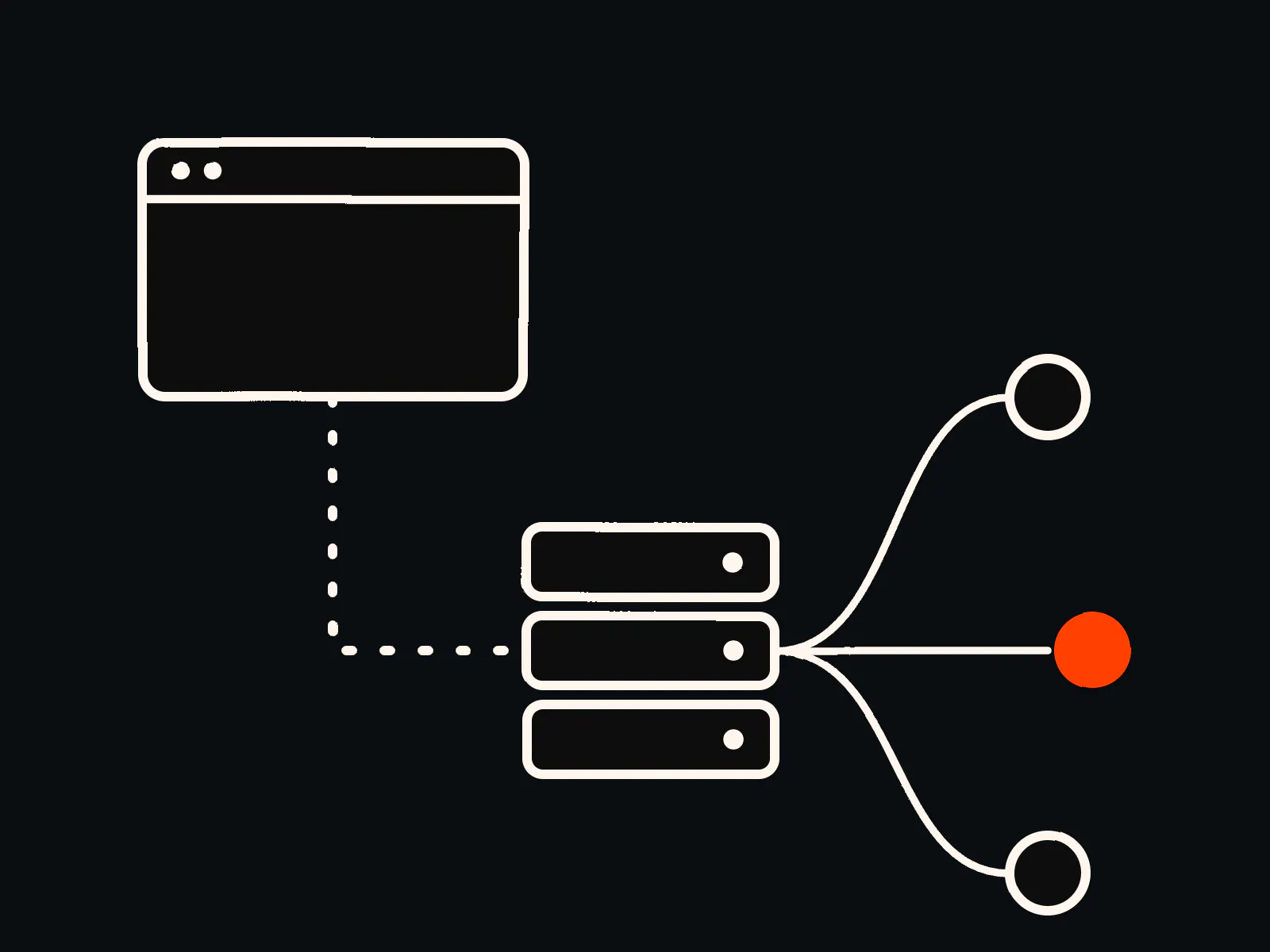
Instead of having each visitor’s browser send event data directly to Meta, Google, or TikTok, your site sends that data to a first-party server endpoint. From there, the event is validated, cleaned, and forwarded to each platform through their official APIs, such as Meta’s Conversions API or Google’s Enhanced Conversions.
This approach gives you:
- A stable first-party data stream that is resistant to ad blockers.
- Longer cookie lifespans and consistent user identification.
- More control over what data is shared and when.
- More consistent privacy handling, since consent can be enforced at the server level.
Now that the data transfer happens server-to-server, you get cleaner, verified conversions and a more complete picture of how your campaigns perform.

Client-side vs server-side: The key differences
Feature | Client-side tracking | Server-side tracking |
|---|---|---|
Where data is processed | In the visitor’s browser | On your server or a managed environment |
Reliability | Vulnerable to ad blockers, cookie limits, and network drops | Stable and complete, bypasses browser limits |
Implementation | Simple, add tracking scripts or pixels | Requires infrastructure (or Tracklution’s managed setup) |
Performance impact | Can slow page load due to heavy scripts | Offloads processing to the server; faster pages |
Cookie lifespan | Short (1-7 days) | Long (months or years) |
Data privacy & control | Limited, vendors directly access browser data | Full control; you decide what’s shared |
Ad optimization | Inconsistent due to missing events | More accurate data improves bidding and ROAS |
Cost | Appears free at first, but creates hidden cost through lost conversion and weak attribution. | Has a clear subscription cost and removes conversion loss. DIY setups can be expensive to build and maintain, while Tracklution offers an affordable, predictable price starting at 31 €/m. |
Client-side tracking is easy and flexible but increasingly limited in reliability. Server-side tracking takes more setup, unless you use a managed service like Tracklution, in which case it can be done in minutes. It also gives you long-term stability and accurate data across platforms.
When client-side tracking makes sense
Client-side tracking still plays an important role in certain use cases. It’s suitable for situations that require real-time browser interactions or visual tracking tools.
Examples include:
- A/B testing and personalization tools: Platforms like VWO or Optimizely need immediate feedback from the browser to show the right variant.
- Heatmaps and session recordings: Tools like Hotjar or Clarity rely on browser access to visualize on-page activity.
- Small-scale setups/starting out: If you’re just starting out and need quick implementation without infrastructure, client-side pixels work fine as a first step.
For everything else, especially where accuracy and attribution matter, server-side tracking is the modern standard. If you want a clear explanation of how server-side tracking works, this guide walks you through the process step by step.
When to use server-side tracking
Most growing teams adopt server-side tracking to address data reliability, privacy, and performance concerns.
If you’re in any of these situations, you can benefit from server-side tracking:
- Ad platforms underreport conversions. If Meta or Google Ads show lower numbers than your store backend, server-side tracking can recover those lost events.
- You need cleaner data for bidding algorithms. When key events get lost, platforms are unable to optimize for your desired outcomes effectively. Server-side tracking restores the full signal that Smart Bidding relies on, which often leads to better results and more efficient ROAS.
- Compliance is a priority. Tracklution’s server-side environment applies user consent automatically and anonymizes personal identifiers before sending data.
- Page speed is a concern. A hybrid server-side setup still uses some browser scripts, but shifting the heavier processing to the server reduces the overall workload and can support faster, more stable page performance.
In Tracklution’s case, most merchants see a 30–35% improvement in tracked conversions simply by switching from browser-based to server-based tracking.
Understanding the Hybrid Model
Tracklution supports a hybrid event model that keeps tracking complete and consistent. In practice, it sends both the browser event and the server event with the same event ID, so they refer to the same action. Platforms like Meta and Google handle the deduplication on their side and keep reporting accurate. If the pixel is blocked or fails to fire, the server-side event still arrives, so the conversion is not lost.
While server-side events can run on their own, keeping the pixel active is still useful. Browser events often include client-side details that help improve match rates, audience quality, and attribution, which the server cannot always replicate. The hybrid setup combines reliability with richer browser context, without risking duplicate reporting.
Getting started with server-side tracking
If you're ready to make the switch, there are three main paths to consider.
1. DIY (server-side google tag manager) - You build your own sGTM container, rent servers on Google Cloud or AWS, manage DNS configuration, and maintain API templates. It gives you full control but requires technical expertise and ongoing maintenance.
2. Managed hosting - Some providers offer hosted sGTM environments. You still configure tags and manage updates yourself, but the infrastructure is handled for you. It’s easier but still time-intensive for marketers.
3. Software solutions like Tracklution - Tracklution removes the need for any setup or maintenance. It handles the entire server-side infrastructure, event routing, and consent management automatically. It also handles traffic automatically. The server infrastructure scales up during peak periods and scales down when traffic is low, so data delivery stays consistent without you having to maintain anything in the background.
For a deeper look, our step-by-step setup guide on how to set up server-side tracking walks through the various options and full implementation process.
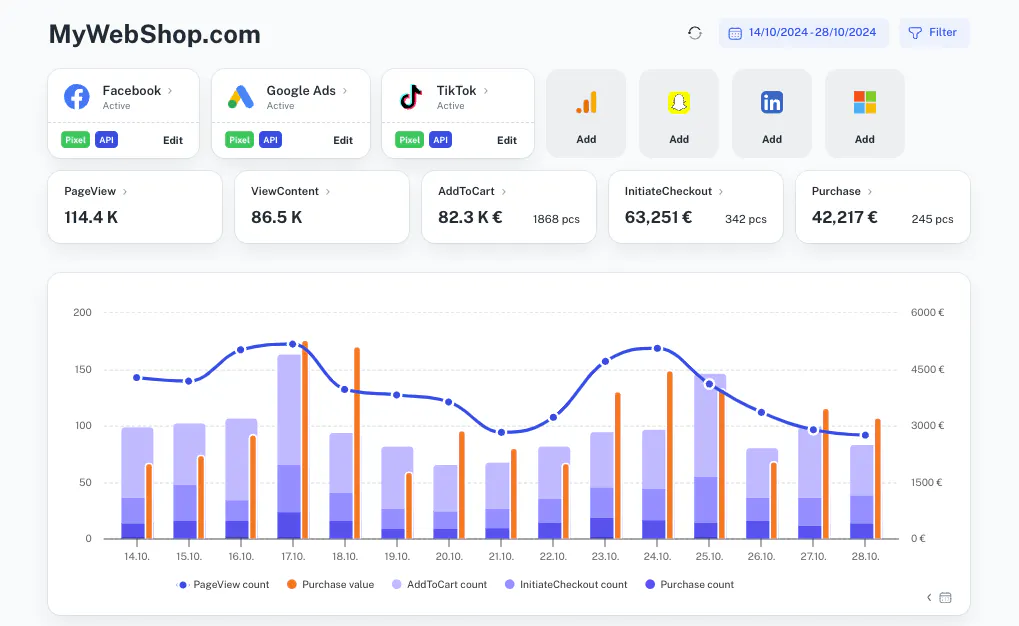
With Tracklution, you get:
- A no-code setup that connects Shopify, WooCommerce, or custom sites to all major ad platforms, such as Meta, Google.
- Hybrid event deduplication, ensuring clean reporting.
- Automatic updates as ad APIs change.
- Consistent and compliant data flow across every platform.
Tracklution’s average customer sees more accurate attribution, higher event match rates, and better campaign efficiency, all without managing servers.
Setting up server-side tracking with Tracklution is quick. Most teams go from installing the Tracklution script to having verified server-side events live in under 15 minutes, without touching DNS or cloud settings unless they want the advanced configuration.
Go server-side and take control of your data
Set up Tracklution’s server-side tracking and start capturing the data your current setup misses.
Best practices for reliable tracking
A few principles keep tracking setups performing at their best:
- Align your consent logic across browser and server.
- Always test events before going live using platform debugging tools.
- Keep Event IDs consistent across systems to avoid duplicates.
- Review your setup quarterly as APIs and tracking rules change frequently.
- Feed the same enriched server-side data to all platforms for consistent attribution. Tracklution includes real-time event validation, so you can easily confirm events are firing and reaching platforms as expected.
Tracklution automates most of these steps, but understanding them helps keep your data strategy transparent and adaptable.
Mistakes you can easily avoid
Teams moving to server-side tracking often make a few predictable (and luckily preventable) mistakes:
- Double-counted events: Tracklution prevents this through automated deduplication.
- Inconsistent consent handling: Managed platforms enforce consent at the server level.
- Underestimating maintenance needs: DIY setups require frequent checks as APIs evolve.
- Ignoring validation: Without monitoring, small misconfigurations can distort data quality.
Managed tools like Tracklution exist largely to remove these operational risks, even when setup is more complex.
Future-proofing your data
Accurate tracking is becoming harder to maintain with traditional methods, but it’s not impossible. Server-side tracking gives you ownership, reliability, and compliance, the foundation for consistent marketing performance in a privacy-first landscape.
Tracklution makes that shift simple. It delivers all the benefits of server-side tracking, such as verified data, improved attribution, and clean reporting, all without the setup or maintenance work.
Unlock better performance with server-side tracking
Deploy Tracklution’s server-side tracking to feed cleaner, more complete data into your analytics and ad tools for smarter optimisation and better business results.
Related posts

Server-Side Tracking
Server-side tagging: What it is and why it matters for your ad performance
Get clear on what server-side tagging is, why it matters for your ad performance, and whether it’s worth it for your marketing team.
Server-Side Tracking
Server-side tagging: What it is and why it matters for your ad performance
Get clear on what server-side tagging is, why it matters for your ad performance, and whether it’s worth it for your marketing team.
Server-Side Tracking
Server-side tracking and GDPR: what you need to know
Server-side tracking won't make you GDPR compliant on its own, but it gives you the control to get there. Here's a setup your legal team can sign off on
Server-Side Tracking
Server-side tracking and GDPR: what you need to know
Server-side tracking won't make you GDPR compliant on its own, but it gives you the control to get there. Here's a setup your legal team can sign off on

Server-Side Tracking
Server-side tracking vs server-side tagging vs platform gateways: What they are and which to choose
Server-side tracking, tagging, and gateways are not the same thing. Learn what each approach does, how they compare, and which is right for your setup.
Server-Side Tracking
Server-side tracking vs server-side tagging vs platform gateways: What they are and which to choose
Server-side tracking, tagging, and gateways are not the same thing. Learn what each approach does, how they compare, and which is right for your setup.
Questions and answers
1. Do I need to remove my existing pixels?
You can keep them, but they need to be aligned with your server-side setup. Browser and server events should use the same event IDs so platforms don’t count them twice. Tracklution reconciles both client and server signals automatically.
2. Does server-side tracking bypass user consent?
No. It actually makes compliance easier by applying consent and privacy preferences consistently before any data leaves your server. You still need a consent banner and a lawful basis for processing, just as with browser pixels, but server-side tracking gives you more control over what is sent, to whom, and when.
3. Is Tracklution a hybrid tool?
Tracklution is a server-side platform that uses a hybrid event model to ensure every conversion is captured and deduplicated. The system runs server-side, but it intelligently merges browser and server signals when both exist.
4. Is server-side tracking expensive?
DIY can be, due to hosting and ongoing developer costs. Tracklution offers transparent monthly pricing that scales with your data volume, without additional technical overhead. There is a free plan for up to 5,000 events a month, and paid plans start from €39.20/month billed annually.

Have further questions?
Already convinced? Get 100% accurate data with server side tracking
Already convinced? Get 100% accurate data with server side tracking




