Up to 100% accurate
Adtraction
Set up and running in 16 minutes. Enter your website to start your 14-day free trial
14-day trial • No credit card required • SOC2 & ISO 27001 compliant
Recover +34.2% conversions (avg. uplift) that ad blockers and cookie restrictions keep out of your Adtraction reports
Deliver sales and leads to Adtraction's callback URLs from the server, so partners get credited for the conversions they drive
16-minute no-code setup with the Adtraction connector. No credit card needed.







Tracklution users track an average of 34.2% more conversions
When browser tracking misses a sale, the Adtraction partner who drove it doesn't get credited and your program reports come up short. Tracklution sends your conversions to Adtraction server-to-server through callback URLs, so the sales and leads your partners drive get reported.
Tracklution server-side tracking
Up to 100% data accuracy
Sends conversions server-to-server through Adtraction callback URLs
First-party data collection bypasses ad blockers, iOS restrictions, and cookie limitations
One callback URL per commission type, each mapped to the events you choose
Only sends conversions from visitors who arrived through an Adtraction link
Optional order values without VAT
Order ID set to the Tracklution event ID by default, or your own format
EU-built and operated. SOC2 & ISO 27001 certified. Forwards data based on your users' consent choices.
Adtraction browser tracking
As low as 40% data accuracy
Relies on browser-side scripts and cookies
Blocked by ad blockers, browser privacy features, and iOS restrictions
Click data is lost when cookies are cleared or blocked
Missed sales leave partners uncredited and reports incomplete
Client-side scripts add page load time
Server-to-server callbacks need custom development
GDPR compliance depends on your legal basis and implementation
Get every affiliate sale credited in Adtraction
Send complete, first-party conversion data to Adtraction and give your partners every reason to keep promoting you.
Get every affiliate sale credited in Adtraction
Send complete, first-party conversion data to Adtraction and give your partners every reason to keep promoting you.
Adtraction Integrations
Connect your website to multiple marketing channels and their Conversion APIs with one simple app (that's Tracklution). No need for configurations, coding work or technical skills.











Connect the rest of your stack
Tracklution connects with a wide range of ad platforms, CRMs and ecommerce tools, including custom connectors. Browse every integration in one place.
Send events from CRMs, booking systems, and other tools to Tracklution using webhooks.
Still unsure if this works for you?
Capture and send accurate Adtraction conversion data in minutes
Works with any website, with no code or ongoing maintenance needed.
Install on any website
Set up with the Shopify app, WooCommerce plugin, GTM template or a standard script, then track purchases, leads, and custom events for Adtraction.
Ready-made Adtraction connection
Add the Adtraction connector and manage it alongside Meta, Google Ads, and your other platforms from one dashboard. Paste the callback URL for each commission type, like Sales or Leads, and pick the events that trigger it.
See what you win back
Insights shows the conversions recovered from ad blockers and browser restrictions, and their value, so you know exactly what first-party tracking adds.
Fully managed, fully visible
Watch events land in real time and see exactly what was sent where. When Adtraction's callbacks change, we update the connector, with no code changes or downtime.
How to implement accurate conversion tracking for Adtraction in 16 minutes
Fewer steps than onboarding a new partner, and you only do it once.
Step 01
4 min
Enable first-party data
Add the CNAME or A record from your Tracklution dashboard to your DNS settings.
Tracklution then runs on your own domain, so ad blockers and browser privacy features stop thinning out your conversion data. Most users see accuracy rise from 40-70% to near 100%.
Step 02
5 min
Install your Tracklution pixel
Install the pixel on your website with the Shopify app, the WooCommerce plugin, the Google Tag Manager template, and more.
Shopify and WooCommerce track standard events like Purchase automatically. With GTM, you add each event as a tag.
Step 03
3 min
Connect your Adtraction program
Add the Adtraction connector in your Tracklution dashboard.
For each commission type, such as Sales or Leads, paste the callback URL from the tracking guide Adtraction gave you and pick the events that should trigger it.
Optionally send order values without VAT or set a custom order ID, then set the connector live.
All done!
Your Adtraction program now runs on complete, server-side conversion data, so partners see credit for the sales and leads they drive.
Under the hood:
When a visitor clicks an Adtraction partner link and converts on your website, Tracklution records the conversion as first-party data and sends it to Adtraction server-to-server, using the callback URL Adtraction gave you for that commission type. Reporting the conversion doesn't depend on a script firing in the visitor's browser.
Browser-based affiliate tracking breaks in familiar ways. Ad blockers stop scripts, browsers limit cookies, and iOS shortens how long they last. Each miss is a sale or lead your partner drove but never saw credited. Because Tracklution sends conversions from its own servers, those gaps close.
Tracklution only sends conversions for visitors who reached your website via an Adtraction link within your attribution window, which is 30 days by default. Each conversion carries an order ID, the Tracklution event ID unless you set your own format, and you can send order values without VAT if your commissions are based on net amounts.
Building this yourself means storing Adtraction click data, matching it to conversions, firing a callback for each commission type, and maintaining all of it as things change. With Tracklution, you paste your callback URLs, pick your events, and set the connector live.
Using Tracklution vs. doing it yourself
See how Tracklution compares to Adtraction's browser tracking alone or building your own callback integration.
 Basic Setup | Adtraction browser tracking only Browser-side | Your own callback integration Server-side | |
|---|---|---|---|
Accuracy | Up to 100% | 40-70% | Up to 100% |
Installation time | 16 minutes | 15-30 minutes | Hours to days |
Server-to-server callbacks | |||
Automatic commission type mapping | |||
Bypassing Tracking Limitations | |||
Automatic connector updates | |||
Server-side tracking without managing your own server | |||
Cost | 14-day free trial, then from €39/mo | Free | Dev time + hosting |
Basic Setup | Adtraction browser tracking only Browser-side | Your own callback integration Server-side | |
|---|---|---|---|
Accuracy | Up to 100% | 40-70% | Up to 100% |
Installation time | 16 minutes | 15-30 minutes | Hours to days |
Server-to-server callbacks | |||
Automatic commission type mapping | |||
Bypassing Tracking Limitations | |||
Automatic connector updates | |||
Server-side tracking without managing your own server | |||
Cost | 14-day free trial, then from €39/mo | Free | Dev time + hosting |
Is your tracking setup actually working?
Tracklution's free tracking audit scans your current setup and shows you exactly where you're losing conversion data, plus what to fix first.
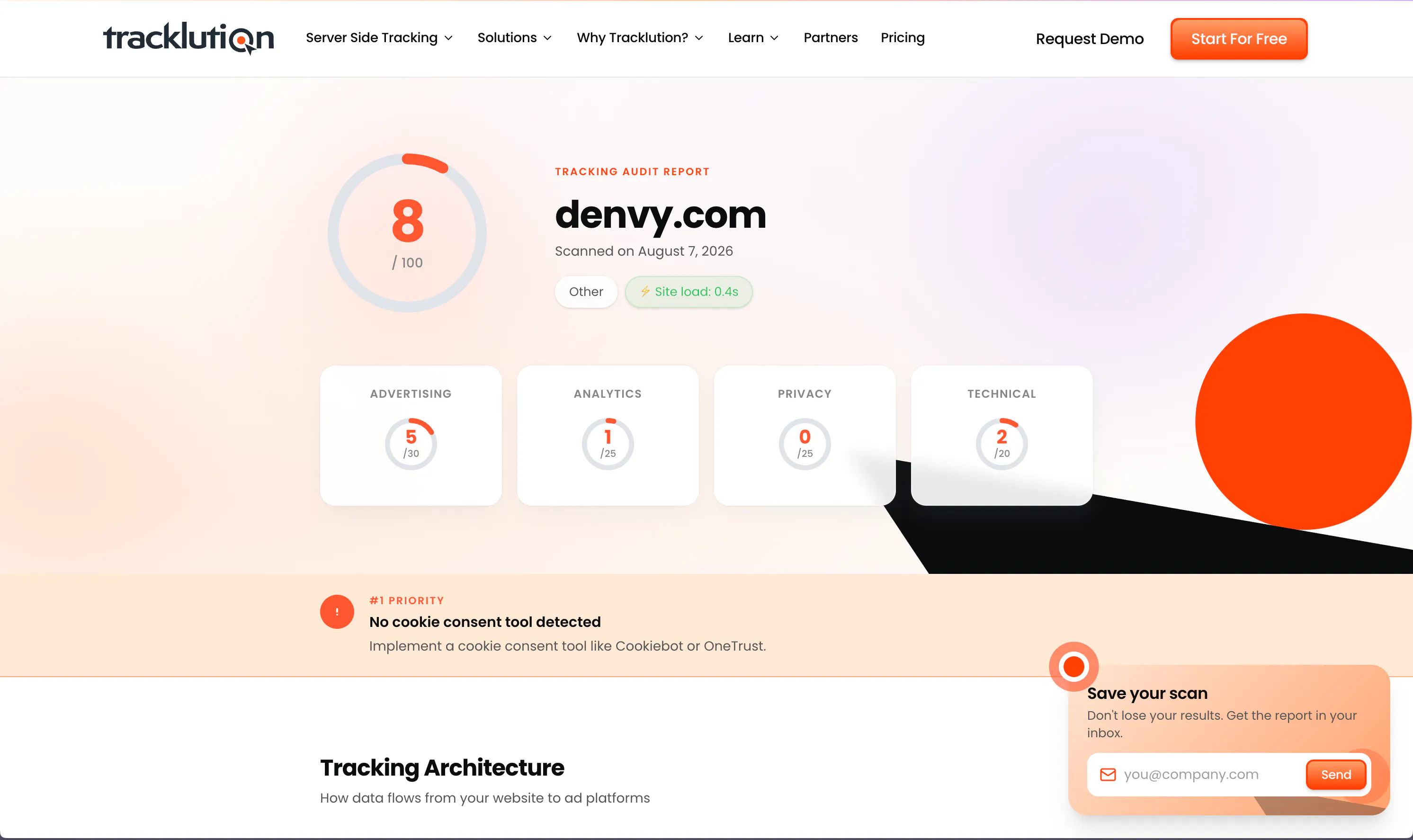
Is your tracking setup actually working?
Tracklution's free tracking audit scans your current setup and shows you exactly where you're losing conversion data, plus what to fix first.
What you can track with Tracklution for Adtraction
Tracklution sends each conversion to Adtraction through the matching commission type's callback URL, and standard events are tracked automatically with Shopify and WooCommerce.
Purchase
Completed orders with order value, optionally without VAT, for sale-based commissions.
Lead
Form submissions and quote requests sent to your Leads commission type.
Registration
New account registrations credited to the partner who referred them.
Start trial
Free trial starts tracked as conversions for programs that pay on trial sign-ups.
Custom events
Any conversion your program pays for. Name it, track it, and send it to Adtraction.
Trusted by advertisers worldwide
See how teams like yours recover lost conversions, lower CAC, and get their campaigns optimizing on complete data.


While others are still debating whether to modernise, we’ve already built the foundation for the next decade of advertising
Shaan Raja, Teamlead SEO & Integration Analyst @ The Platform Group


We made Tracklution a standard part of our service agreement and technology stack for clients. It’s like a quality guarantee for conversion data. And setting it up doesn’t take more than a few minutes.
Sampo Soininen, Digital Strategist @ Aava & Bang


The system runs so smoothly that contact with Tracklution is minimal. Support response time is excellent. Overall very positive experience with minimal issues.
Jacob Blæsbjerg, Founder @ The Morning Show


Now we know exactly which campaigns drive real appointments – and we’ve cut acquisition costs by more than 30% while keeping bookings steady.
Jesse Bartels, Chief Smile Officer @ Orthoclear


Almost every client we have onboarded to Tracklution has seen a growth in conversions. For reference, the media spend for these companies starts at just €500 a month.
Mikael Lahtinen, Head of Advertising @ Tagomo
Why use server-side tracking for Adtraction?

Blocked tracking means uncredited partners
When an ad blocker or cookie limit stops browser tracking, the sale still happens but the Adtraction partner who drove it gets no credit. Tracklution sends the conversion server-to-server, so it gets reported.

Partners promote programs that pay
Publishers watch their earnings closely, and if your program under-reports, they put their effort elsewhere. Tracklution users track 34.2% more conversions on average, so partners see the results they drove.

One setup for affiliates and ads
The same first-party events that feed Adtraction can go to Meta, Google Ads, TikTok, and more from one Tracklution setup, so every channel works from the same conversion data.
Privacy and security you can rely on
Tracklution is fully GDPR-compliant and certified under both ISO27001 and SOC2. Your data remains 100% yours — we never claim any rights to it. You have full control over what is tracked and what is sent to ad platforms. We’re simply your secure, privacy-first system provider.
SOC2, TYPE 2
Secure SSL Transactions
ISO 27001

GDPR Compliant
Questions and answers
How does Tracklution work with Adtraction?
Tracklution collects conversions on your website as first-party data and sends them to Adtraction server-to-server through the callback URLs in your Adtraction tracking guide. You add one callback URL per commission type, such as Sales or Leads, and choose which Tracklution events trigger it. Once the connector is live, Tracklution only sends conversions from visitors who came through an Adtraction link, within your attribution window.
What do I need to connect Adtraction?
You need the callback URL for each commission type in your Adtraction program, which you'll find in the tracking guide Adtraction provides for your brand. In Tracklution, add the Adtraction connector, paste each URL, and select the events that should trigger it. You can also choose to send order values without VAT and set a custom order ID. If you can't find your callback URLs, ask your Adtraction contact.
Which conversions are sent to Adtraction?
Only conversions from visitors who arrived through an Adtraction link, within the attribution window you set in the connector. The default window is 30 days. Within that window, each event you've mapped to a commission type, such as Purchase to Sales or Lead to Leads, is sent to Adtraction through its callback URL. Conversions from your other channels stay out of your Adtraction reports.
Can I send order values without VAT?
Yes. The Adtraction connector has an option to send order values without VAT, which helps when your commissions are calculated on net amounts. You can also set a custom order ID for each callback. By default, Tracklution uses its event ID, and you can build your own format with placeholders like {event_id} and {external_id} plus your own text.
Does Tracklution work for both sale and lead programs?
Yes. Adtraction programs can pay commission on different conversion types, and the connector takes a separate callback URL for each one. Map Purchase to your Sales commission, Lead or Registration to your Leads commission, or use custom events for anything else your program pays for. Each callback only fires for the events you've chosen.
How does Tracklution differ from other conversion tracking methods?
Because Tracklution works on server-side, not browser-side, ad blockers and tracking preventions such as iOS tracking prevention have far less effect on the affiliate sales you report. We don't just gather precise data from your website; we send it back to Adtraction and your other marketing channels through their APIs. You won't need to write a single line of code for it.
What is the uplift in conversion tracking?
In the data we've received from our users, Tracklution's server-side tagging improved tracking by 11-48% compared to pixel-only, cookie-based tracking, 34.2% on average. Results vary depending on how common ad blockers are among your visitors and on your current setup.
How much does this cost?
Your first 14 days are on the house, with no credit card needed, and you can cancel anytime. Once the trial ends, our plans and prices are at tracklution.com/pricing/.
Is Tracklution GDPR compliant?
Yes. Tracklution is designed and built in the EU, and GDPR compliance is in our very DNA: all data is stored in the EU (AWS Stockholm), and we never manipulate or enrich user data. Consent Mode V2 is supported, so your visitors' consent choices are respected when data is forwarded. Whether your own setup is compliant depends on your legal basis, your cookie consent and what you choose to send to Adtraction.
Is there a free trial to get started?
Yes, and it's free for 14 days with no strings attached. You won't need a credit card to start, and you can cancel whenever you like.

Have further questions?
Get even more from your Adtraction program
Set up server-side tracking in 16 minutes. Free plan available for Meta and Google Ads. From €39/mo for other connectors.
Get even more from your Adtraction program
Set up server-side tracking in 16 minutes. Free plan available for Meta and Google Ads. From €39/mo for other connectors.




