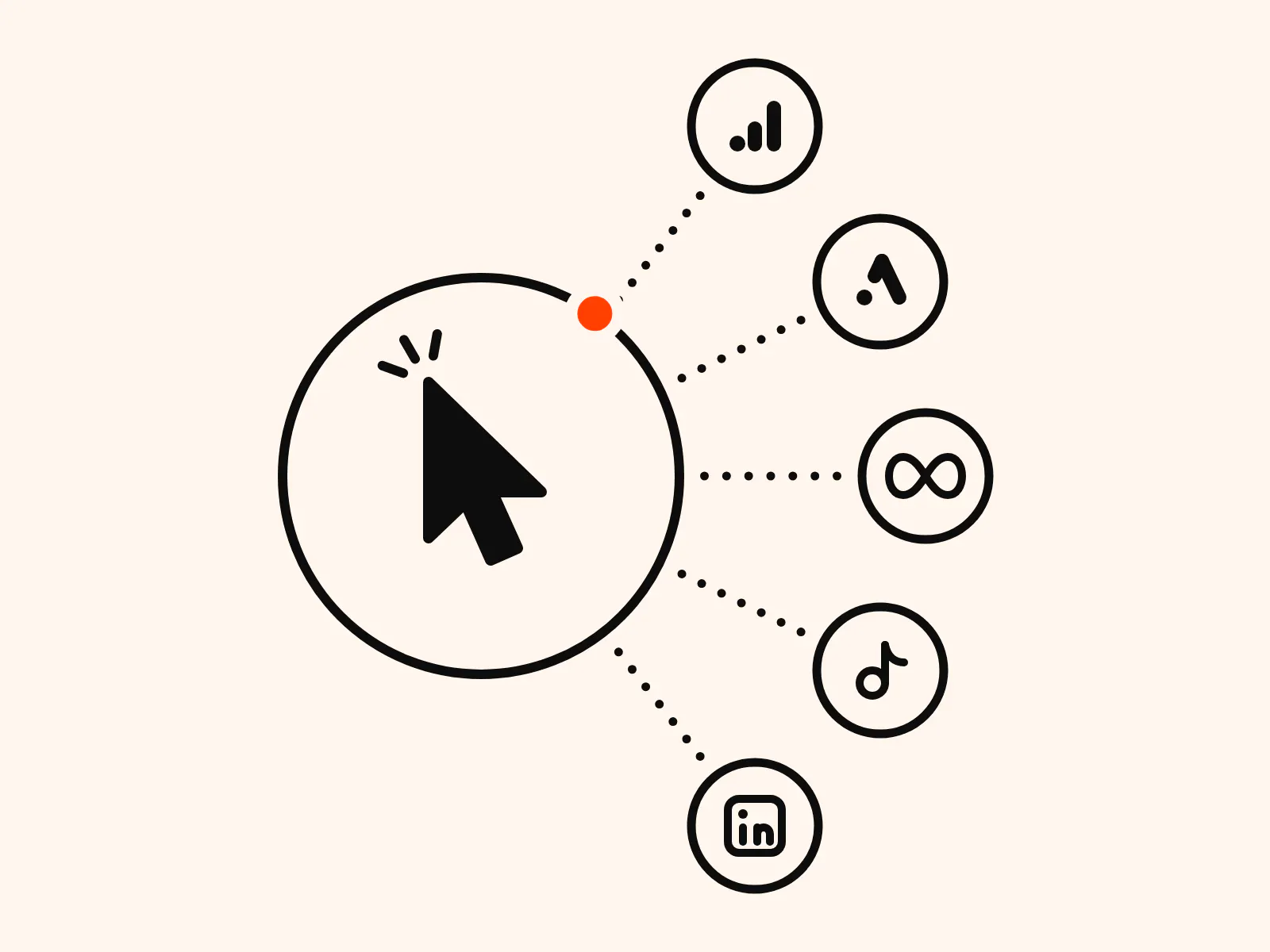
Conversion Tracking: What it is and how it works
Find out what conversion tracking tells you, how it works across ad platforms, and how better data can help you make more informed marketing decisions.

Table of contents
Better data.
Set up server-side tracking in minutes with Tracklution. Send better conversion data to your ad platforms so their algorithms can optimise for better results from your budget.
Start your free trialWhen someone clicks on your ad, they may go on to make a purchase, download an app, or sign up. Or, they could simply leave your website without doing anything meaningful.
So how do we find out what happened after that initial ad click? Well, that’s where conversion tracking comes in.
Knowing how people have interacted with your marketing at the surface level can be useful, but it's essential to understand which interactions actually lead to conversions in order to optimize towards real business outcomes. If you're missing this data, it can become difficult to know which campaigns are producing results and where your advertising budget could best be spent.
In this guide, we'll look at how conversion tracking works, the different methods available, and how you can use conversion data to get the most out of your ad spend.
What is conversion tracking?
Conversion tracking is the process of recording valuable user actions and linking them back to the source that drove them.
These valuable actions are called conversions, and in essence, they can be whatever you want them to be. They can include purchases, sign-ups, trial starts, form submissions, downloads, or phone calls.
What’s useful to measure as a conversion depends on your specific business context. A purchase might be the most important conversion for an ecommerce store, while a service-based business may place more value on form submissions or demo bookings.
Why conversion tracking matters
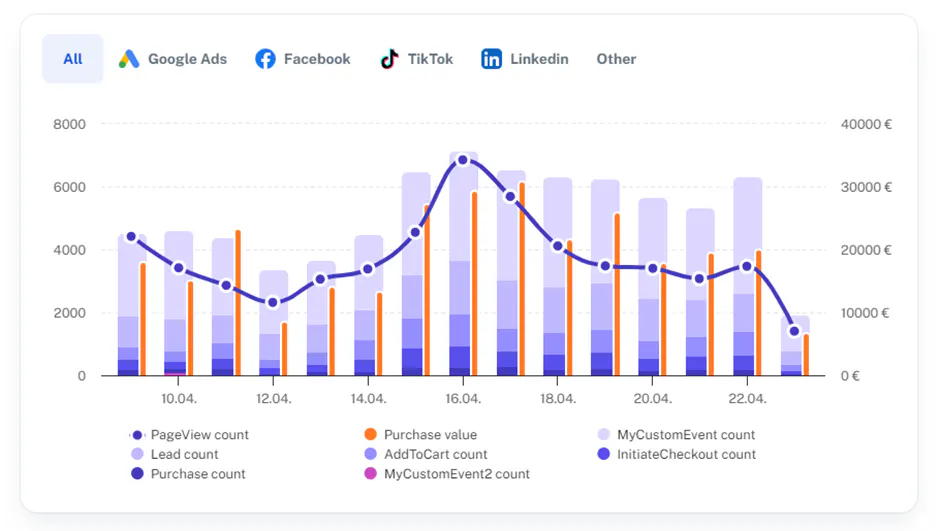
Without it, you're essentially optimizing blind. Conversion tracking helps show which marketing campaigns are actually producing results and which may be wasting ad spend on low-quality clicks. And this is the data you need in order to effectively optimize campaigns and allocate your budget strategically.
Clicks, impressions, and website visits only tell you half the story; these interactions don’t necessarily mean the users will go on to complete valuable actions. If you want to identify which campaigns are contributing to your actual business goals, you need to track conversions.
Let’s take an example →
One campaign may generate 1,000 clicks but only 10 sales, while another generates 500 clicks and 40 sales.
Clicks alone can make it seem like the first campaign is a better investment, but conversion data shows which campaign is driving the business value you’re interested in.
Having this insight allows you to make data-driven decisions and to better allocate your budget.
And this runs deeper than human-driven strategy: conversion data also gives ad platforms the information they need to effectively optimize campaigns. Conversion-based automated bidding systems use conversion data to help decide how to bid, allowing them to optimize towards your deeper business goals.
This means that the accuracy of conversion data matters as well. With missing or incorrect conversion data, platforms end up making decisions based on an incomplete picture, hindering their performance and efficiency.
Most optimization doesn’t happen where people think it does. It’s usually not in campaign/creative tweaks, but in the quality and consistency of the conversion data you feed into platforms. Small data issues can silently multiply into huge budget decisions. - Anni Salo, CEO at Tracklution
How conversion tracking works
Simply put, a user takes an action, a piece of code fires, data gets sent back to the ad platform, and the platform attributes it to a campaign.
But let's go a bit deeper.
The tracking process starts before the conversion itself. Your tracking system can capture and store information that connects a user's arrival on the site to the campaign that brought them there.
The user may then interact with, and complete a series of actions on, your site - and some of these actions may be those that you have defined as conversions.
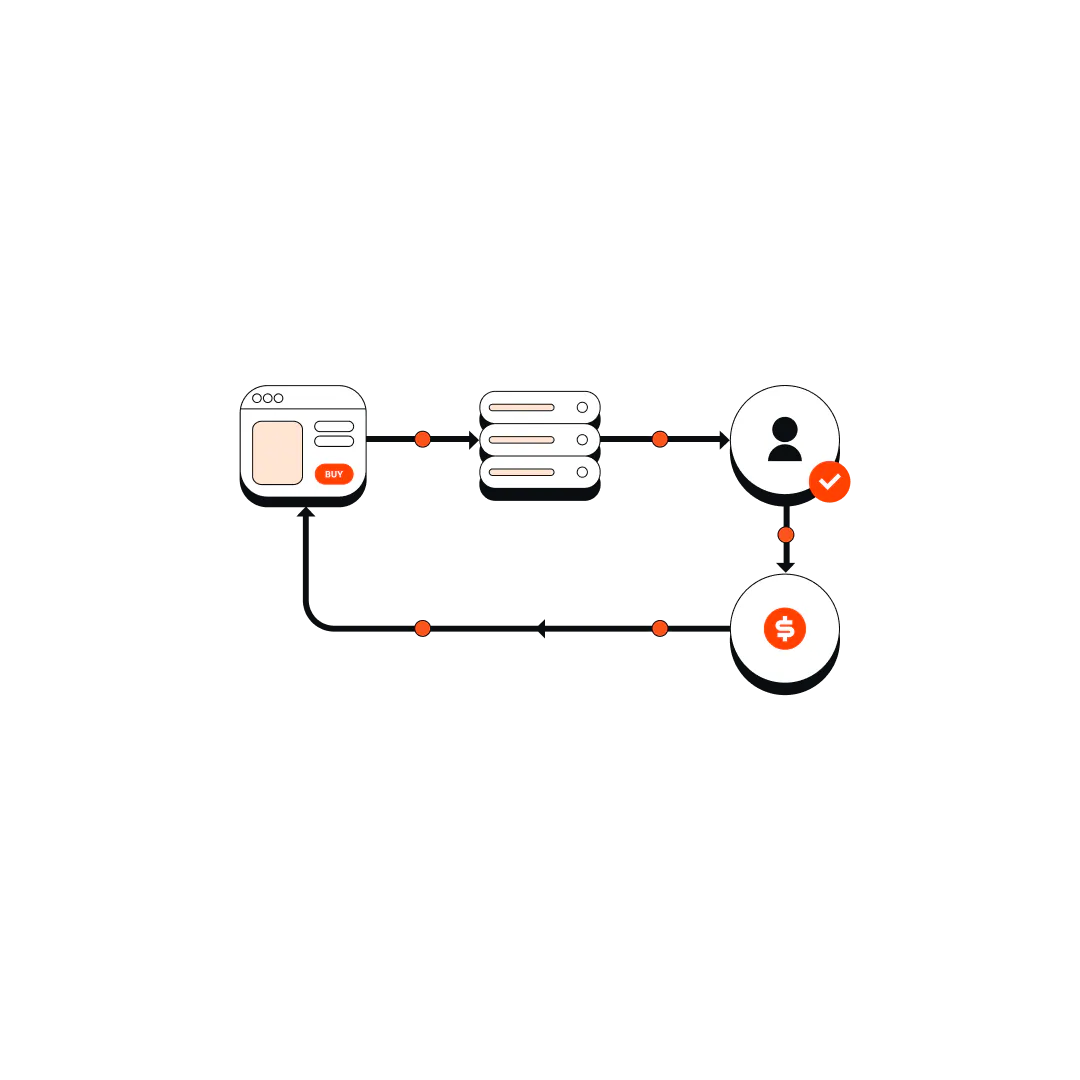
These conversion actions are typically captured by tracking tags or pixels, and are recorded as events, alongside other relevant data, such as when they happened or the value of a purchase.
That data can then be sent to your analytics or advertising platforms, where the platform can use the data to attribute the conversion to earlier marketing interactions.
Once the conversions are recorded and attributed, the information can appear in campaign reports alongside other performance data, which gives you a clearer idea of which campaigns and ads are actually contributing towards driving valuable actions.
Client-side and server-side conversion tracking
There are two overarching mechanisms that you can employ in order to track conversions.
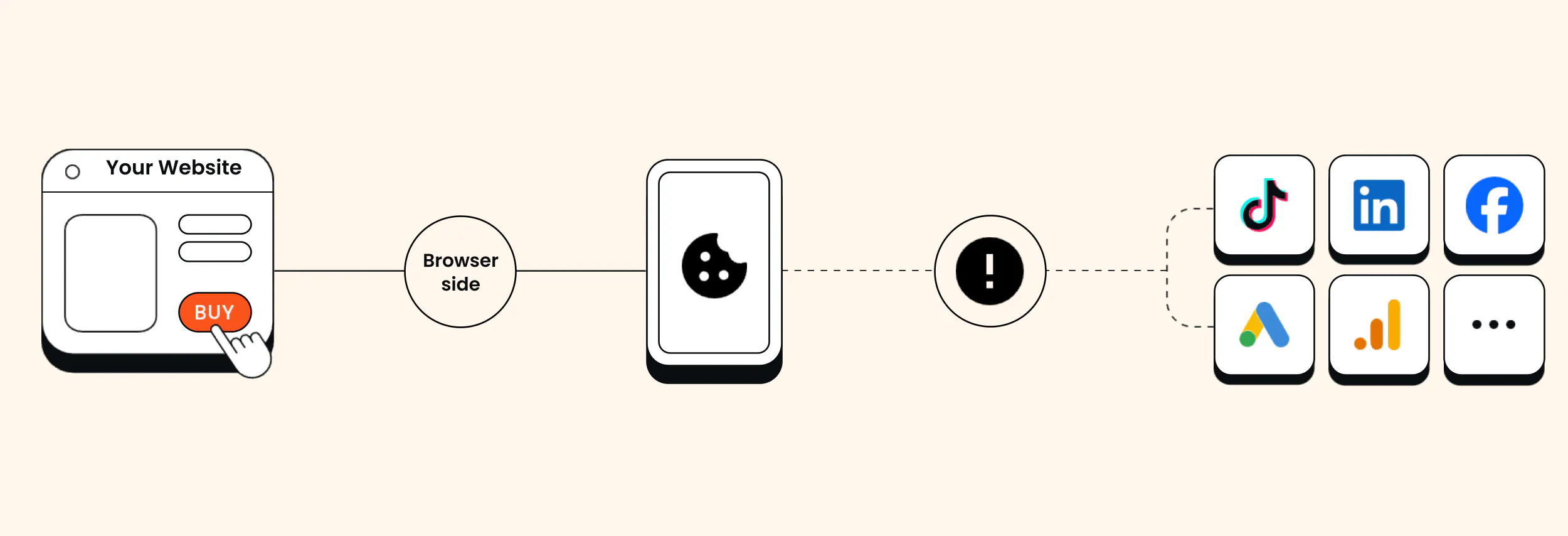
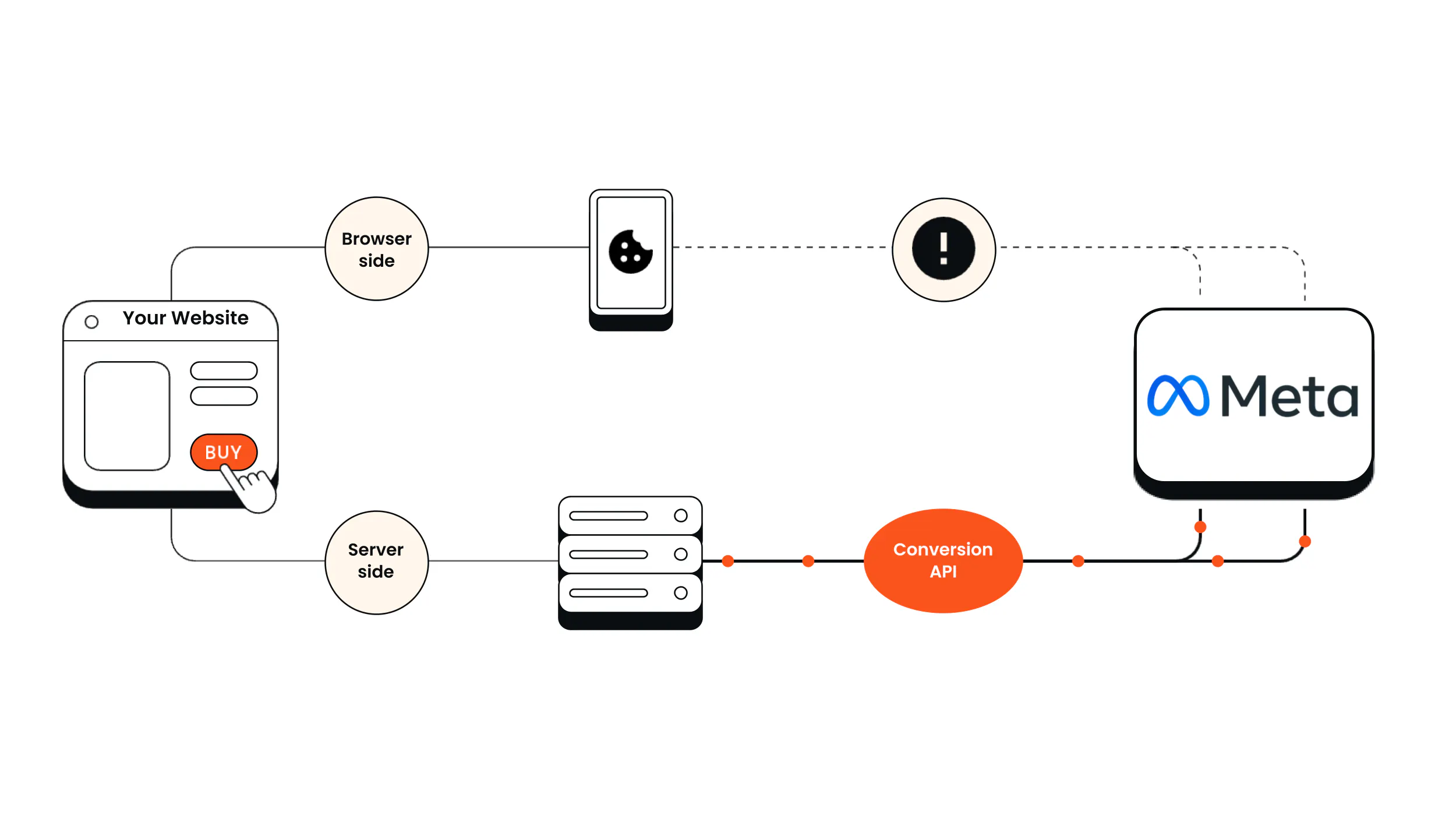
Client-side conversion tracking takes place in the user's browser. When someone performs an action, like submitting a form, that event is picked up by a tracking tag or pixel. The relevant information about the event is then sent directly from the user’s browser to the advertising or analytics platform.
Server-side tracking works by channeling the data through a separate server environment that you control. When someone completes an action on your site, the event data is captured and sent to a server, where it can be stored and processed before being forwarded to advertising or analytics platforms.
This reduces reliance on the user's browser to communicate directly with these platforms, which can help to avoid certain types of blocking and user behavior that would otherwise cause data loss. In turn, it can greatly improve the accuracy and completeness of the data.
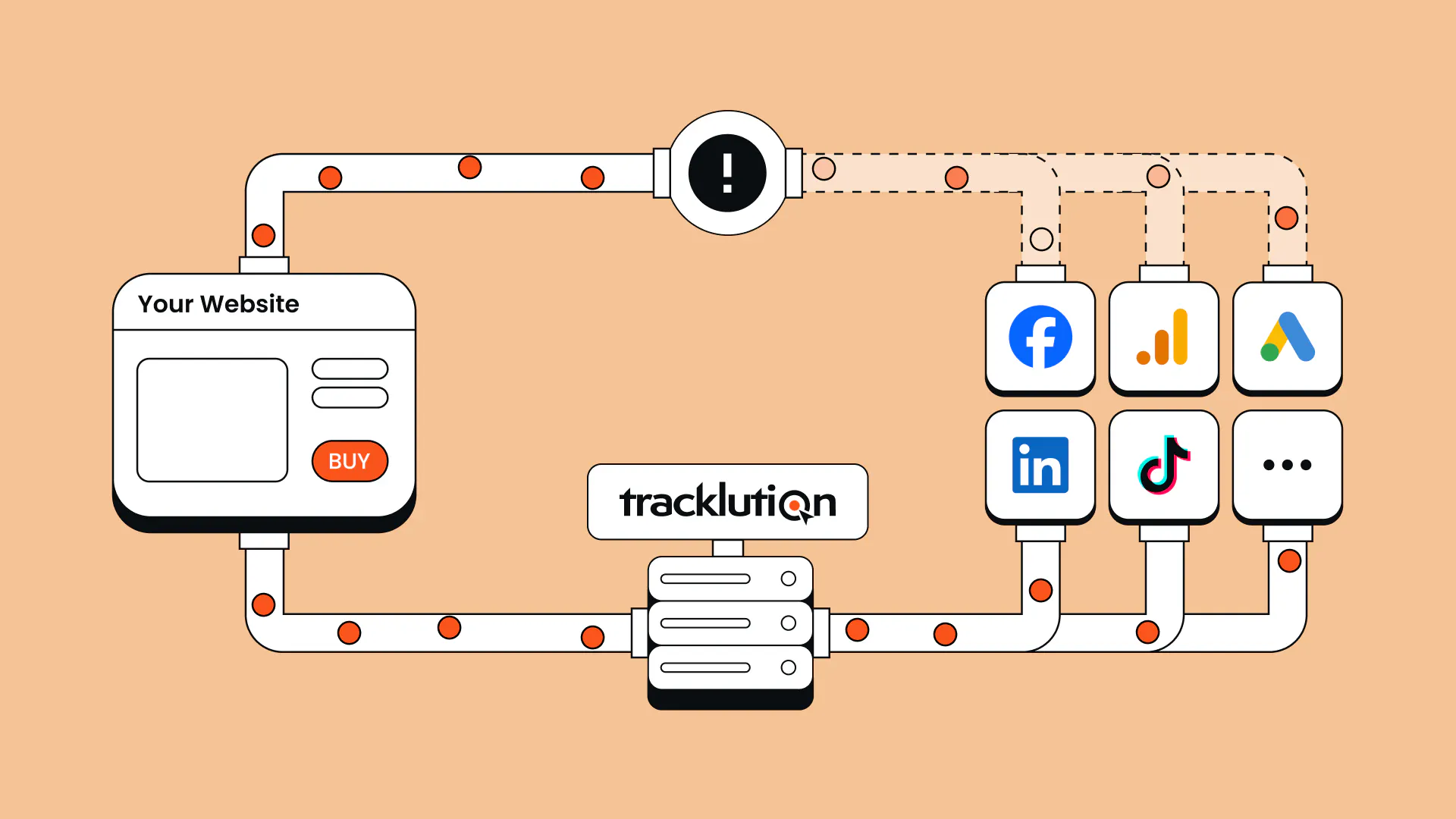
With that said, as our colleague Lucas Nilsson, explains, “Server-side is not some magic replacement, you still collect most events from a browser, and you still use pixels. Server-side is a powerful tool that enriches and supports your conversion tracking.”

“The less data you give the algorithms, the worse the campaigns perform.”
Read the full Yummy success storyHeiman Safeen,
Group Growth Officer at Yummy
Feature | Client-side conversion tracking | Server-side conversion tracking |
Data collection | Through the user's browser | Generally through the user’s browser, but it can include events recorded directly on your backend |
Data transfer and processing | The browser sends data directly to analytics and advertising platforms | Data passes through a server you control, where it can be processed before being sent to platforms |
Data loss and reliability | More vulnerable to ad blockers and browser restrictions | Less vulnerable to data loss caused by ad blockers and browser restrictions |
Data control | Less centralized control over data sent to platforms | Greater control over what data is processed and shared |
Privacy compliance | Must respect user consent | Must respect user consent |
Setup | Generally simpler | Historically more complex, but plug and play server-side tracking solutions (like Tracklution) are making it increasingly straightforward, even for non-developers |
When implemented correctly, server-side conversion tracking can allow advertisers to make data-informed decisions and encourage ad algorithms to optimize more effectively. This often leads to improved performance and more efficient spend.
Improve your conversion tracking without the complexity
Tracklution helps you collect more complete and reliable conversion data across your advertising platforms, without complex technical setup or developer help.
Online vs offline conversions
Online conversions take place within the purview of your tracking tag or pixel; typically on your website or app, such as form submissions, online purchases, signups, or app downloads.
Most conversion tracking tools can collect and record data for these actions.
Counterintuitively, offline conversions do not necessarily take place truly “offline”. Rather, they are conversions that take place outside of the view of your website’s tracking pixel.
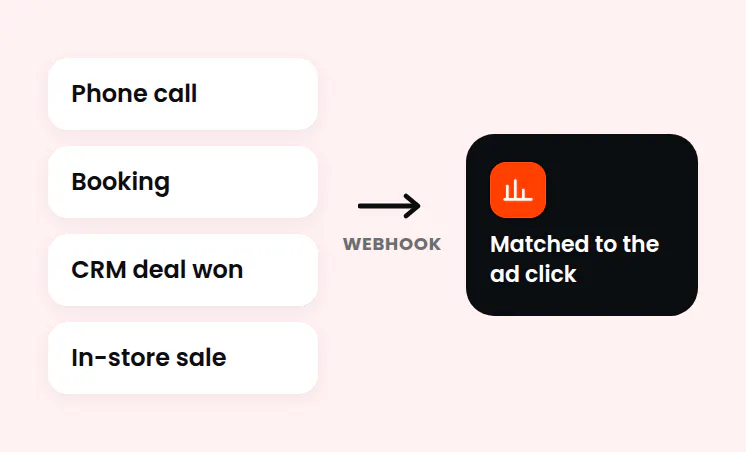
For example, an in store purchase or one that took place over phone call would count as an offline conversion. But so would a payment through a third-party payment provider like Stripe, or a meeting booked through a tool like Calendly.
Someone may click an ad for a car dealership, submit an inquiry form, and visit the dealership a week later to purchase a car. The form submission is an online conversion, while the completed sale is an offline conversion. Offline conversion tracking aims to piece together these customer journeys by connecting these offline conversions with the online marketing that facilitated them.
How can we track offline conversions?
Businesses can collect information about offline outcomes through CRMs, sales records, appointment bookings, or third-party payments. This data should include identifiers that can be used to connect the conversion to earlier interactions, such as an email address or phone number.
The data can then be imported to advertising platforms such as Google ads, where they can be used to attribute the conversions correctly.
Tracklution can help businesses connect offline conversion data with earlier online interactions, and send that information back to the relevant ad platforms. You can read more about how this works in our guide to offline conversion tracking.
Case Study
How Tonefest Guitar Gallery doubled ROAS with better conversion tracking
2x
Return on ad spend in two months
45%
More conversions recovered and sent to ad platforms
36%
Increase in online sales
Tonefest Guitar Gallery was competing against much larger retailers, and incomplete conversion tracking made it difficult to know which advertising campaigns were or weren’t producing results. After implementing Tracklution's server-side tracking, they recovered more conversion data and were able to send that information back to their advertising platforms. Within two months, their return on ad spend doubled, while online sales increased by 36%. Tonefest also connected in-store purchases to its online advertising through Shopify POS.
“If you are running a shop and serve every other customer with your eyes closed, that’s how marketing felt before. Tracklution lets me serve every customer with my eyes open.”

Petri Matero
Founder of Tonefest Guitar Gallery
Conversion tracking across ad platforms
Each of the major ad and analytics platforms generally have their own native tools that you can use to track conversions. While they all aim to record and measure the results of ad campaigns, the way that they collect data and attribute conversions can differ. So, let's dive into how you can use each of these platforms to track conversions.
Google Ads
Google Ads offers several ways to track conversions, depending on where they happen and how you send the data.
- Browser-based tracking: You can track website purchases or form submissions using the Google tag, which can be installed directly or through Google Tag Manager. You must configure which actions count as conversions. Here is the setup guide.
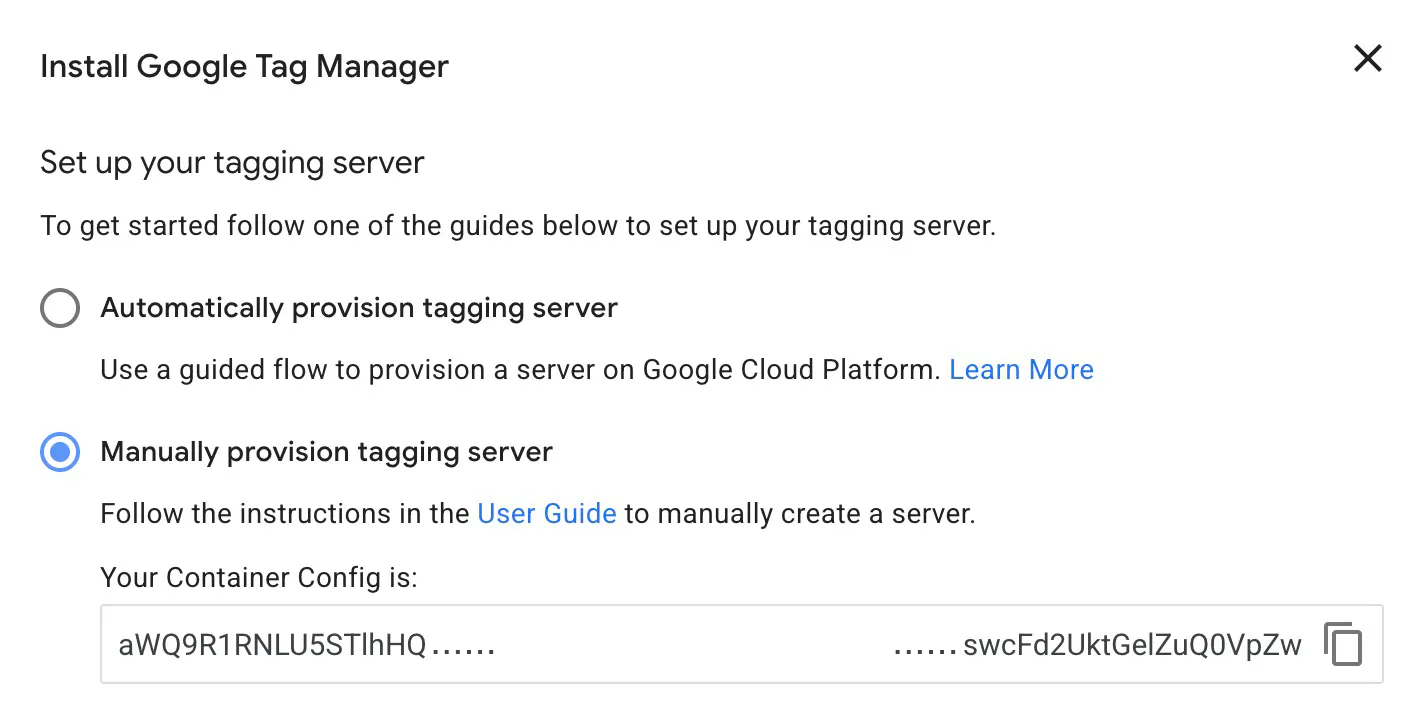
- Server-side tracking: You can use server-side Google Tag Manager to process data on your server before you forward it to Google Ads. Remember that browser-collected events remain vulnerable to loss before they reach your server. Here is the server-side setup guide.
- Improving conversion matching: Enhanced conversions adds hashed customer details which helps Google connect conversions to ad interactions. This supplements your tracking and must still respect user consent. Find out how to enable enhanced conversions.
- Offline conversions: Import sales or qualified leads from your CRM through tools such as Google Ads Data Manager to connect later outcomes that happened offline to the ads that generated the enquiry. Here are some offline conversion options.
Getting started: Choose a meaningful action, create it as a conversion in Google Ads, implement the relevant tracking, and test that it records correctly.
Meta (Facebook and Instagram)
Meta offers browser-based and server-side tracking methods to collect conversion data from websites and other connected systems.
- Browser-based tracking: The Meta Pixel collects information on events through the user's browser. You can configure which events you want to track. Meta Pixel setup.
- Server-side tracking: Conversions API (CAPI) lets businesses send conversion data from their servers or other connected systems to Meta, this reduces reliance on browser-based tracking. Find the conversions API documentation here.
- Combining tracking methods: The Pixel and CAPI can provide more complete conversion data by working together. When the same event is sent through both these methods, it’s important to remember that it needs to be deduplicated to avoid double counting. Here is the event deduplication guide.
- Improving event matching: Meta uses event information and matching parameters to help connect recorded conversions to advertising interactions. Businesses can check event match quality and tracking issues in Events Manager. Conversions API optimization.
Getting started: Open Events Manager in Meta, connect your website using the Meta Pixel or Conversions API, and choose which actions you want to track. Test your events to make sure they're being recorded correctly.
TikTok Ads
TikTok offers different ways to collect conversion data from websites and other connected sources.
- Browser-based tracking: The TikTok Pixel collects information about actions that take place on your website, such as purchases, registrations, or products being added to a cart. Here are their website tracking methods.
- Server-side tracking: TikTok's Events API allows businesses to send conversion data from websites, apps, and offline systems directly to TikTok. Events API guide.
- Combining tracking methods: The Pixel and Events API can be used together to create a more reliable data connection. Events sent through both methods need to be deduplicated to avoid counting the same conversion twice. Check out their event deduplication guide.
- Attribution: TikTok supports click-through, view-through, and engaged view-through attribution, with configurable attribution windows. Attribution settings.
Getting started: Go to Events Manager in TikTok Ads Manager, and connect your website using TikTok Pixel, Events API, or both, then configure the actions you want to track. You can use the testing tools to check that your conversions are being recorded correctly.
LinkedIn Ads
LinkedIn offers conversion tracking methods for measuring website activity as well as actions that happen later in the sales process.
- Browser-based tracking: The LinkedIn Insight Tag collects information about website visits and actions, such as form submissions or demo requests, after someone interacts with an ad. Insight Tag guide.
- Server-side tracking: LinkedIn's Conversions API allows businesses to send conversion data directly from their servers or connected systems, instead of having to rely solely on browser-based tracking. Learn more about their conversions API guide.
- Offline conversions: Businesses can connect offline data to LinkedIn advertising through Conversions API. More on offline conversion tracking.
- Attribution: LinkedIn uses last-touch attribution, with settings that determine whether credit goes to the most recent eligible ad set or each eligible ad set. Check out their conversion attribution settings.
Getting started: Open Conversion Tracking in LinkedIn Campaign Manager, create a conversion action, and choose the tracking method you want to use. Install the Insight Tag or connect your data source, then check that LinkedIn is receiving the events.
Google Analytics 4 (GA4)
Unlike the other platforms, GA4 isn't an advertising platform. It's an analytics tool that tracks activity across websites and apps, which can give businesses a broader picture of how users interact with their marketing.
- Event-based tracking: GA4 collects information through events, which can be set up using the Google tag or Google Tag Manager. These events can include page views, purchases, and form submissions. Event setup guide.
- Key events: Businesses can mark important actions as key events to measure how often users complete them and which marketing channels contribute to those actions. Learn more with their key events guide.
- Attribution: GA4 offers data-driven and last-click attribution options. These determine how credit is assigned to marketing interactions that led to key events. Attribution settings.
- Google Ads integration: Businesses can create Google Ads conversions based on GA4 key events, allowing that data to be used for campaign measurement and bidding. GA4 conversion setup.
Getting started: Create a GA4 property, connect your website or app, and set up the events you want to measure. Mark important actions as key events and use the Realtime report to check that they're being recorded.
How Tracklution can help
While each platform offers its own tracking solutions and setups, it can quickly become difficult to manage conversion tracking across multiple of them.
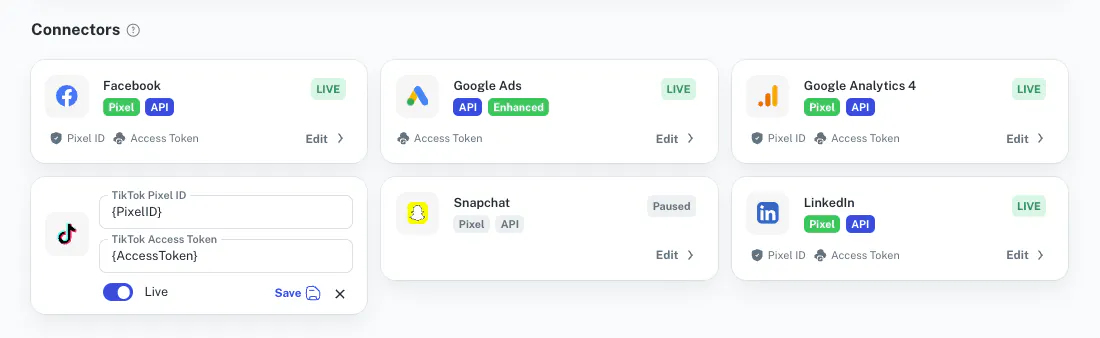
Tracklution simplifies this process by enabling businesses to collect consistent conversion data through a single server-side tracking setup and send it directly to multiple advertising platforms, via our native and custom integrations.
This helps to avoid the complexity and ongoing maintenance requirements of having individual tracking setups for each platform, while significantly improving the accuracy of the data compared to browser-only tracking. It can also reduce discrepancies caused by inconsistent tracking.
You don’t need to master every platform feature, but you do need to understand why your numbers look the way they do. If you can’t explain the gap between platforms and your backend, you’re optimizing on assumptions, not reality. - Anni Salo, CEO at Tracklution
Why conversion numbers don't always match
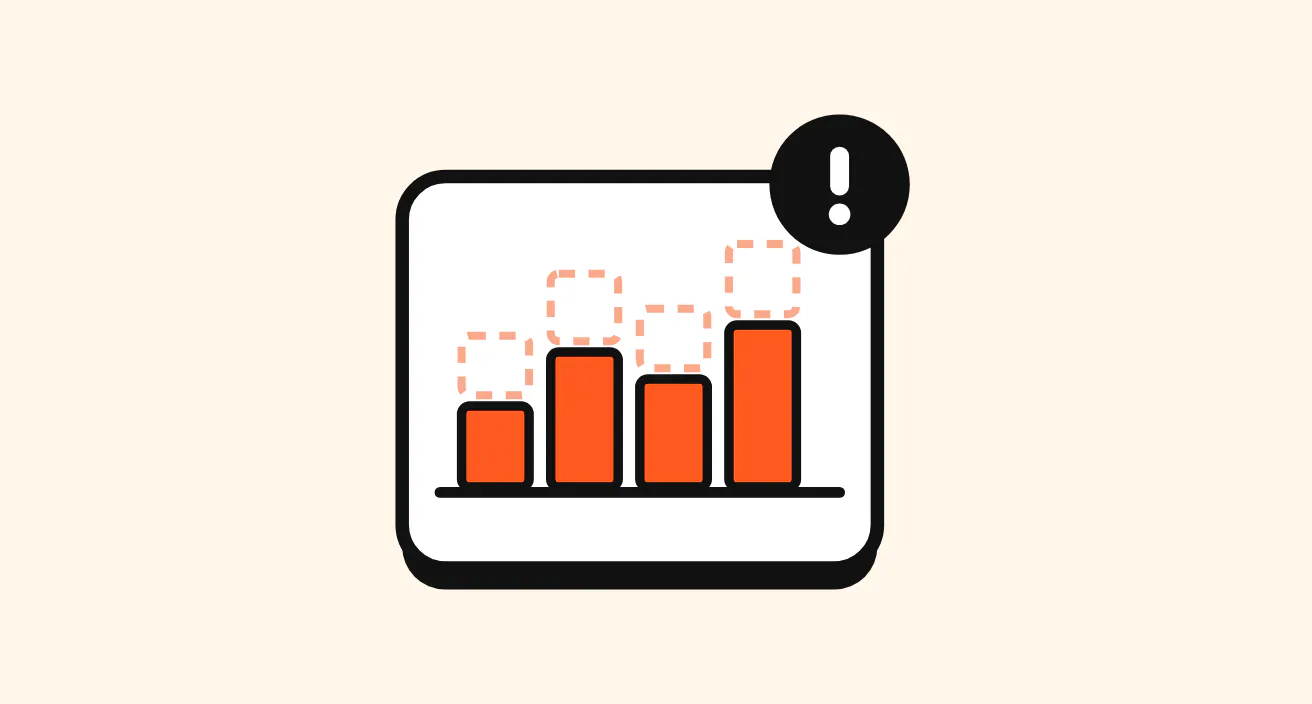
This is mostly due to the fact that each platform has its own attribution system, tracking methods, and ways of counting conversions. So, someone might see an Instagram ad, later click on a Google ad, and then finally make a purchase.
Depending on their attribution settings, both platforms may give themselves credit for that conversion. It may also be that one platform captures a conversion, and another doesn’t, because of differences in their tracking setup or data loss. This means that reported conversion numbers won't always match across platforms, even when they're measuring activity from the same website.
Key conversion tracking metrics
There isn't just one way to measure how well a campaign is doing. Different metrics tell us different things, and it’s important to understand when each is useful.
Metric | What it tells you | When it’s useful |
Conversions | The number of recorded actions that have been defined as conversions | Getting a top-level sense of the health and effectiveness of your campaigns or marketing efforts |
Conversion rate | The percentage of users or visitors that complete a conversion. | Comparing traffic sources or landing pages for how effectively they drive visitors to take valuable actions. This can help to prioritize or improve campaigns and marketing materials, to get the most out of your efforts. |
Cost per conversion | The average advertising cost of generating one conversion. | When deciding which campaigns to invest more into and which to scale back on. |
Conversion value | The revenue or estimated monetary value assigned to a conversion. | When identifying which campaigns generate higher-value outcomes, even if they produce fewer conversions. |
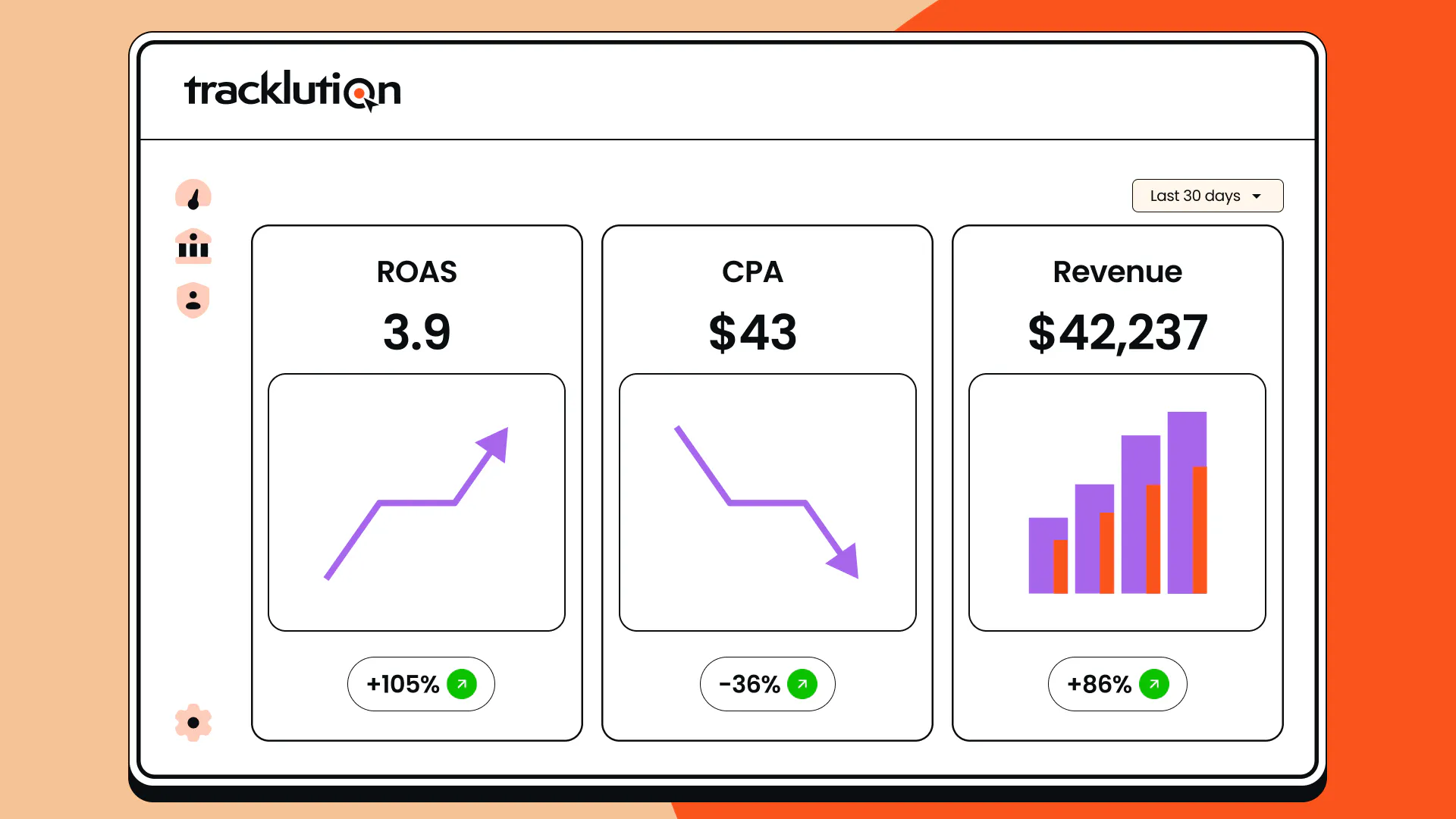
ROAS | The revenue attributed to advertising, divided by the amount spent on those ads. | Understanding the revenue generated per unit of ad spend, and deciding which campaigns to prioritize. |

“Tracklution gives a map to the platform: here are the right people who need to be reached. It feeds the algorithm so campaigns can perform better from the start.”
Read the full Aava & Bang success storySampo Soininen,
Digital Strategist at Aava & Bang
Conclusion
Conversion tracking can help you see which marketing campaigns are actually producing results, rather than just clicks and website visits. Once you’ve established which campaigns are generating conversions, you’ll be able to make better-informed decisions about where to allocate your budget.
Understanding the various types of conversion tracking and the native systems of each platform can be overwhelming. And implementing accurate tracking that combats data loss across platforms and devices can be more challenging still.
This is why we built Tracklution: to help businesses improve data accuracy and completeness, while keeping the process as simple and accessible as possible.
However you decide to implement your setup, we wish you many conversions!
Related posts
Conversion Tracking
Google Ads conversion tracking in 2026: A complete guide
Learn how Google Ads conversion tracking works, compare client-side and server-side setups, see where Enhanced Conversions fits, and choose the right approach.
Conversion Tracking
Google Ads conversion tracking in 2026: A complete guide
Learn how Google Ads conversion tracking works, compare client-side and server-side setups, see where Enhanced Conversions fits, and choose the right approach.

Conversion Tracking
Shopify Google Ads Conversion Tracking Setup Guide
Set up Shopify Google Ads conversion tracking, find out why Google Ads reports fewer conversions than Shopify, and learn how to recover the missing sales.
Conversion Tracking
Shopify Google Ads Conversion Tracking Setup Guide
Set up Shopify Google Ads conversion tracking, find out why Google Ads reports fewer conversions than Shopify, and learn how to recover the missing sales.
Conversion Tracking
Conversion tracking software: A practical buyer’s guide
Conversion tracking software covers many different tools solving different problems under one label. Find the category you need, with options for each.
Conversion Tracking
Conversion tracking software: A practical buyer’s guide
Conversion tracking software covers many different tools solving different problems under one label. Find the category you need, with options for each.
Questions and answers
What does Tracklution actually do?
Tracklution sends conversion data directly to ad platforms (Meta, Google Ads, TikTok, etc.) through server-side APIs. Instead of relying on browser pixels that get blocked by ad blockers, iOS privacy changes, and cookie restrictions, your data goes server-to-server. The result: ad platforms see more of your real conversions, their algorithms optimize better, and you get better ROAS.
What is server-side tracking?
Server-side tracking gathers first-party data directly on your website and sends tracking events to ad platforms via Conversion APIs. This approach bypasses restrictions from iOS devices, ad blockers, and privacy-focused browsers, providing more accurate data and making your paid advertising more efficient.
Is it just one setup that feeds data into all my ad platforms?
Yes. You install Tracklution once, connect your ad accounts, and it sends conversion data to all platforms simultaneously through their respective APIs (Meta CAPI, Google Ads API, TikTok Events API, etc.). No need to manage separate server-side setups for each platform.
How much more conversion data will my ad platforms actually see?
On average, clients report 34.2% more conversions compared to traditional browser-based pixels. This means the ad algorithms have significantly more signal to work with, which translates to 15-35% lower customer acquisition costs for most clients.
Do I need developers to set this up?
No. Setup takes 5-15 minutes depending on your platform. For Shopify, WooCommerce, and other supported platforms, it is plug-and-play. You do not need custom coding or engineering resources. For GTM users, you can keep your existing setup and add Tracklution alongside it.
Do I need to remove my existing tracking tags?
Not necessarily. Tracklution works alongside your current setup. You can run both in parallel initially to compare data, then decide whether to simplify.
What about the DNS / CNAME setup?
Tracklution uses a first-party CNAME record on your domain for data collection. This takes a couple of minutes to configure and up to 48 hours to propagate. It is what makes the tracking resistant to ad blockers and browser restrictions.
Can I verify that the data is actually more accurate?
Yes. Run Tracklution alongside your existing tracking and compare. The dashboard also shows "recovered events" so you can see exactly how many conversions would have been missed without server-side tracking.
Can I distinguish between organic and paid traffic?
Yes. Tracklution preserves traffic source attribution. The conversion data sent to each ad platform includes the proper attribution parameters.
What about offline conversions (phone calls, in-store, CRM events)?
Tracklution supports offline conversion tracking through webhooks and CRM integrations. If someone clicks an ad, then converts offline, you can feed that back to the ad platforms. Clients using this see up to 35% reduction in acquisition costs because the algorithms learn from the full conversion picture.
How does this work with cookie consent and CMP tools?
Tracklution supports both Basic and Advanced Consent Mode. It reads your CMP data layer automatically and respects user consent choices. In Advanced Consent Mode, it can still collect anonymized, cookieless data when users decline cookies, which helps ad platform modeling without violating privacy rules. Fully GDPR-compliant.
How is this different from Stape or building your own sGTM setup?
Stape provides server-side GTM hosting, which means you still need to build and maintain the tags, triggers, and configuration yourself. Tracklution is a complete solution: plug-and-play setup, automatic event detection, built-in consent management, a real-time analytics dashboard, and ongoing maintenance of all API connections. When ad platforms change their APIs (which happens often), we handle the updates.
How does the agency partner model work?
Single dashboard to manage all client accounts. Each client has their own tracking container. The platform handles all technical maintenance, so you are not stuck troubleshooting API changes or broken tracking.

Have further questions?
Already convinced? Get 100% accurate data with server side tracking
Already convinced? Get 100% accurate data with server side tracking