Google Ads conversion tracking in 2026: A complete guide
Learn how Google Ads conversion tracking works, compare client-side and server-side setups, see where Enhanced Conversions fits, and choose the right approach.

Table of contents
Better data.
Set up server-side tracking in minutes with Tracklution. Send better conversion data to your ad platforms so their algorithms can optimise for better results from your budget.
Start your free trialYour Google Ads performance depends heavily on the quality and completeness of the conversion data you track and feed it. Clicks and impressions are only a small part of the picture, and optimizing for them alone means leaving ad spend on the table. Knowing which ads generate purchases, leads, or other valuable actions, on the other hand, is key for strategic budget allocation and automated bidding strategies.
Conversion tracking gives you the information you need in order to understand which ads are actually driving the actions your business cares about. There are different ways to collect and send that data, and the method you choose can have a real effect on how impactful your conversion tracking ends up being.
Getting it right can mean better advertising decisions, better informed strategies, and ad spend that returns more bang for your buck.
This guide will help you understand what Google Ads conversion tracking is and why it matters, as well as how to choose the right method based on the specific needs of your business.
What is Google Ads conversion tracking?
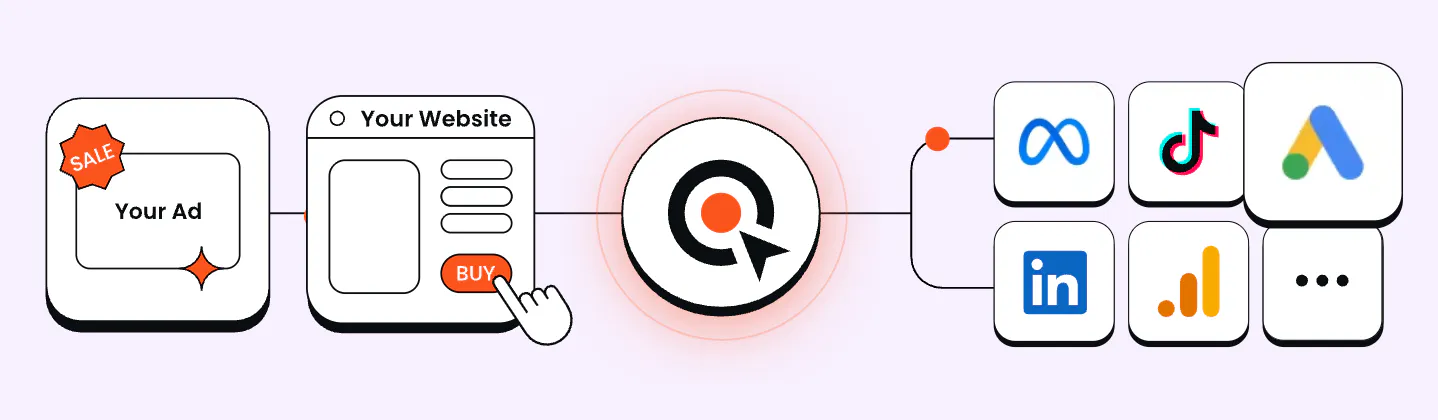
Put simply, Google Ads conversion tracking is a way of capturing data about the actions that users take after clicking on your Google ads. Depending on your business, these actions could be purchasing a product, submitting contact details, downloading an app, creating an account, or anything else that is valuable to your business.
Google uses this data to link these actions back to the ad clicks that they originated from, in order to attribute them correctly.
So if someone makes a purchase after clicking on one of your ads, the conversion tracking system will record that the click resulted in a sale; and this is invaluable information for campaign optimization.
Why Google Ads conversion tracking matters
In order to optimize decision making and spending, it’s essential to understand which of your ads and campaigns are driving tangible business value, rather than just clicks and impressions. A campaign can bring in traffic, while failing to generate purchases, leads or other outcomes that matter to you.
Conversion tracking helps you to see which interactions actually result in valuable outcomes, giving you a clearer basis for budget allocation, optimizing bidding strategies, and creative decisions. As well as a clearer view of attribution.
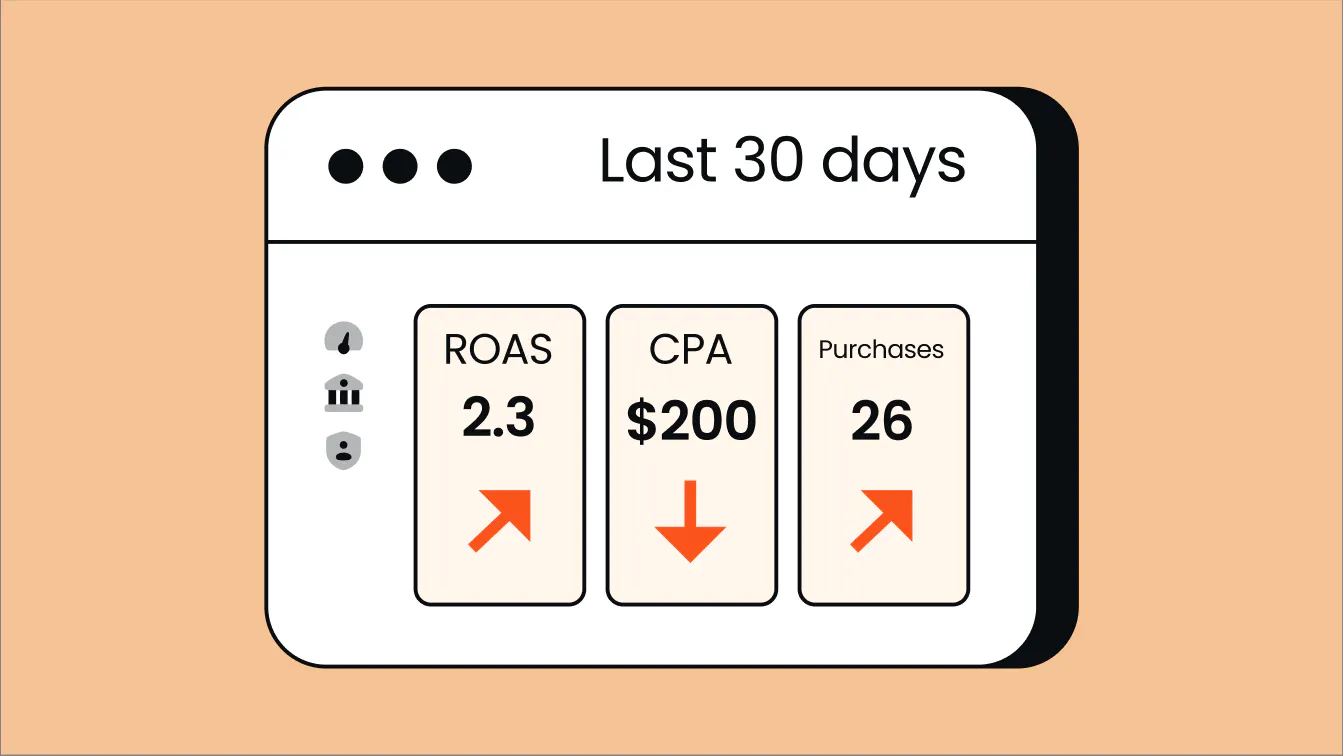
Beyond the layer of human-led optimization, Google Smart Bidding depends on accurate conversion data in order to effectively optimize campaigns. According to Google’s conversion measurement guidance, relying solely on clicks and impressions or incomplete conversion data means that the algorithm can’t optimize for business value, and leaves wasted ad spend in its wake.
Incomplete or incorrect conversion tracking doesn’t only result in a messy report, but can actively drive decision-making in the wrong direction. Without accurate conversion data, ad budgets can easily slide towards the wrong campaigns.
It's more and more reliant on algorithms, AI, and automation in general, and it simply cannot work if the data you feed to the algorithm is not good. - Anni Salo, CEO at Tracklution
In short, the result of effective Google Ads conversion tracking is marketers and ad algorithms being able to make more informed decisions with the knowledge of what is and isn’t improving your conversion rate. The better the data, the more confidently we can measure performance, allocate spend, and optimize campaigns.
Case Study
How 24 Center improved Google Ads performance with better conversion tracking
-25%
Reduction in customer acquisition cost
-35%
Ad spend, while maintaining profitable growth
100%
Accurate conversion tracking, full visibility from click to phone order
24 Center was struggling to connect phone orders with the Google Ads campaigns that generated them, leaving gaps in its conversion data and making optimization difficult. By combining web tracking with offline conversion tracking through Tracklution, the company connected online ad interactions with real customer outcomes, giving Google’s bidding systems better data to work with. The result was lower acquisition costs, reduced ad spend, and clearer insight into which campaigns were actually driving results.
“Tracklution enabled us to elevate the optimization of our Google campaigns to an entirely new level.”

Joose Pinomaa
CCO at 24 Center
How Google Ads conversion tracking works
When a user clicks on your ad, lands on your website, and completes an action that you’ve defined as a conversion, an effective tracking setup will record it as an event.
After the conversion is recorded, the relevant data is sent back to Google Ads. Google is then able to connect the conversion with the ad interaction that resulted in it using unique identifiers (like GCLID). This allows the platform to attribute the interactions to the correct campaigns.
The exact route that this data takes depends on the tracking method being used.
1. Client-side tracking
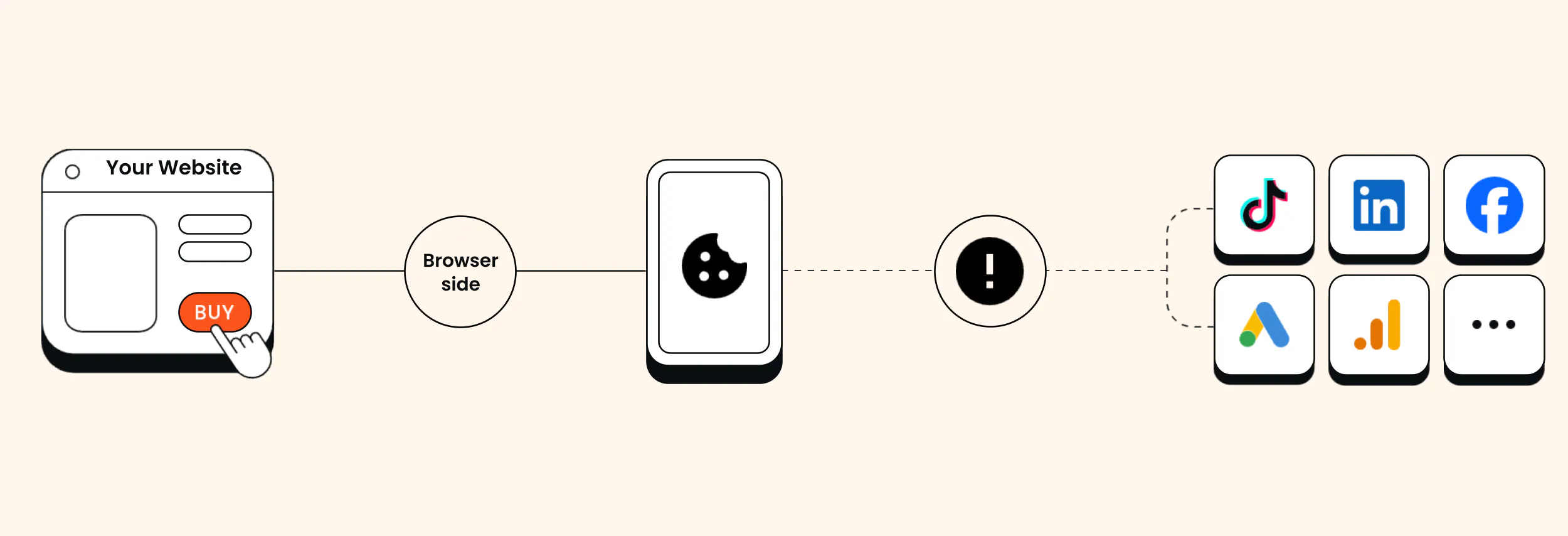
Client-side tracking relies heavily on the user's browser to do the work. A client-side tracking setup captures conversion data in the browser, which then delivers it straight to Google.
The problem with client-side tracking is that the conversion data doesn’t always survive the trip. Ad blockers, cookie limits, and browser restrictions can all take a bite out of it before it reaches Google.
2. Server-side tracking
Server-side tracking takes a slightly different approach. While it still collects most of the data in the user's browser, it sends it first to a controlled server environment for storage and processing before passing it on to Google.
This approach can help to prevent the data loss that plagues client-side tracking.
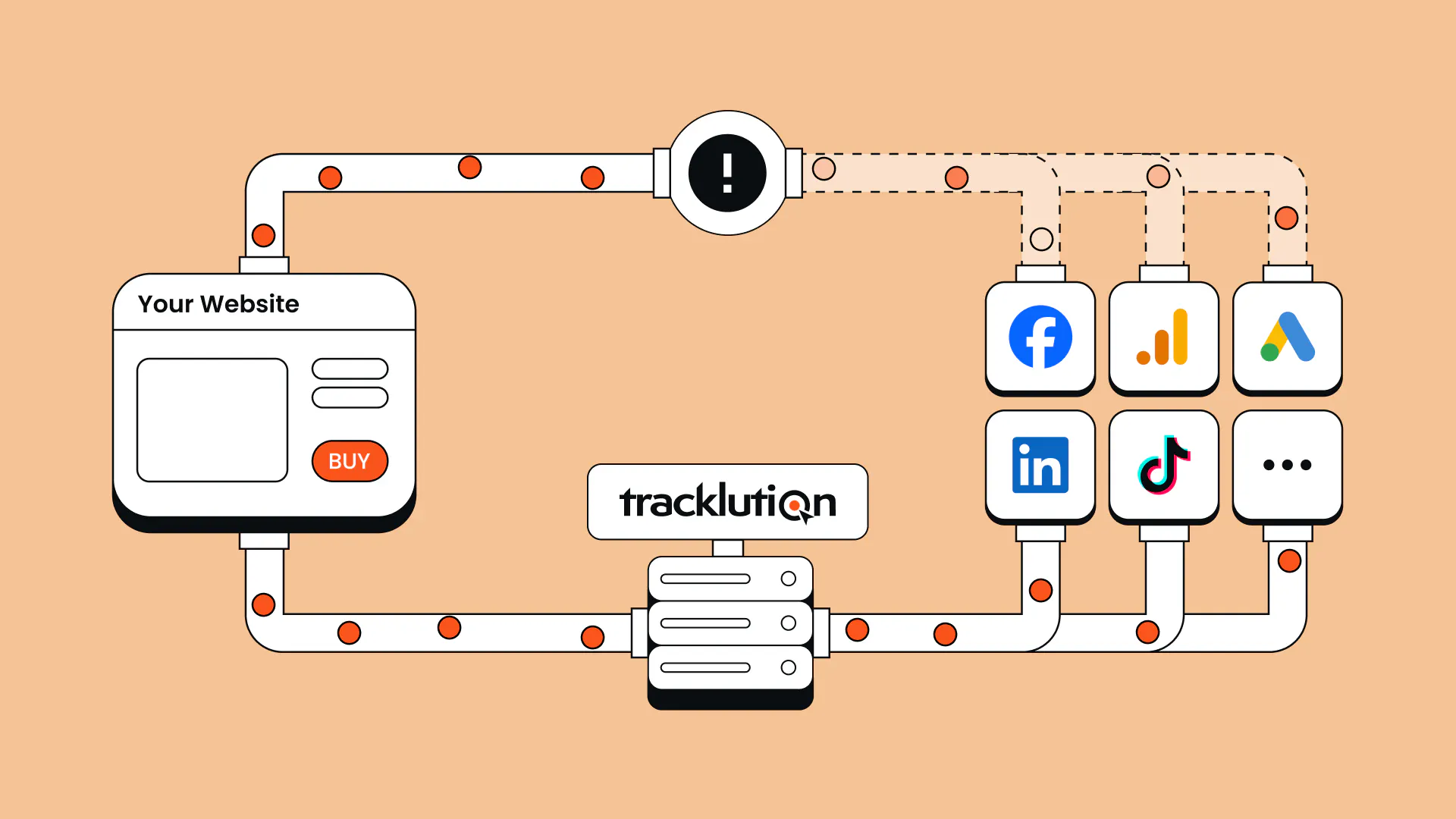
Either of the above approaches can also be supplemented with Google’s Enhanced Conversions, which adds hashed first-party customer data to improve matching.
The goal stays the same, no matter the method: connect conversions back to the ads that helped generate them.
Google Ads conversion tracking methods
As touched on above, there are a few different ways to track conversions in Google Ads, and each tends to come with perks and drawbacks. The right method is largely dependent on the needs of your individual business, as well as how much control and accuracy you need and the technical complexity you’re willing to deal with.
Let’s take a closer look at each.
Client-side tracking with Google tag
Client-side tracking has long been the standard approach for Google conversion tracking. Once the user has taken a conversion action, the Google tag (a small script installed on your site) records the action and sends that information straight to Google Ads.
The ease and simplicity of client-side tracking is its main advantage and one reason why it’s so widely used. It can work well for advertisers who have straightforward tracking needs or small budgets.
The limitation here is its reliance on the user’s browser. Privacy settings, cookie restrictions, consent choices, ad blockers, and other browser-side limitations can interfere with the tracking. Google notes that the cookies used to store information about ad tracking are not always available due to browser settings and restrictions. As a result, some conversions may not be recorded.
Browser restrictions can also limit the signals available to advertisers. Mozilla, for example, blocks cross-site tracking cookies by default in Firefox, while Safari’s Intelligent Tracking Prevention blocks third-party cookies.
So, while client-side tracking is a practical starting point for many advertisers, it can often end up providing an unfinished picture of performance.
Server-side tracking
Server-side tracking changes how your conversion data reaches Google. Instead of relying on the user’s browser to send information to Google Ads, the data first passes through a server you control, where it can be stored, processed, and enriched before being sent on. For a deeper technical overview, you can look at our Google Ads server-side tracking guide.
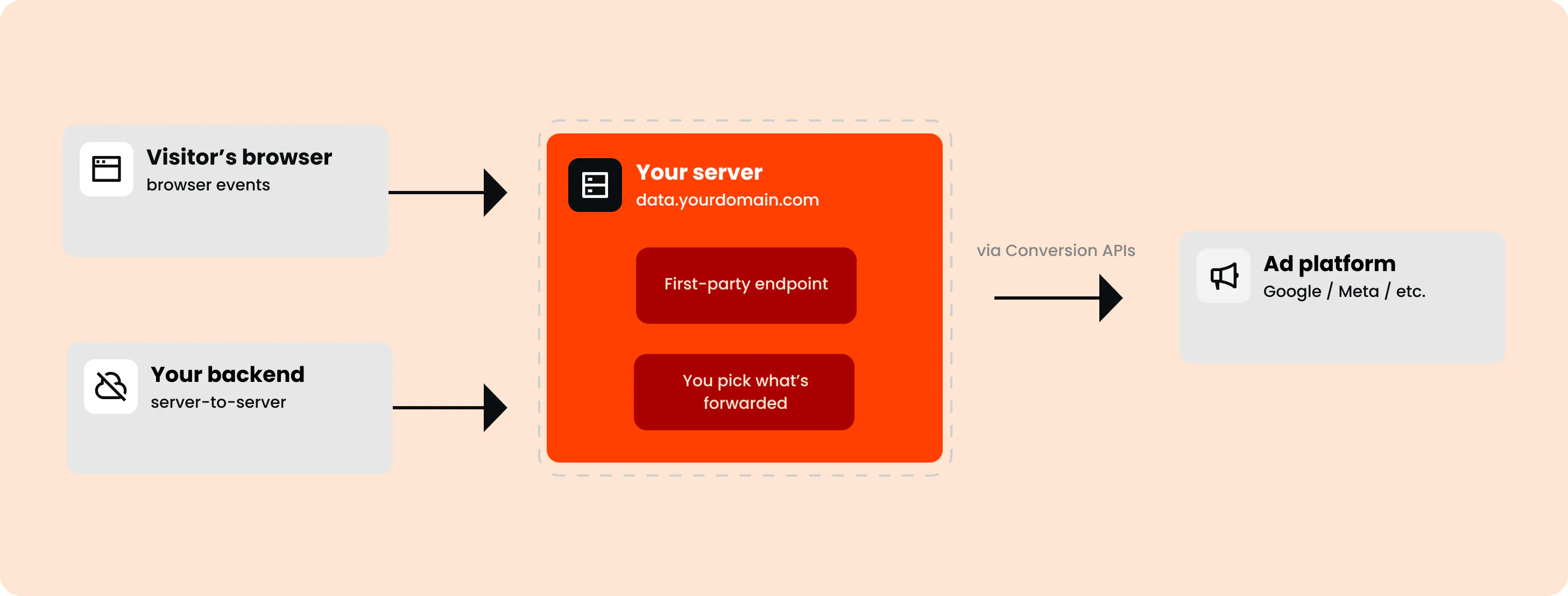
This offers a few key benefits.
Firstly, it makes your conversion tracking more resilient to the browser restrictions, cookie limits, and ad blockers which interfere with client-side tracking. The result is more complete conversion data, and therefore more effective Smart Bidding, budget allocation, and attribution.
Secondly, it gives you more control over how user data is collected, processed, and shared, which opens up a number of possibilities, from enriching your data with offline conversions to easier regulatory compliance.
Server-side is not some magic replacement, you still collect most events from a browser, and you still use pixels. Server-side is a powerful tool that enriches and supports your conversion tracking. - Lucas Nilsson, Product Specialist at Tracklution
The trade-off here has historically been complexity. Server-side setups often require more technical knowledge, infrastructure setup, and maintenance than standard tracking.
This is where a managed solution like Tracklution comes in, offering the benefits of server-side tracking without having to manage the technical setup and maintenance yourself. For a deeper dive, take a closer look at how Google Ads conversion tracking works with Tracklution here.
Set up server-side tracking without the complexity
Tracklution installs in 16 minutes on average, with no developer required. Sign up today and have accurate conversion data flowing to Google Ads before your coffee’s cold.
Enhanced Conversions
Enhanced Conversions is a feature that supplements your existing conversion tracking to improve accuracy and completeness, and can work with both client-side and server-side setups. According to Google, Enhanced Conversions securely sends first-party customer data using SHA-256 hashing and can match that data with signed-in Google accounts to improve conversion measurement.
For example, when a customer enters an email address as part of a signup or form-fill, that information is hashed and sent to Google for matching, helping to identify conversions that may not have been matched through simple browser-based identifiers alone.
This can improve measurement without requiring a full server-side setup. However, Enhanced Conversions still relies on having suitable first-party data available and can’t mitigate every limitation associated with browser-based tracking.
Method | Main strength | Main limitation |
Google tag / client-side | Simple and widely used | Vulnerable to browser-side data loss |
Server-side tracking | More control and more resilient data collection | Typically more complex to set up and maintain, unless using a managed solution like Tracklution |
Enhanced Conversions | Can help to improve conversion matching for either tracking setup | Depends on suitable first-party data and doesn’t solve every tracking limitation |

“Tracklution gives a map to the platform: here are the right people who need to be reached. It feeds the algorithm so campaigns can perform better from the start.”
Sampo Soininen,
Digital Strategist at Aava & Bang
How to set up Google Ads conversion tracking
So, how do you get started?
Let’s break it down.
1. Choose the right conversion tracking method
The right conversion tracking method depends on your unique needs as a business and advertiser.
1. Google tag
If you have limited resources to invest in tracking, relatively small ad spend, or your needs are quite simple, Google tag may be enough. For straightforward conversions, such as visits to a confirmation page, it’s relatively easy to set up and provides a useful starting point.
As ad spend grows, it becomes more worthwhile to look beyond client-side tracking, particularly if you rely on automated bidding, have a longer customer journey, or are seeing gaps in your conversion data.

“The less data you give the algorithms, the worse the campaigns perform.”
Heiman Safeen,
Group Growth Officer at Yummy
2. Server-side tracking
Server-side tracking is becoming the modern standard for good reason, offering greater control over how conversion data is collected, stored, processed, and sent. While certain implementation approaches bring more technical complexity and ongoing management, it offers a more resilient setup compared to other options, and advertisers often see meaningful ROI.
If you want the full implementation process, see our step-by-step server-side tracking setup guide, which covers various implementation options.
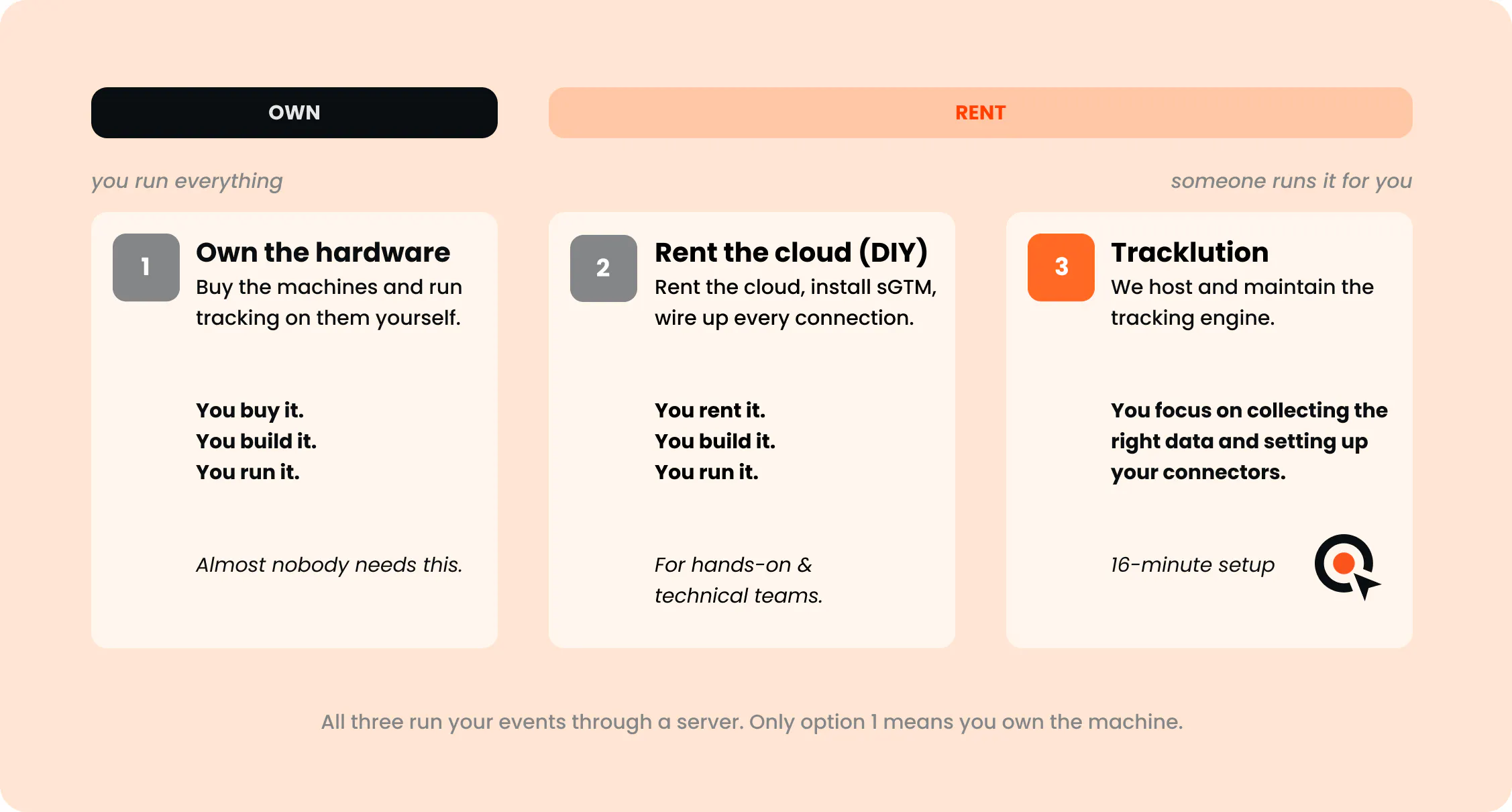
In either case, Enhanced Conversions can be a valuable addition, using first-party customer data to help Google match more conversions to your ads.
You can’t take a poor tracking setup, move it server-side, and expect that to fix everything. You still need to decide what you should be tracking, collect the right signals, and fix anything that’s broken. - Anni Salo, CEO at Tracklution
So, | You should consider |
You need a simple setup or have a small ad budget | Google tag / client-side tracking |
You want to further improve conversion matching in your current client or server-side tracking | Enhanced Conversions |
You want to improve the accuracy of your conversion data or need more control | Server-side tracking |
You want server-side tracking without managing the infrastructure yourself | A managed server-side solution |
2. Decide which actions you want to track
If you haven’t already, you’ll need to define which actions are important to your business. These could be, for example, completed purchases, enquiries, demo bookings, signups, or free trials.
Next, pinpoint when each of these conversions should be triggered. For example, a sign-up conversion should not simply be triggered from basic button clicks, but rather a successfully completed and submitted form.
Then, it’s important to decide whether you’ll attach a value to these conversions, such as revenues from orders.
3. Create or review conversion actions in Google Ads
Next, you’ll need to create conversion actions for each outcome you want to measure. Alternatively, if you already have tracking in place, review your current conversion actions and ensure they align with your defined actions from the previous step.
Choose the relevant category, value, and counting settings. Decide and set which actions should guide campaign bidding and which you want to monitor as supporting activity.
Google’s website conversion setup guide offers support here.
4. Connect your tracking
This is where the setup diverges depending on which tracking method you’ve chosen.
Approach | What setup involves | Documentation |
Google tag / client-side tracking | You can install or configure your Google tag, directly or through Google Tag Manager. Then set up the events or page rules that will identify your conversions, including order values where relevant. | |
Enhanced Conversions | This will involve building on your existing conversion tracking. You’ll need to enable Enhanced Conversions and configure eligible customer information, such as an email address supplied at checkout, to be hashed and sent to Google for matching. It’s important to review Google’s customer data requirements as part of the setup. | |
Server-side tracking through sGTM | Setting up server-side tracking through Google Tag Manager is a technical implementation project. You’ll need to: | |
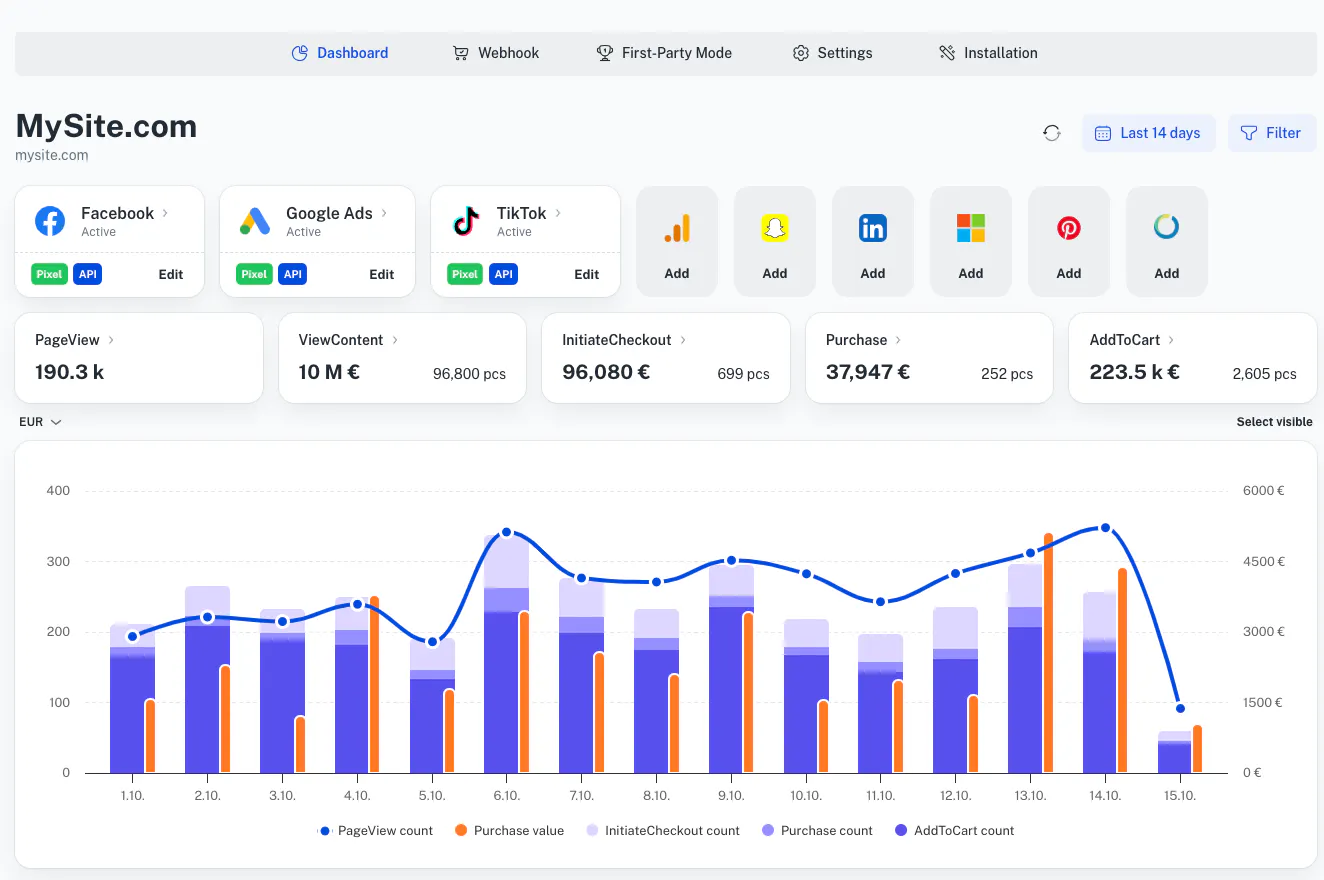
Tracklution | Sign up for Tracklution, create your tracking container, and install it on your website. Then connect your Google Ads account through our native connector, select the conversion actions you want to track, and validate your setup. |
Important note: It’s essential to ensure that your tracking respects the consent choices collected on your website, no matter the approach you’ve chosen. The ICO notes that organizations must provide clear information about cookies and obtain appropriate consent for non-essential tracking technologies.
5. Test that everything works
The final step is to make sure that your new setup is working correctly. After completing a test purchase or form submission, check that the conversion has been captured once, at the correct moment with the right information. Validate the event with your chosen tracking tool before moving to Google Ads to check the conversion status; you’ll need to allow some time for processing here. Here, Google recommends checking the Status column for your conversion action in Google Ads to confirm that the tag is active and working correctly.
Conclusion
Setting up Google Ads conversion tracking is an essential step when looking to improve the effectiveness and efficiency of your Google Ads campaigns. While it may seem overwhelming at first, understanding your specific needs and the available options can make the decision easier.
Client-side and server-side tracking offer different levels of accuracy, complexity and control, and Enhanced Conversions can strengthen either. The right choice isn’t necessarily the most advanced one, but rather the setup that will give you and your ad algorithm reliable data to make decisions confidently, while respecting your technical limitations and tolerance for complexity.
Whichever method you choose, it’s important to start with getting the fundamentals right, test your setup, and improve it as your tracking needs evolve. Reliable conversion data will give every future campaign decision a stronger foundation.
Related posts

Conversion Tracking
Shopify Google Ads Conversion Tracking Setup Guide
Set up Shopify Google Ads conversion tracking, find out why Google Ads reports fewer conversions than Shopify, and learn how to recover the missing sales.
Conversion Tracking
Shopify Google Ads Conversion Tracking Setup Guide
Set up Shopify Google Ads conversion tracking, find out why Google Ads reports fewer conversions than Shopify, and learn how to recover the missing sales.

Conversion Tracking
Conversion tracking software: A practical buyer’s guide
Conversion tracking software covers many different tools solving different problems under one label. Find the category you need, with options for each.
Conversion Tracking
Conversion tracking software: A practical buyer’s guide
Conversion tracking software covers many different tools solving different problems under one label. Find the category you need, with options for each.
Conversion Tracking
Ecommerce conversion tracking: Fix your tracking gaps
See how ecommerce conversion tracking recovers lost conversions and improves marketing spend efficiency.
Conversion Tracking
Ecommerce conversion tracking: Fix your tracking gaps
See how ecommerce conversion tracking recovers lost conversions and improves marketing spend efficiency.
Questions and answers
1. Why do I need Google Ads conversion tracking?
It shows which ads and campaigns are driving valuable actions, not only clicks. That data then also helps Google’s automated bidding systems optimize for better results.
2. What counts as a conversion?
Any valuable action that you choose to track, for example purchases, lead form submissions, phone calls, sign-ups, app downloads.
3. What’s the difference between Enhanced Conversions and server-side tracking?
Enhanced Conversions adds hashed first-party data which improves conversion matching. Server-side tracking changes the route conversion data takes to Google. Rather than the user’s browser sending information directly to Google Ads, the data goes through a server you control first, where it can be stored, processed, and enriched before it’s forwarded.
4. How do I know if my tracking is working?
Complete a test conversion, then confirm it was recorded a single time, at the right moment, with the correct details. Next, verify the event in your chosen tracking tool and in Google Ads.
5. How can I check for data loss?
Look for any unexpected gaps or drops in your reported conversions and compare Google Ads data with your website, Google Analytics 4 (GA4), CRM, or ecommerce records. If you see any large mismatches, this can indicate tracking issues.
6. What is GCLID?
A GCLID is a Google Click Identifier. It’s a unique value that Google attaches to an ad click which then helps to connect it to a later conversion.

Have further questions?




