
Ecommerce conversion tracking: Fix your tracking gaps
See how ecommerce conversion tracking recovers lost conversions and improves marketing spend efficiency.

Table of contents
Better data.
Set up server-side tracking in minutes with Tracklution. Send better conversion data to your ad platforms so their algorithms can optimise for better results from your budget.
Start your free trialYour ad dashboard shows one thing, and your Shopify admin shows another. There’s something amiss, and you might not realise it yet, but it could be costing you money.
The gap you see in conversions is a tracking problem, and while it may start as a trickle, the data loss leads to compounding wasted ad spend. This is because the data that fills your ad platform reports is the same data they use to decide where your money goes. So, how do you fill the gap?
This guide covers what ecommerce conversion tracking is, the events worth tracking, how to check what you're losing, and how to set it up so the data actually gets through.
What is ecommerce conversion tracking?
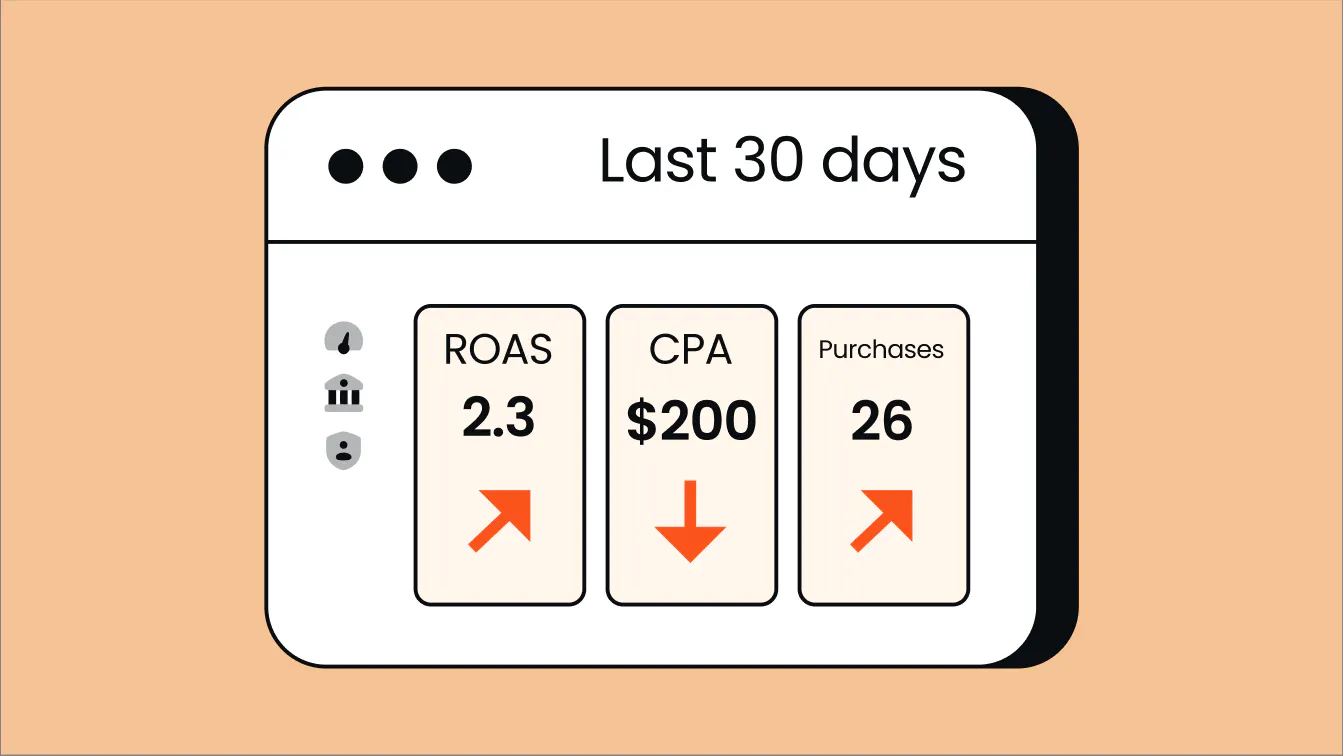
Ecommerce conversion tracking is the process of capturing and recording the actions that users take on your online store, and generally involves attributing these actions to ad campaigns or marketing channels. The recorded data is usually sent to ad and analytics platforms in order to give store owners insight into their campaigns and give the ad algorithms the data they need in order to optimize performance.
Conversion tracking focuses on events that represent valuable actions, such as purchases, add-to-carts, and checkouts. This differs from general analytics, which covers a broader scope of website activity, including metrics such as page views and traffic.
Key events
For ecommerce sites, four events carry most of the signal:
- view_item
- add_to_cart
- begin_checkout
- purchase
The first three events in this funnel are useful for understanding a shopper’s journey and where potential friction points may be when there’s drop-off.
Purchase is the event with real monetary weight and is the crucial macro conversion. These events must be recorded and mapped back to the correct source.
For a purchase event to be useful and accurate, it should include a unique order number, the value, the currency, and the items purchased (these map directly to the standard ecommerce event parameters that GA4 and the ad platforms expect). The order number (transaction ID) is especially important to ensure that the same order isn’t counted twice.
Why ecommerce conversion tracking matters
If you run paid ads, complete tracking data is a critical factor in making sure you don’t pump money into all the wrong places.
This breaks down into two areas: What you can see and act on, and what your ad platforms are optimizing against. Both depend on accurate tracking but struggle in different ways if your data is incomplete.
Visibility and decision-making
Your ad dashboards need to match what actually happened in your store. If they don’t, you’re flying blind and making decisions based on incomplete information, not on how your store is actually performing. Having a clear and accurate view of your revenue shows you where the real returns are hidden so you can reinforce the areas where you’re already winning.
Without accurate tracking, you can’t identify the channels or campaigns that are actually bringing in revenue, so you can’t confidently scale the winners and cut back on the losers. This decision-making aspect is critical, and it’s the difference between spend that compounds and spend that leaks.
Algorithmic and visibility and optimization
The second problem is not as obvious, but usually ends up costing you more.
Ad platforms, such as Google and Meta, optimize bidding automatically using your conversion data. Incomplete data leads to algorithms learning and executing the wrong patterns, and wasting your ad spend. On the other hand, complete data means optimized ad performance and increased ROAS, which directly impacts your bottom line.
In ecommerce, a conversion has a monetary value attached. If you only send a ‘purchase happened’ ping without an accurate value, target-ROAS bidding can’t tell a $20 order from a $2000 one and optimizes blindly, potentially chasing low-value targets.
This is exactly what pushed The Platform Group, one of Germany's leading ecommerce groups, with 30+ online marketplaces, to unify its tracking. Across its brands, tracking was a patchwork: Shopify plug-ins on some stores, server-side GTM on others, and different solutions elsewhere.
That left each ad platform's algorithm optimizing on partial data. After consolidating everything to server-side tracking with Tracklution, the group standardized clean conversion data across every brand and channel.
As Shaan Raja, Team Lead SEO & Integration Analyst at The Platform Group, puts it:
"In modern advertising, you win by giving algorithms the complete picture — not just part of it."
Types of ecommerce conversion tracking
There are a few paths to choose from and the right one depends on whether you’re investing in paid ads, your technical resources, and how much data you can afford to lose.
Client-side tracking
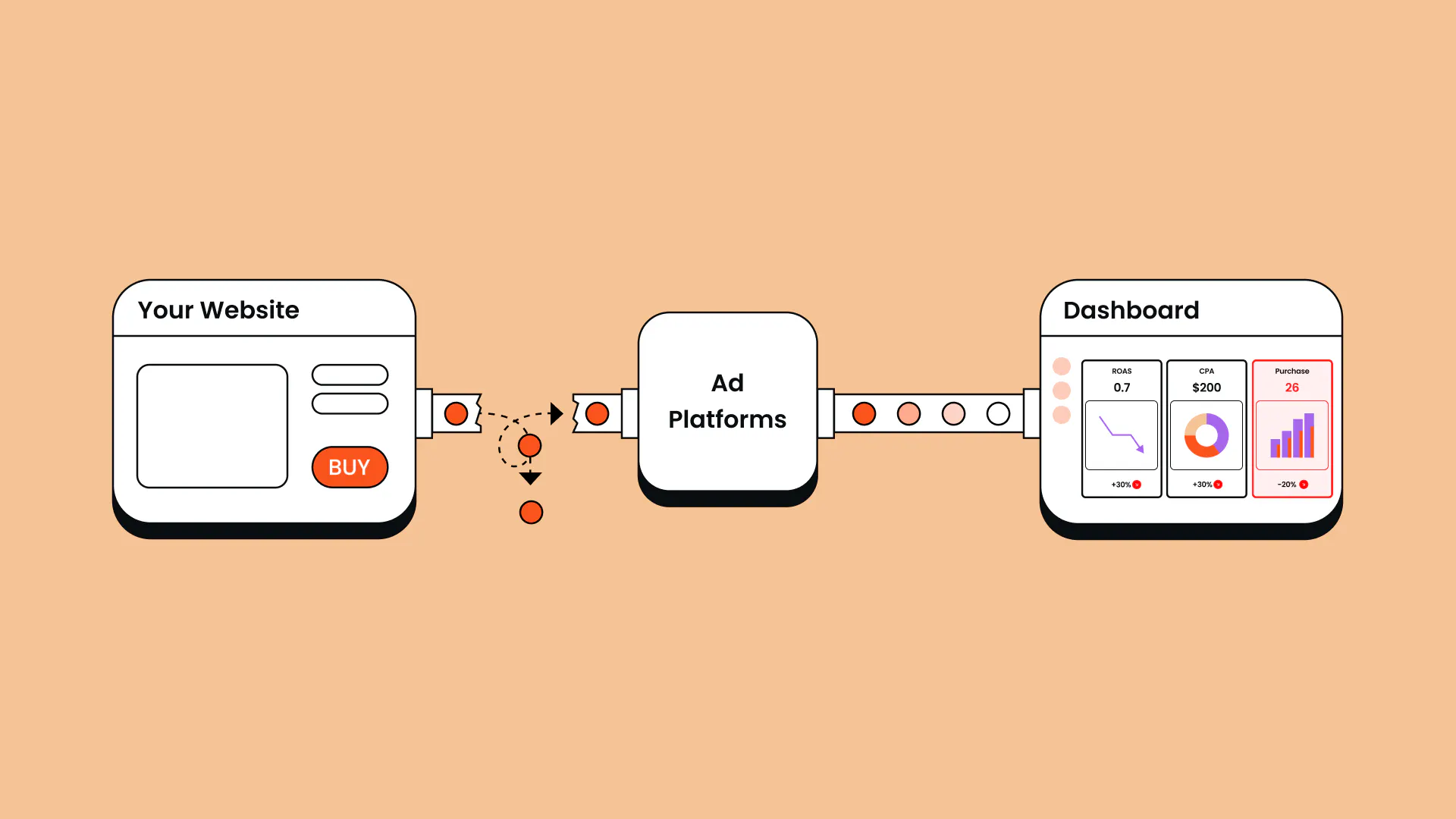
This is the traditional approach and where most stores start. A pixel or JavaScript tag fires in the shopper’s browser when an event occurs and then sends that information to third-party platforms. It’s simple to install and manage, but browser setups come with several limitations that are out of your control.
Ad blockers block pixels, users bounce before tags are loaded, and some browsers, such as Safari, put a limit on cookie lifetimes (Safari's Intelligent Tracking Prevention caps JavaScript-set cookies at 7 days, and as little as 24 hours in some cases). This leads to incomplete data.
The real problem is that these losses stack. As Anni Salo, our CEO here a Tracklution, explains, tracking issues tend to compound:
"It's usually the consent decline rate combined with ad blocker usage, plus some tracking tags that are misconfigured, plus tags that don't always load because the page is slow. You lose a small percentage here and there, and all of a sudden you're losing half your data."
There’s also the issue that sometimes, in ecommerce conversion tracking, the purchase event pings when the order-confirmation page loads. If the shopper closes the page too quickly or loses signal, or the page redirects to a payment provider before the pixel fires, the sale might not be captured.
On some ecommerce platforms the checkout process happens out of view of the pixel, so the ad-click event doesn’t even carry across to where the purchase happens.
Conversion APIs
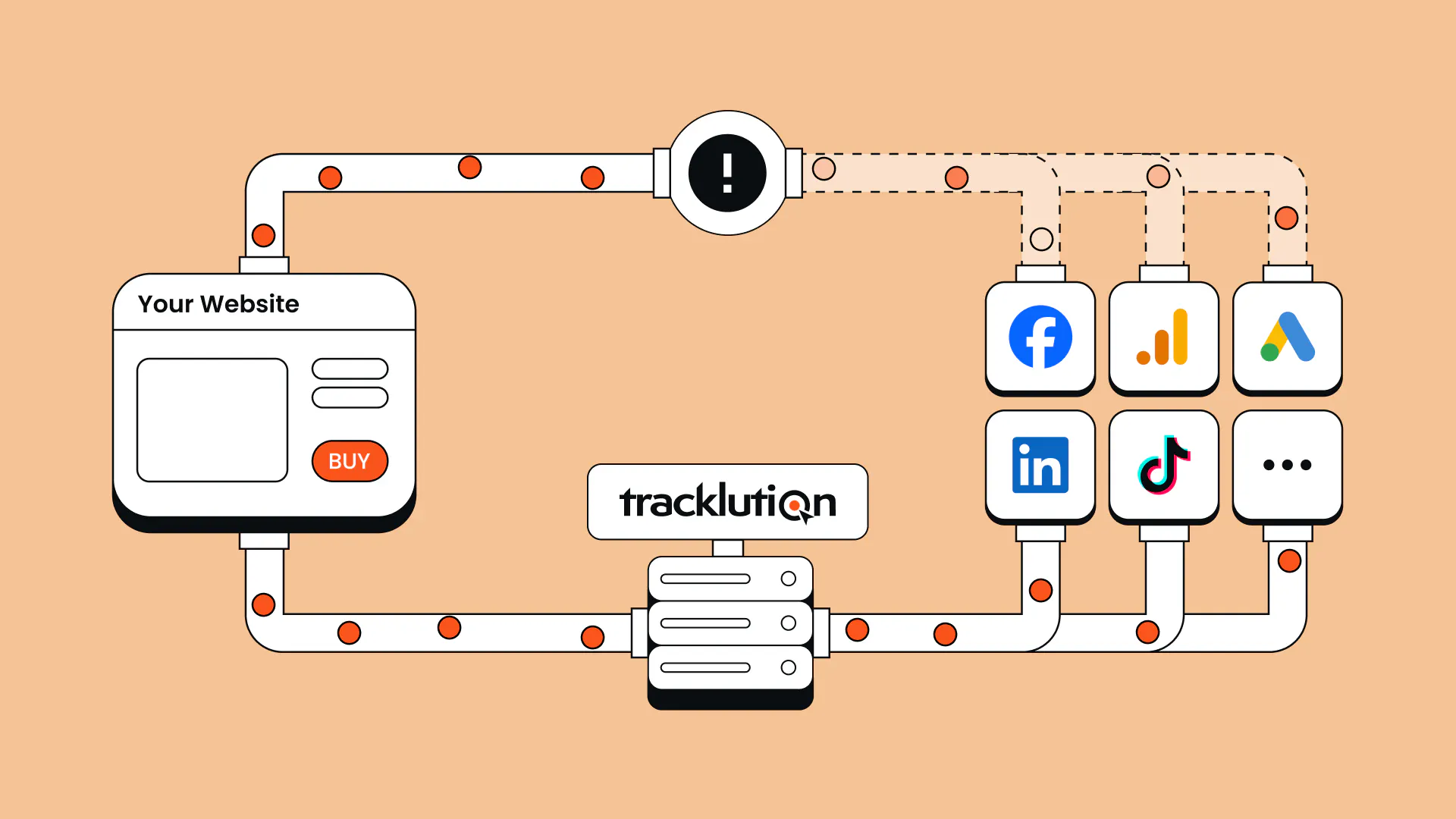
Major ad platforms offer their platform-specific server connections that run on your server and transmit events directly to the ad platform. Conversion APIs are a type of server-side tracking that form a direct pipeline for data.
You can think of server-side tracking as the infrastructure and conversion APIs as the delivery vehicle.
If you only advertise on one or two major platforms and operate on a standard turnkey ecommerce store, then using the relevant Conversion API plugin, such as Meta’s Conversion API, is a good way to plug the data holes created by client-side tracking.
However, if your website runs on a custom CMS, you’ll require developer resources and custom code to set up the plugins. And if you run ads on multiple platforms, implementing and keeping all of their APIs up to date can be burdensome, regardless of your store setup.
Server-side conversion tracking
For accurate and complete tracking, data should flow from server-to-server to sidestep the limitations caused by browser-based tracking, such as ad blockers and closed tabs. Server-side tracking works by funneling data from a user’s browser to a server you control for storage, enrichment, and processing, rather than directly to ad platforms, effectively bypassing browser blocks and cookie limits.
It is currently the most accurate method of ecommerce conversion tracking. And for any store spending significant budget on ads, it has become a necessary piece of infrastructure in preserving ad spend efficiency and overall business health.
Case in point: Yummy, one of Northern Europe's larger meal-kit companies, noticed that events weren’t tracking properly and wanted to use Meta's Conversions API but couldn't justify the developer time to build it themselves. After switching to server-side tracking with Tracklution, they tracked 30% more purchases than their pixel-only setup had, cut cost per acquisition 15%, and grew new customers 42% year over year.
Server-side conversion tracking vs Conversion APIs
Feature | Server-Side Tracking | Conversion API (CAPI) |
|---|---|---|
What is it? | Structural framework and data management process | Specific tool offered by the ad platform |
Who controls it? | Managed internally (using solutions such as Tracklution) | The ad platform (Google, Meta, etc) |
Primary job | Enriches, processes, and consolidates data | Ingests data to optimize ads and tracks conversion events |
Scope | Handles data for analytics, CRMs, and multiple ad platforms | Handles data only for a specific ad network |
How to tell if you’re losing conversions
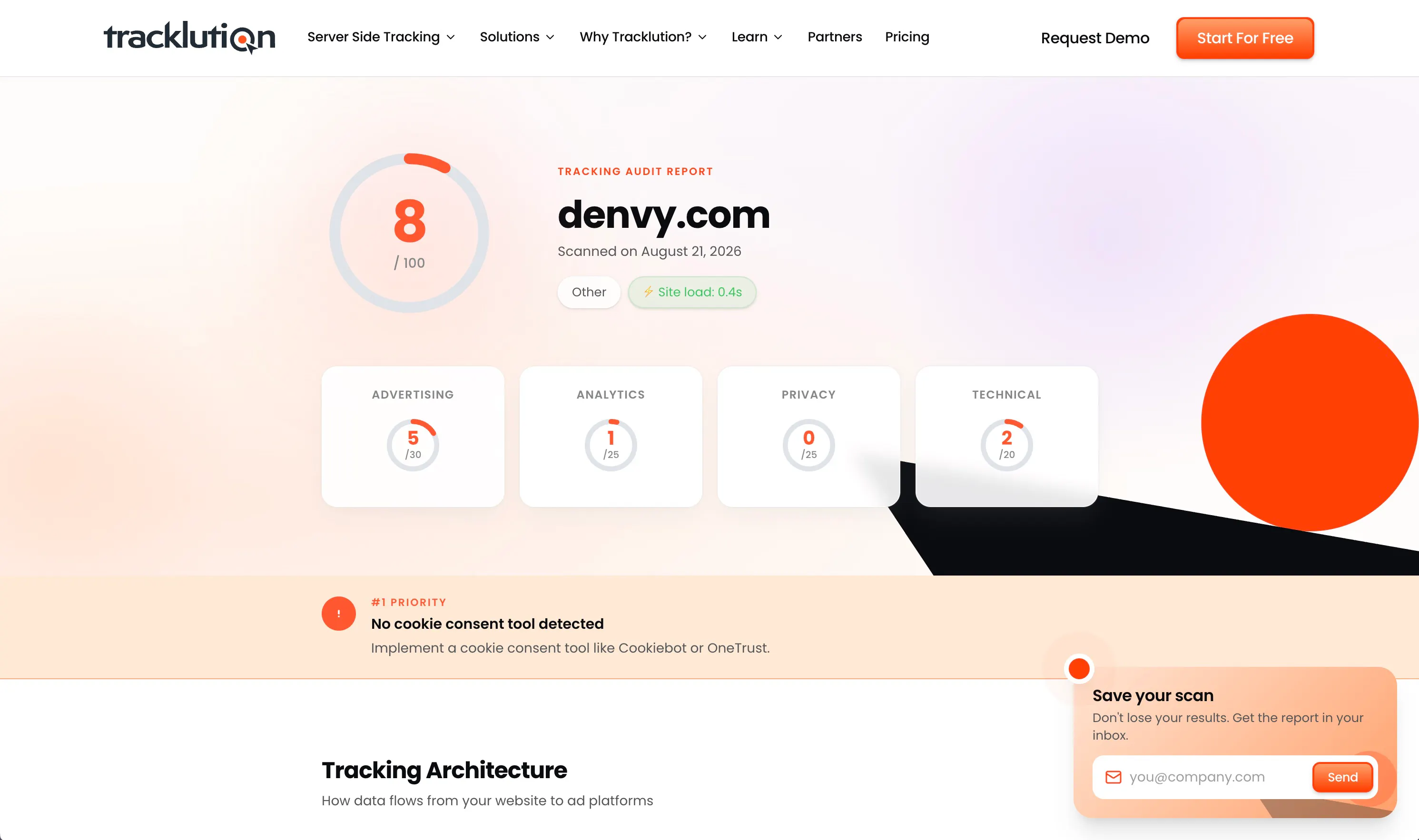
Before you start implementing changes, first identify if you have a problem and how big the problem is. You can easily conduct a self-audit to figure out if your current conversion tracking is accurate.
Open your ad dashboard and note the conversions recorded for a specific date. Check these against your store admin data for the same dates.
Here’s how to diagnose what you’re seeing:
- Your ad platform shows fewer conversions than your admin orders: Sales are slipping through the cracks and going untracked. This is likely due to client-side tracking browser limitations.
- More conversions on your ad platform than real orders: You’re double-counting events, most likely due to refreshed or reopened pages firing the pixel twice. Deduplication in server-side tracking prevents double-counting.
- Close but never matching: A persistent or growing gap may indicate that you’re losing data because of slow-loading tags, or disconnection over cross-domain journeys.
- Conversions dropped after a browser or privacy update: A dip that lines up with an iOS release or a new consent banner is a tracking problem, not a demand problem.
According to Anni, plenty of marketers can't explain why the numbers in their backend don't match what the ad platforms report. That mismatch is usually the tracking, not the math. If two or three of these sound familiar, you're almost certainly losing conversions.
"If you're a performance marketer primarily focused on campaigns, and you're not an analyst, there are often some blank spots, like why ad platforms are attributing what they're attributing, or why the numbers can look different in your analytics system or backend compared to ad platforms. But if you put in the effort to fully understand it, and you have a tracking setup that gives you full visibility, you can actually do your work better."
Find out exactly where your tracking leaks
A quick tracking audit shows which conversions your setup is missing and what it's costing you, before you spend another dollar optimizing against incomplete data.
How to set up ecommerce conversion tracking
There are three main ecommerce conversion tracking approaches (as we discussed above), so the your set up process will depend largely on your technical resources and your data goals.
Step 1: Choose your path
Let your ad spend do most of the deciding here. The more you spend, the more critical it is to have complete data.
Client-side tracking
This is the default setup that is affordable and simple to set up. It lives in the browser, so it is prone to browser limitations and consequential data gaps. The option here is to choose a Google Analytics 4 + Google Tag Manager setup or platform-native tracking.
It’s low effort, as most ecommerce platforms, such as WooCommerce and Shopify, have built-in conversion tracking. You can also connect Google Ads’ native conversion tracking without Google Tag Manager.
To get started:
- Set up a GA4 property and Google Tag Manager container, then install the container snippet on your store. Alternatively, use your ecommerce platform’s native tracking integration.
- Push the key ecommerce events into the data layer, including view_item, add_to_cart, begin_checkout, and purchase. Most platforms and plugins will do this for you.
- Build tags and triggers in GTM for the events you want to track, making sure the purchase carries the transaction ID, value, currency, and items.
- Add the client-side tags or pixels for the platforms you want to send conversion data to, such as Google Ads, Meta, TikTok, or GA4.
- Or use what your platform already offers instead of GTM: Shopify Customer Events, a WooCommerce plugin, or Google Ads’ native conversion tracking.
For a more detailed walkthrough, Google’s guide to setting up ecommerce events is a good starting point for understanding the underlying implementation.
Conversion APIs
This method fills some of the bigger conversion-loss gaps with a server-to-server connection between your store and the major ad platforms.
The setup is relatively simple if there is an official plugin for your store platform. If you run on a custom system, you’ll need developer resources to set it up. It will also require ongoing maintenance, which, on a custom CMS, requires technical expertise that can be costly.
If you’re running ads on multiple platforms, another downside with this method is that your data gets siloed and you lack a unified view.
To get started:
- Pick the ad platforms that you invest the most spend into and that offer a Conversion API, such as Meta, TikTok, or Google.
- Install the official plugin or integration, or get a developer to set up a server endpoint that sends events to the API.
- Configure the conversion events and the data you want to send, including the purchase value, currency, transaction ID, and customer or click identifiers where required.
- If you’re sending the same events through both the browser and the server, set up deduplication by sending the same event ID through both, so one order is only counted once.
- Verify the flow of data using the ad platform’s internal diagnostics and testing tools.
For more detail, see Google's guide to managing online conversions and Meta's guide to setting up Conversions API.
Server-side conversion tracking
The most complete tracking option to protect and optimize your ad spend. Events pass through a server that you control; data is enriched, cleaned, and sent everywhere it needs to go, including ad platforms, your CRM, and analytics.
Engineering resources are required to properly configure and maintain a DIY server-side setup, which can make it a costly endeavour to take on yourself. It’s also not a set-up-and-forget option. Proper server-side tracking needs to be regularly maintained.
If you choose to DIY it, this is what you’ll need to do:
- Choose your server-side infrastructure, such as a self-managed server or Google Tag Manager's server-side container.
- Configure data collection and event mapping so that the data output matches the format that each ad platform expects.
- Connect your ad and analytics platforms so that your data gets to the right places.
- Validate the data flow and put in deduplication measures to prevent double-counted events.
- Monitor and maintain the setup as platform requirements change.
See our guide to setting up server-side tracking for more depth.
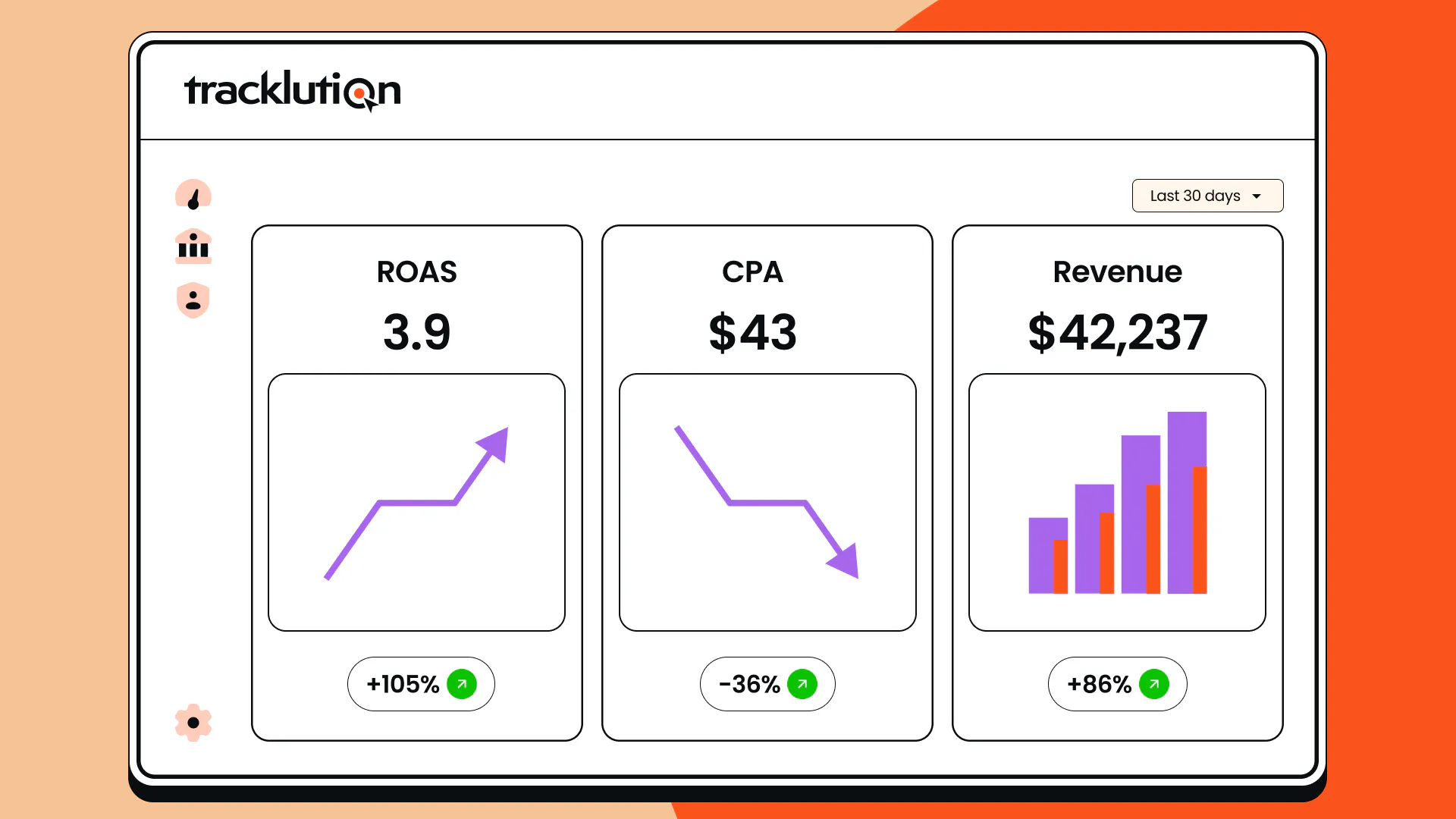
Evidently, setting up your own DIY server-side solution is a substantial undertaking, requiring developer resources in most cases. This is where a managed solution such as Tracklution comes in. Tracklution handles all of the technical complexities for you, from server management and consent handling to maintaining ongoing updates. It integrates with your ecommerce platform and installs in less than 20 minutes.
"If you know how to copy-paste, follow instructions, or implement a normal client-side tracking tag to your website, you know how to install Tracklution."
Anni Salo, CEO, Tracklution
Step 2: Verify the data is flowing
Regardless of the path you pick, don’t take for granted that the data is flowing correctly. Check your dashboards to see that events are streaming in.
You can run a test order and confirm that it lands in every ad platform with the correct order value. Then, run the self-audit again after a week to see that platform-reported conversions match your store admin.
Most importantly, keep an eye out for double-counted events to avoid a skewed ROAS and distorted data. Remember to check this data flow after every browser update or consent change.
The bottom line
In order to generate the most efficient returns from your ad spend, you need accurate and complete ecommerce conversion tracking. Running only a client-side setup puts you at risk of losing conversions and feeding ad platform algorithms incomplete data that leads to poor optimization.
Improving your tracking is simpler than it may seem, especially with a server-side tracking tool like Tracklution. If your tracking has been leaking, with a proper server-side setup you’ll quickly see the recovered data going straight to work.
Get complete tracking set up in 16 minutes
Tracklution connects your store and every ad platform from one place. No server to manage, no developer required. Stores that switch recover 34.2% more conversions on average.
FAQs
1. What events should my store track?
At minimum, you should track purchase events. To see where people drop off, add_to_cart and begin_checkout event tracking help to identify friction points.
2. How does ecommerce conversion tracking differ from conversion rate?
Tracking records the actions that users take and the source, whereas conversion rate is simply the percentage of users who convert.
3. Is server-side conversion tracking worth it for a small store?
If you’re investing meaningfully in paid ads, then absolutely. Recovering lost conversions helps you to compete with bigger stores. If you don’t run paid ads or your spend is very low, then it’s probably not right for you yet.
4. Why is my ecommerce conversion tracking losing data?
This is usually due to compounding small leaks rather than a big tracking failure. Browser elements such as ad blockers, third-party restrictions, and privacy changes quietly create gaps in your conversions.
5. Is server-side tracking better than client-side tracking for ecommerce?
For stores running paid ads, a resounding ‘yes’. Client-side tracking depends on pixels running in a user’s browser, where blockers and privacy limits scramble and lose data. Server-side tracking sidesteps this by sending data from server-to-server.
Related posts
Conversion Tracking
Google Ads conversion tracking in 2026: A complete guide
Learn how Google Ads conversion tracking works, compare client-side and server-side setups, see where Enhanced Conversions fits, and choose the right approach.
Conversion Tracking
Google Ads conversion tracking in 2026: A complete guide
Learn how Google Ads conversion tracking works, compare client-side and server-side setups, see where Enhanced Conversions fits, and choose the right approach.

Conversion Tracking
Shopify Google Ads Conversion Tracking Setup Guide
Set up Shopify Google Ads conversion tracking, find out why Google Ads reports fewer conversions than Shopify, and learn how to recover the missing sales.
Conversion Tracking
Shopify Google Ads Conversion Tracking Setup Guide
Set up Shopify Google Ads conversion tracking, find out why Google Ads reports fewer conversions than Shopify, and learn how to recover the missing sales.
Conversion Tracking
Conversion tracking software: A practical buyer’s guide
Conversion tracking software covers many different tools solving different problems under one label. Find the category you need, with options for each.
Conversion Tracking
Conversion tracking software: A practical buyer’s guide
Conversion tracking software covers many different tools solving different problems under one label. Find the category you need, with options for each.
Questions and answers
What does Tracklution actually do?
Tracklution sends conversion data directly to ad platforms (Meta, Google Ads, TikTok, etc.) through server-side APIs. Instead of relying on browser pixels that get blocked by ad blockers, iOS privacy changes, and cookie restrictions, your data goes server-to-server. The result: ad platforms see more of your real conversions, their algorithms optimize better, and you get better ROAS.
What is server-side tracking?
Server-side tracking gathers first-party data directly on your website and sends tracking events to ad platforms via Conversion APIs. This approach bypasses restrictions from iOS devices, ad blockers, and privacy-focused browsers, providing more accurate data and making your paid advertising more efficient.
Is it just one setup that feeds data into all my ad platforms?
Yes. You install Tracklution once, connect your ad accounts, and it sends conversion data to all platforms simultaneously through their respective APIs (Meta CAPI, Google Ads API, TikTok Events API, etc.). No need to manage separate server-side setups for each platform.
How much more conversion data will my ad platforms actually see?
On average, clients report 34.2% more conversions compared to traditional browser-based pixels. This means the ad algorithms have significantly more signal to work with, which translates to 15-35% lower customer acquisition costs for most clients.
Do I need developers to set this up?
No. Setup takes 5-15 minutes depending on your platform. For Shopify, WooCommerce, and other supported platforms, it is plug-and-play. You do not need custom coding or engineering resources. For GTM users, you can keep your existing setup and add Tracklution alongside it.
Do I need to remove my existing tracking tags?
Not necessarily. Tracklution works alongside your current setup. You can run both in parallel initially to compare data, then decide whether to simplify.
What about the DNS / CNAME setup?
Tracklution uses a first-party CNAME record on your domain for data collection. This takes a couple of minutes to configure and up to 48 hours to propagate. It is what makes the tracking resistant to ad blockers and browser restrictions.
Can I verify that the data is actually more accurate?
Yes. Run Tracklution alongside your existing tracking and compare. The dashboard also shows "recovered events" so you can see exactly how many conversions would have been missed without server-side tracking.
Can I distinguish between organic and paid traffic?
Yes. Tracklution preserves traffic source attribution. The conversion data sent to each ad platform includes the proper attribution parameters.
What about offline conversions (phone calls, in-store, CRM events)?
Tracklution supports offline conversion tracking through webhooks and CRM integrations. If someone clicks an ad, then converts offline, you can feed that back to the ad platforms. Clients using this see up to 35% reduction in acquisition costs because the algorithms learn from the full conversion picture.
How does this work with cookie consent and CMP tools?
Tracklution supports both Basic and Advanced Consent Mode. It reads your CMP data layer automatically and respects user consent choices. In Advanced Consent Mode, it can still collect anonymized, cookieless data when users decline cookies, which helps ad platform modeling without violating privacy rules. Fully GDPR-compliant.
How is this different from Stape or building your own sGTM setup?
Stape provides server-side GTM hosting, which means you still need to build and maintain the tags, triggers, and configuration yourself. Tracklution is a complete solution: plug-and-play setup, automatic event detection, built-in consent management, a real-time analytics dashboard, and ongoing maintenance of all API connections. When ad platforms change their APIs (which happens often), we handle the updates.
How does the agency partner model work?
Single dashboard to manage all client accounts. Each client has their own tracking container. The platform handles all technical maintenance, so you are not stuck troubleshooting API changes or broken tracking.

Have further questions?




