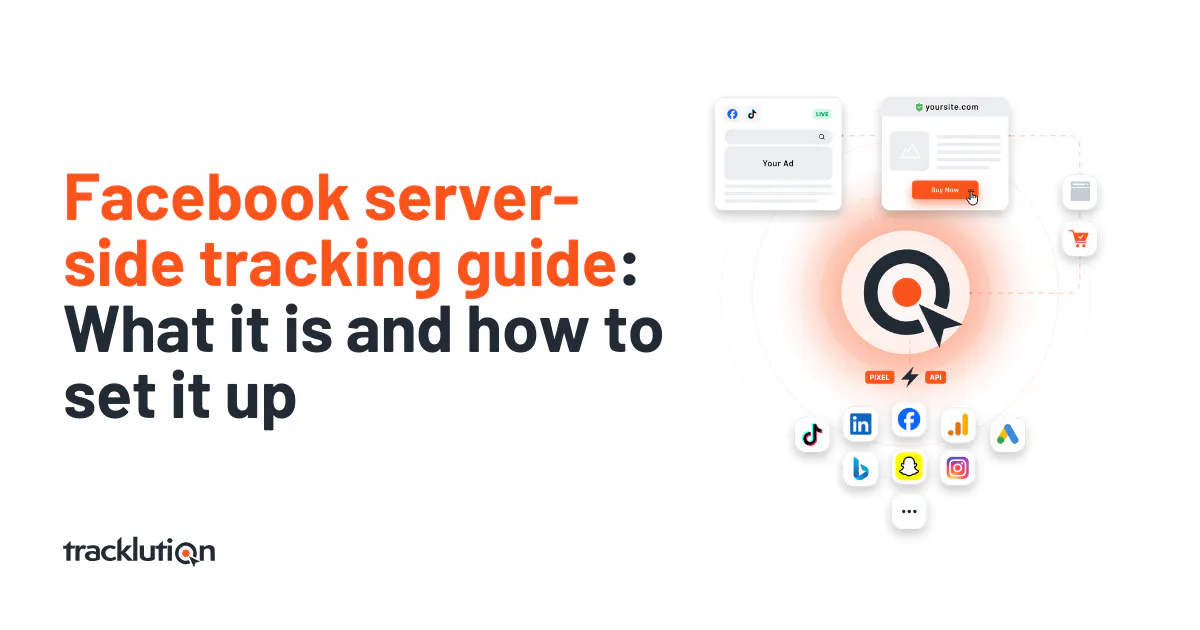
Facebook server-side tracking guide: What it is and how to set it up
Track more conversions and cut costs with Facebook server-side tracking. Learn how to set it up with Tracklution in minutes. No dev needed.

Table of contents
Better data.
Set up server-side tracking in minutes with Tracklution. Send better conversion data to your ad platforms so their algorithms can optimise for better results from your budget.
Start your free trialIf your Facebook ads are getting more expensive and less effective, the problem might not be exactly where you’re looking for it - it could be your tracking.
We’ve already come to learn how much iOS restrictions, ad blockers, and cookie loss impact tracking and performance across the board. Facebook’s Pixel is no different, it will often miss a big chunk of the actions people take on your site.
No visibility into conversions = no proper optimization.
In this scenario, the only logical outcome will be the drop in performance, and probably confusion as to what’s happened.
We put together this guide with the aim of explaining what Facebook server-side tracking is, why you should care, and how to set it up with Tracklution in just a few minutes.
What is Facebook server-side tracking?
Facebook server-side tracking works by sending data straight from your server to Facebook, rather than relying only on the browser-based Pixel. It uses Facebook’s Conversions API (often called CAPI). You can check out our guide to Meta Pixel vs Conversions API for more information.
Normally, when someone buys something or fills out a form on your site, the browser tries to fire a Pixel event. But a lot can go wrong in that moment- ad blockers might block the script, iOS privacy settings might prevent the data from sending, or cookies might get wiped or ignored.
Server-side tracking skips the browser and sends conversion data directly from your backend or a trusted tool like Tracklution to Facebook. It’s faster, more reliable, and much harder to block.
You can use it alongside the Pixel for a more complete view of what’s happening, or as a cleaner replacement if the Pixel just isn’t working for you anymore.
Learn more about how Facebook’s Conversions API works here.
Why server-side tracking matters for Meta and Facebook advertising
Over the past few years, we’re bearing witness to how digital advertising is changing all the time. And most of those changes make browser-based tracking harder to rely on.
Here’s why:
- Ad blockers prevent the Facebook Pixel from loading
- iOS privacy settings let users opt out of tracking
- Cookie restrictions in browsers like Safari and Firefox limit tracking windows
- Slow pages caused by bloated JavaScript hurt user experience and can block Pixel fires
All of this leads to missing user data, and by extension Facebook sees fewer conversions than you’re actually getting. That doesn’t support your performance because Facebook’s algorithm depends on conversion data to optimize your ads.
If it only sees part of the picture, it makes the wrong decisions, which can result in a higher spend, worse performance, and you having many questions about what went wrong.
Server-side tracking solves this by sending the full conversion picture directly to Facebook, even when browser tracking fails.
Benefits of server-side tracking for Facebook & Meta ads
Better conversion tracking
Server-side tracking helps you capture the conversions that browser pixels often miss. Businesses that switch to a reliable setup like Tracklution usually see +30-40% more accurate conversion tracking.
In day-to-day terms, this means Facebook can learn faster and optimize better. And you also get a clearer view of how your ads are actually performing, which can help with getting buy in for ad spend.
Boost ROAS and reduce cost per acquisition
With more conversions tracked and better matching in place, Facebook can focus your budget on people who are more likely to convert. This often means higher return on ad spend (ROAS) and lower cost per acquisition (CPA).
In other words, your ad spend works harder because Facebook has better data to work with. For one of our customers, 24 Center, ad spend dropped by 35% while maintaining profitable growth.
Improve Event Match Quality to strengthen bidding performance
Facebook uses Event Match Quality to rate how well your conversion data lines up with actual users on the platform.
When you send more detailed and reliable data (like hashed emails or phone numbers), Facebook has a better chance of connecting the dots. That leads to stronger optimization and better results.
Tracklution handles this automatically, without any manual setup.
Ensure GDPR compliance while maintaining full signal control
Privacy laws like GDPR and CCPA require businesses to manage data properly. Server-side tracking gives you more control over what data is collected, when it is sent, and how it is processed.
Tracklution lets you manage consent, hash personal information, and supports you in staying compliant while still improving your data quality.
How to set up Meta server-side tracking
Setting up server-side tracking doesn’t have to be technical or even time-consuming. Tracklution makes it simple, even if you don’t have a developer on hand.
Here’s how it works step-by-step.
Step 1: Sign up for Tracklution
Head to tracklution.com and create your account. You can start with a free trial, and pricing begins at just €31 per month.
Worry not, there are no setup fees or surprise hidden costs.
Step 2: Install the Tracklution pixel
After signing up, you'll get a small code snippet to install on your website. You have several options depending on your platform:
- For most websites, copy the tracking script and paste it into your website's header section.
- For popular platforms, Tracklution offers built-in plugins for Shopify, WooCommerce, and WordPress server-side tracking.
- If you use Google Tag Manager, Tracklution supports that integration as well.
Step 3: Choose which events to track
Pick the actions that matter most to your business. This could be purchases, form submissions, add-to-cart clicks, or anything else that signals value.
Tracklution makes it easy to select the right events and customize them if needed.
Step 4: Enable first-party data
You can improve tracking accuracy by passing along hashed data like emails or phone numbers (with consent). This helps Facebook match the conversion to the right user.
Tracklution handles data hashing securely and automatically, so you don’t have to worry about formatting or encryption.
Step 5: Connect your Facebook ad account
Tracklution integrates with Facebook through the Conversions API. All you need to do is link your Facebook ad account, and the system takes care of the rest. Here's the specific setup process:
Prerequisites:
- A Meta Pixel (create one if needed)
- Admin or Developer access for your Meta business portfolio
Before you connect Tracklution, you'll need to turn off any other Facebook tracking you currently have running. If multiple systems send the same events to Facebook, you'll get inflated numbers that mess up your ad performance.
If you're on Shopify and already have the Meta app installed, head to your Shopify Admin → Sales Channels → Facebook & Instagram → Settings. Scroll down to "Share Data" and click "Change," then toggle it to "Data Sharing Off."
Setup steps:
- Choose the Meta Connector from the "Connectors" section in your Tracklution dashboard
- Press "Add" or "Edit" on the Meta Connector
- Get your Meta Pixel ID:
- Go to Meta Events Manager > Data Sources
- Choose the pixel you want to send data to
- Copy the Pixel ID from Settings
- Generate Meta Conversion API Access Token:
- In the same Pixel Settings section, scroll to "Conversions API"
- Under "Set up direct integration," click "Generate access token"
- Copy the access token
- Enter both values into Tracklution
- Toggle the "Live" button when ready and press "Save"
When your connector is live, your data will be sent to both Meta Pixel and Meta Conversion API simultaneously.
Step 6 (Optional): Connect your CRM or offline data via webhook
If you close deals offline or track conversions in a CRM like HubSpot or Salesforce, you can connect those tools to Tracklution.
Using webhooks, offline conversions can be sent back to Facebook and included in your ad reporting and optimization.
Last step: Verification
Here's how to make sure everything's working:
Check your Tracklution dashboard. Look for "Success" marks in the delivery column of your event log. If you see those, Tracklution is successfully sending your data to Facebook.
Pop over to Facebook Events Manager. You should start seeing events roll in. Just keep in mind this only gives you a clear picture if Tracklution is your only data source feeding that pixel.
The beauty of this setup is that Tracklution sends your conversion data through both the traditional Pixel and Facebook's Conversion API at the same time. Facebook can then match up these signals and remove any duplicates automatically.
Want to see what this looks like? Watch our 2-minute setup video.
How Facebook / Meta server-side tracking works
Understanding the difference between traditional and server-side tracking helps explain why the latter is more reliable.
Traditional browser-based tracking relies on JavaScript, which runs in the user's browser and can be blocked or fail. Server-side tracking moves this process to a secure server environment where it can't be interrupted.
Let’s break it down simply.
With traditional tracking: Your site → Browser → Facebook Pixel (maybe) → Event sent to Facebook
With server-side tracking: Your site → Tracklution server → Facebook Conversions API → Event received and matched
The second path is more stable, and it works even if a browser blocks the Pixel or cookies are restricted. It gives Facebook the complete conversion data it needs to optimize your campaigns correctly.
Frequently Asked Questions
Do I still need the Facebook Pixel? You can use both together. The Pixel helps track browser-based activity, and server-side tracking fills in the gaps. This hybrid setup gives you the best of both worlds.
Do I need a developer to use Tracklution? No, we’ve built Tracklution with marketers in mind. If you can copy and paste a line of code, you can set it up. No servers, containers, or technical stress. Of course, developers can still use Tracklution just as well, to make their own work easier.
Is this GDPR-compliant? Tracklution lets you control what data is sent, and it handles secure hashing of personal information before anything goes to Facebook. You’re still responsible for managing consent, but the setup helps support compliance.
Does this help with platforms beyond Facebook? Yes. Tracklution also supports Google Ads, TikTok, LinkedIn, and most major ad platforms.
When can I expect to see the results? Most of our users see improved conversion tracking in 24 to 48 hours, and performance improvements (like better ROAS) typically within 1 to 2 weeks.
Are you ready to improve your Facebook and Meta ad performance?
Tl;dr: If Facebook can’t see your conversions, it can’t optimize for them. That means your budget is being spent on guesses, not results.
Tracklution helps fix that in just minutes. You don’t need a developer, multi-day integration project and server setup.
What you get is affordable and accurate data that makes your Facebook ads work harder.
Start your free trial now and see the impact of better tracking for yourself.
Related posts

Server-Side Tracking
Server-side tagging: What it is and why it matters for your ad performance
Get clear on what server-side tagging is, why it matters for your ad performance, and whether it’s worth it for your marketing team.
Server-Side Tracking
Server-side tagging: What it is and why it matters for your ad performance
Get clear on what server-side tagging is, why it matters for your ad performance, and whether it’s worth it for your marketing team.
Server-Side Tracking
Server-side tracking and GDPR: what you need to know
Server-side tracking won't make you GDPR compliant on its own, but it gives you the control to get there. Here's a setup your legal team can sign off on
Server-Side Tracking
Server-side tracking and GDPR: what you need to know
Server-side tracking won't make you GDPR compliant on its own, but it gives you the control to get there. Here's a setup your legal team can sign off on

Server-Side Tracking
Server-side tracking vs server-side tagging vs platform gateways: What they are and which to choose
Server-side tracking, tagging, and gateways are not the same thing. Learn what each approach does, how they compare, and which is right for your setup.
Server-Side Tracking
Server-side tracking vs server-side tagging vs platform gateways: What they are and which to choose
Server-side tracking, tagging, and gateways are not the same thing. Learn what each approach does, how they compare, and which is right for your setup.
Questions and answers
What does Tracklution actually do?
Tracklution sends conversion data directly to ad platforms (Meta, Google Ads, TikTok, etc.) through server-side APIs. Instead of relying on browser pixels that get blocked by ad blockers, iOS privacy changes, and cookie restrictions, your data goes server-to-server. The result: ad platforms see more of your real conversions, their algorithms optimize better, and you get better ROAS.
What is server-side tracking?
Server-side tracking gathers first-party data directly on your website and sends tracking events to ad platforms via Conversion APIs. This approach bypasses restrictions from iOS devices, ad blockers, and privacy-focused browsers, providing more accurate data and making your paid advertising more efficient.
Is it just one setup that feeds data into all my ad platforms?
Yes. You install Tracklution once, connect your ad accounts, and it sends conversion data to all platforms simultaneously through their respective APIs (Meta CAPI, Google Ads API, TikTok Events API, etc.). No need to manage separate server-side setups for each platform.
How much more conversion data will my ad platforms actually see?
On average, clients report 34.2% more conversions compared to traditional browser-based pixels. This means the ad algorithms have significantly more signal to work with, which translates to 15-35% lower customer acquisition costs for most clients.
Do I need developers to set this up?
No. Setup takes 5-15 minutes depending on your platform. For Shopify, WooCommerce, and other supported platforms, it is plug-and-play. You do not need custom coding or engineering resources. For GTM users, you can keep your existing setup and add Tracklution alongside it.
Do I need to remove my existing tracking tags?
Not necessarily. Tracklution works alongside your current setup. You can run both in parallel initially to compare data, then decide whether to simplify.
What about the DNS / CNAME setup?
Tracklution uses a first-party CNAME record on your domain for data collection. This takes a couple of minutes to configure and up to 48 hours to propagate. It is what makes the tracking resistant to ad blockers and browser restrictions.
Can I verify that the data is actually more accurate?
Yes. Run Tracklution alongside your existing tracking and compare. The dashboard also shows "recovered events" so you can see exactly how many conversions would have been missed without server-side tracking.
Can I distinguish between organic and paid traffic?
Yes. Tracklution preserves traffic source attribution. The conversion data sent to each ad platform includes the proper attribution parameters.
What about offline conversions (phone calls, in-store, CRM events)?
Tracklution supports offline conversion tracking through webhooks and CRM integrations. If someone clicks an ad, then converts offline, you can feed that back to the ad platforms. Clients using this see up to 35% reduction in acquisition costs because the algorithms learn from the full conversion picture.
How does this work with cookie consent and CMP tools?
Tracklution supports both Basic and Advanced Consent Mode. It reads your CMP data layer automatically and respects user consent choices. In Advanced Consent Mode, it can still collect anonymized, cookieless data when users decline cookies, which helps ad platform modeling without violating privacy rules. Fully GDPR-compliant.
How is this different from Stape or building your own sGTM setup?
Stape provides server-side GTM hosting, which means you still need to build and maintain the tags, triggers, and configuration yourself. Tracklution is a complete solution: plug-and-play setup, automatic event detection, built-in consent management, a real-time analytics dashboard, and ongoing maintenance of all API connections. When ad platforms change their APIs (which happens often), we handle the updates.
How does the agency partner model work?
Single dashboard to manage all client accounts. Each client has their own tracking container. The platform handles all technical maintenance, so you are not stuck troubleshooting API changes or broken tracking.

Have further questions?




