Server-Side Tracking Guide: What It Is & Everything You Need to Know
In this guide, we'll cover nearly everything you need to know about server-side tracking: what it is, how it works, why businesses are adopting it, and how to get started.
Table of contents
12 minute read
Updated May 25th, 2026
If your ad performance has slipped in the past couple of years, the culprit is probably not your creative, targeting, or bids. It's your data. Most marketers don’t realize how much they’re missing and what it’s costing them.
Traditional browser-based tracking is breaking down. Ad blockers, stricter privacy laws, and the deprecation of third-party cookies have eroded the conversion data most marketers rely on. According to the IAB's 2026 State of Data report, between 60% and 75% of marketers say their measurement approaches fall short on basic requirements like coverage, consistency, and trust.
The result? Your Google Analytics and ad platform numbers don't add up, and budget goes to campaigns that look like they're performing while your actual top performers get overlooked.
“In 2026, marketers have less manual control over how they optimize and target campaigns. More decisions are made by algorithms and automation, and those systems simply cannot work if the data you feed them isn’t good.” - Anni Salo, CEO at Tracklution
Server-side tracking is the fix. This guide covers what it is, why it's now essential, how to get started, and what kind of results to expect.
What is server-side tracking?
Server-side tracking is a method of collecting and processing website visitor data on a server you control. It gathers first-party data directly and sends tracking events to ad platforms through conversion APIs. This approach bypasses restrictions from iOS devices, ad blockers, and privacy-focused browsers, providing more accurate data and making your paid advertising more efficient.
In a nutshell, it’s a big improvement in how we gather, track, and use advertising data.
Client-side vs server-side tracking: What’s the difference?
With client-side tracking, a script runs directly in the user's browser. When someone visits your site, their browser collects data on actions like page views, product views, and purchases, and sends it back to your ad platforms in real time. But client-side tracking has become less reliable:
- Third-party cookies are being phased out by browsers like Chrome and Safari
- Ad blockers now affect nearly 30% of internet users globally, blocking tracking scripts entirely
- Privacy laws like GDPR and CCPA, and privacy features like Apple's Intelligent Tracking Prevention make data collection more complicated
- Customer journeys now span websites, apps, physical stores, and CRM systems
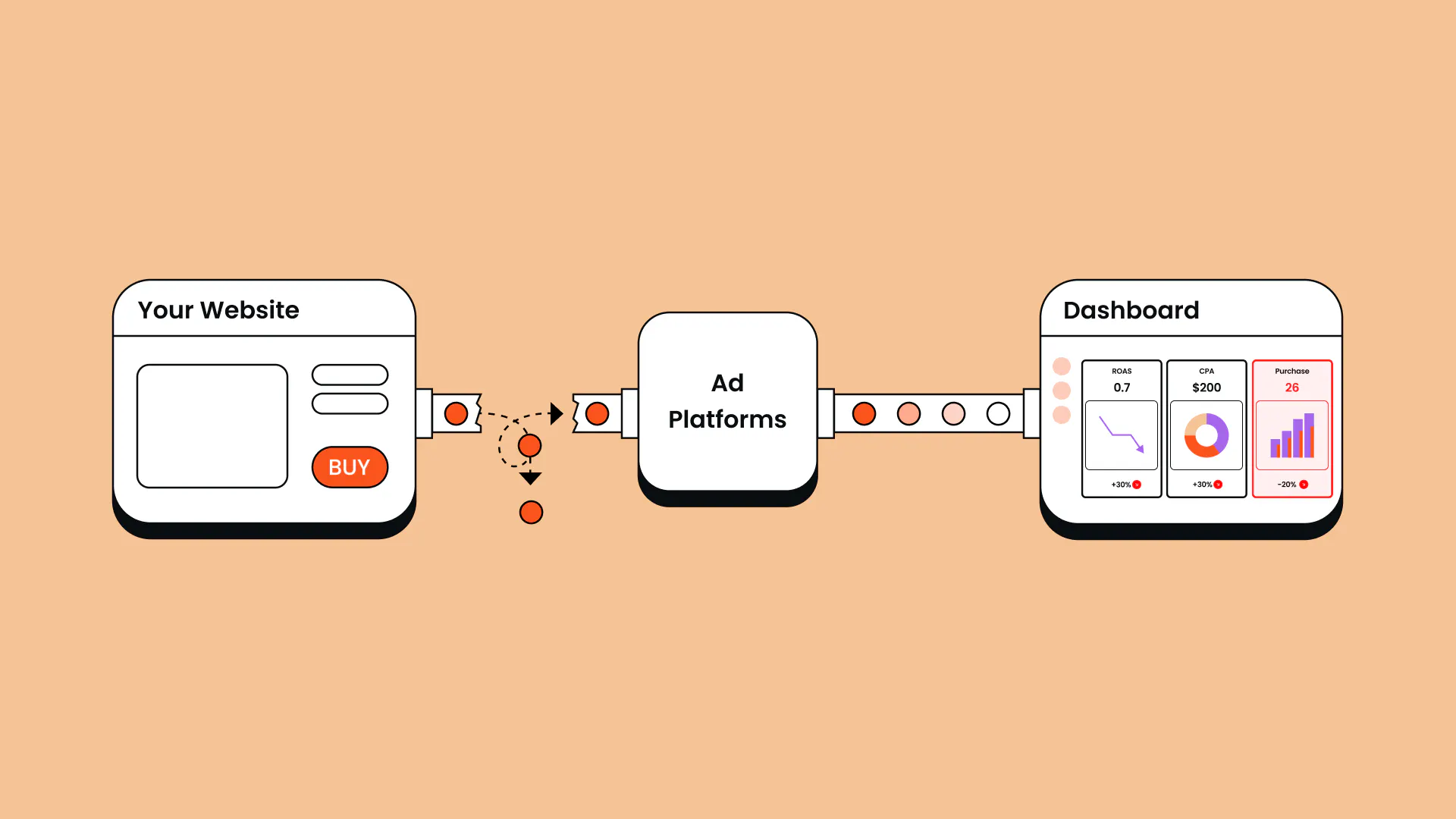
The data loss rarely comes down to just one thing. As Anni Salo, CEO at Tracklution, puts it: “In reality, it’s usually a bunch of small things that collectively make tracking worse. You lose a small percentage here and there, and all of a sudden you're losing half your data.”
With server-side tracking, your server handles data collection instead of the browser. Interactions are captured server-side, then processed and sent to ad platforms via secure API connections.
For a full breakdown, see our client-side vs server-side tracking comparison article.
Why is server-side tracking necessary?
The reason is simple: without reliable tracking, you’re unlikely to have access to accurate data. And that shows up directly in your reporting, costs, and results.
For example, if your ad platforms are missing 34% of your conversions, your reported ROAS, CPA, and other metrics look worse than they actually are. That makes it harder to justify budgets, demonstrate value to clients, or make confident decisions about where to invest.
But the impact goes beyond reporting. Salo explains: “Ads are driven by algorithms, and algorithms are directly affected by the data they receive. People think tracking is just for reports, but it has a direct impact on how the marketing algorithms perform.”
That connection matters now more than ever. Ad platforms are handing more and more control to automated systems: Smart Bidding, Advantage+, and similar tools are making decisions that used to be made manually. Every one of those decisions is based on the conversion data you send them.
“If the data is incomplete—like it always is in client-side setups—inconsistent, or simply faulty, the algorithm learns the wrong patterns,” adds Salo.
By sending more high-quality data to ad platforms, you can optimize your ad campaigns and get more out of your marketing budgets, leading to a lower customer acquisition cost (CAC) and a better growth for your business.
Finally, while GDPR and CCPA have changed how companies are allowed to collect and store data, properly set up server-side tracking lets you stay compliant while still tracking user behavior.
What problems does server-side tracking actually solve?
Many marketers are surprised by just how many persistent issues vanish almost immediately after making the switch from client-side to server-side tracking.
What it fixes:
- Missing conversions: Recovers conversions that ad blockers, iOS restrictions, and browser settings would normally block.
- Attribution gaps: Reduces the difference between clicks in Meta ads or Google ads and your actual conversion numbers.
- Data inconsistencies: Resolves mismatches between Google Analytics 4 and your ad platforms by using a single data source.
- Privacy compliance: Helps you follow privacy regulations while still collecting the data you need.
- Online-offline connection: Links online behavior with offline sales (i.e. conversions that happen in your CRM, or anywhere else) through proper integrations.
What it can't fix:
While server-side tracking solves many critical issues, we can't promise it's a silver bullet. Some problems require more fundamental fixes before server-side tracking can work its magic. Here are the limitations to keep in mind:
- Poor setup: If your pixels are incorrectly installed or your events are inconsistently named, server-side tracking won't automatically fix that.
- Attribution models: It can't determine on its own that someone visited your store because of a Facebook ad unless you have a system to track that connection.
- Bad CRM data: If your customer data is a mess, server-side tracking won't clean it up for you.
How does server-side tracking work?
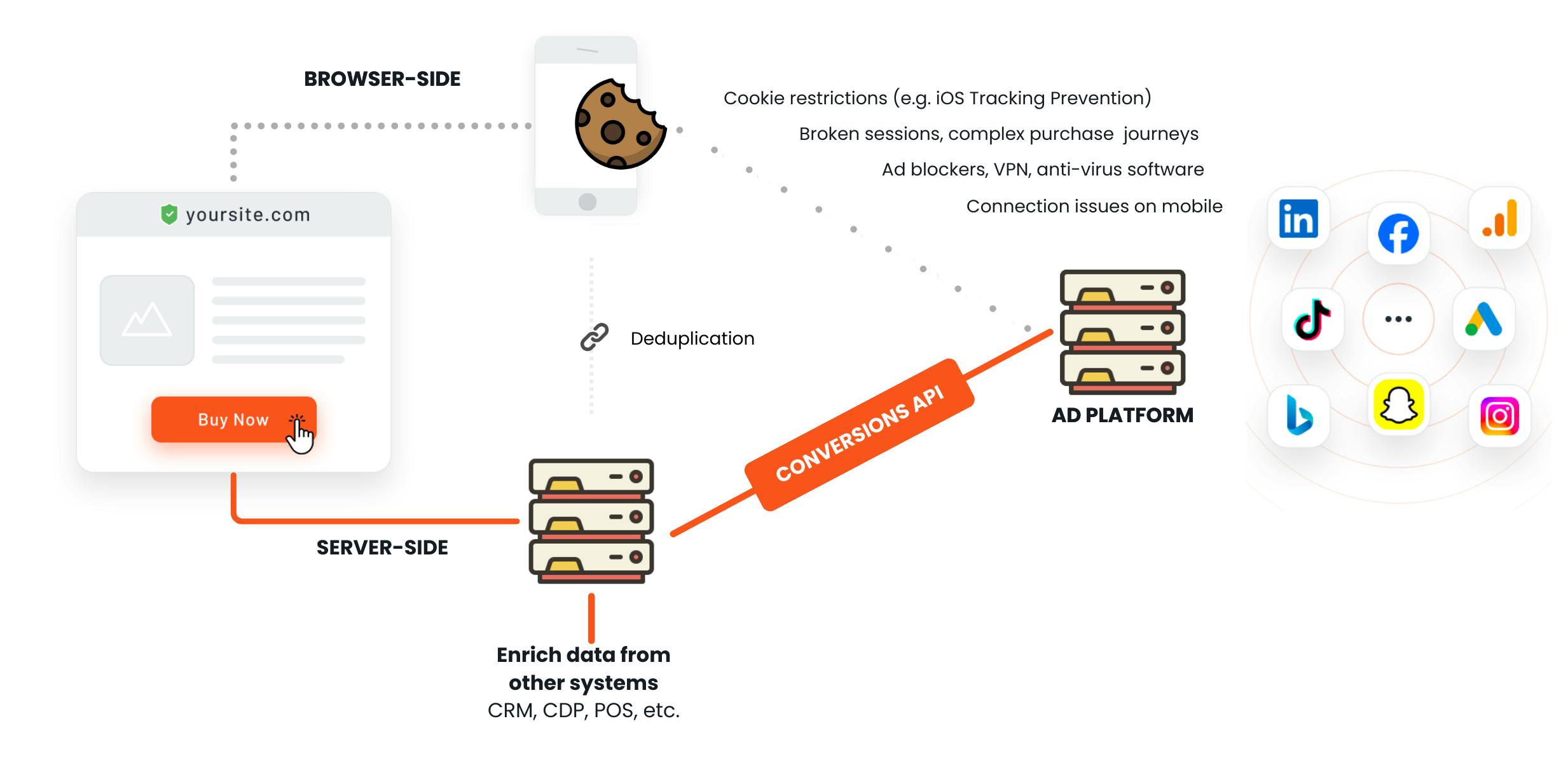
Without getting too technical, here's how it works.
- A user interaction happens: A user visits your site and interacts with it, like clicking a button, filling out a form, or making a purchase.
- Your server records the data: Instead of the browser sending data directly to third-party services, your server records the user's actions in a first-party context.
- Data is forwarded to your platforms This server then sends this data to your defined platforms like Google Analytics, Meta, Google Ads, or any other advertising and analytics platforms through secure API requests.
For a real deep-dive, read our full guide to how server-side tracking works.
Server-side tracking uses first-party cookies—cookies that your own domain sets and manages—making them less prone to being blocked by browsers or privacy tools.
Before sending data to your ad platforms, your server can also process and transform it: combining data points, filtering out unnecessary information like an IP address, or anonymizing user data. And since everything happens server-side, you have full control and transparency over what gets collected, how it's processed, and where it's sent.
Benefits of server-side tracking
Here’s a high-level overview of what benefits server-side tracking brings to ecommerce businesses and agencies. For a deeper look, read our full guide on the benefits of server-side tracking.
Benefits of server-side tracking for ecommerce companies
1. Recover the conversions you’re losing
Server-side tracking recovers conversions that would otherwise be lost to ad blockers and browser restrictions. And the impact can be especially significant for smaller companies.
Consider Tonefest Guitar Gallery—a specialty retailer competing against companies with far larger budgets—as an example. Before using server-side tracking, they didn't have enough conversion data for the algorithm to learn from. Once they recovered their missing conversions, the algorithm finally had enough to optimize properly. Their return on ad spend (ROAS) doubled within two months, online sales grew by 36%, and overall conversions recovered by 45%.
“If you are running a shop and serve every other customer with your eyes closed, that's how marketing felt before. Tracklution lets me serve every customer with my eyes open.” - Petri Matero, Founder, Tonefest Guitar Gallery
2. Give your ad algorithms better signals
Ad platforms like Meta and Google optimize based on the conversion signals they receive. When a big share of those signals is missing, algorithms under-bid on your best audiences, over-invest in low-intent traffic, and build lookalike models from an incomplete dataset. More complete data also means bigger, more accurate retargeting audiences, so you reach more of the right people.
What you track matters as much as how much data you capture. Tracking clicks to a booking page instead of completed bookings, for example, teaches the algorithm to find cheap clicks rather than real customers.
Yummy, one of Northern Europe's leading meal kit companies, experienced this firsthand. With pixel tracking missing a big share of their conversions, their algorithms were optimizing blind. After switching to server-side tracking, they tracked 30% more purchases, grew new customers by 42% year-over-year, and cut CAC by 15%.
“Getting this kind of growth in these market conditions doesn't come easy. Now that the algorithms have the right data in the right format, they just work better—the numbers speak for themselves.” - Heiman Safeen, Group Growth Officer at Yummy
If you want to go deeper on Google Ads specifically, check out our Google Ads server-side tracking guide.
3. Get a single view across all your channels
Phone sales, in-store purchases, CRM deals, and any conversion that happens outside your website are invisible to browser-based pixels. So if a meaningful share of your conversions happen offline, your ad platforms are only seeing part of the picture.
Server-side tracking connects your online and offline sales data, giving you and the algorithms a complete view of how customers really buy.
4. Enable profit-based bidding
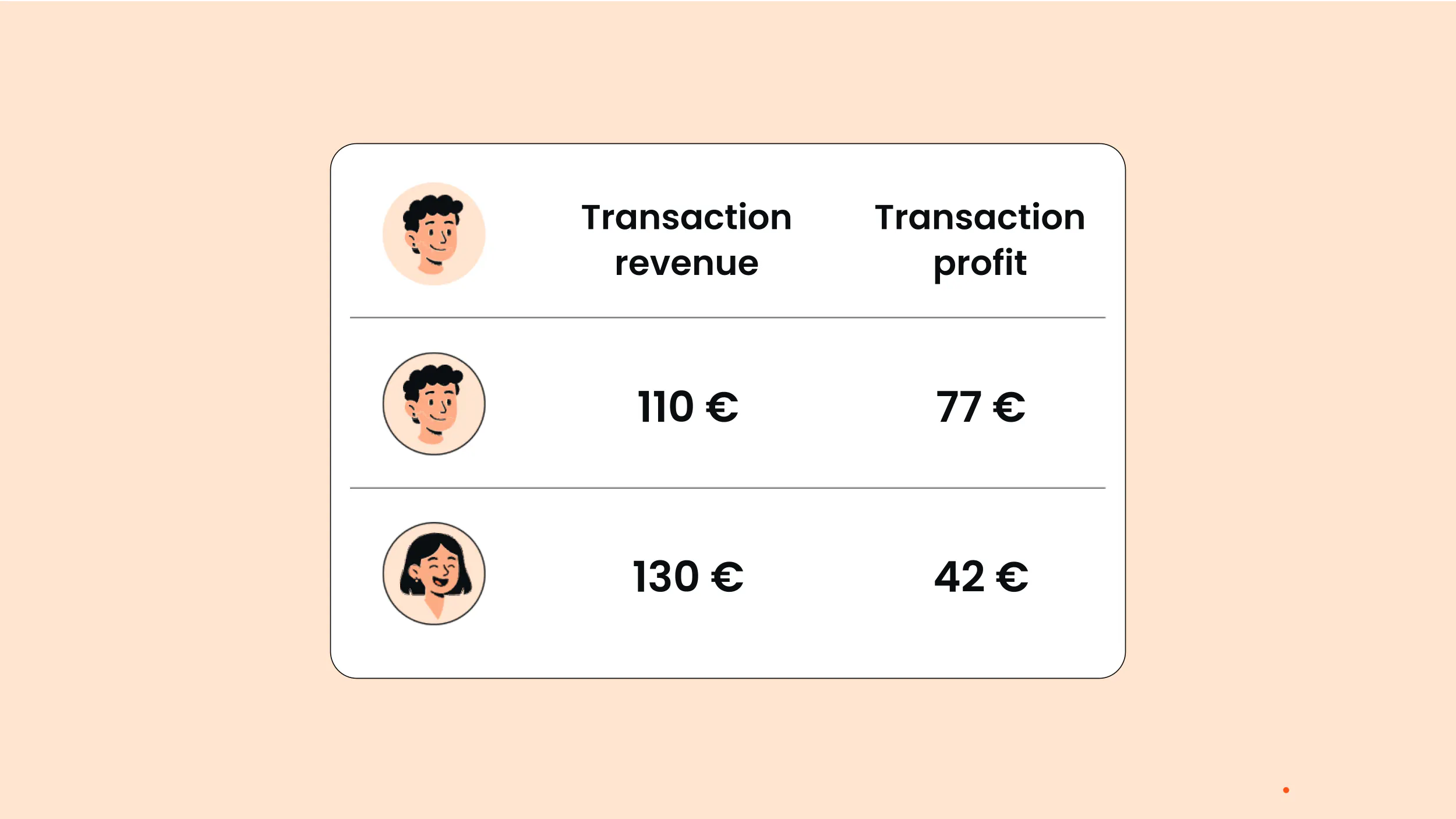
Most tracking setups optimize for conversions or revenue. But a high ROAS on a low-margin product can look like a win in your ad account while compressing margins at the P&L level. Server-side tracking makes it possible to pass actual margin data, like cost of goods, fulfillment, and returns, through to ad platforms as conversion value, so algorithms can optimize for profit.
For mixed-margin catalogues, this is often where the biggest efficiency gains are hiding. Read more in our guide to profit on ad spend.
5. Improve your website performance
Every client-side tracking tag adds JavaScript the browser has to load and execute, which weighs down your site. Moving tracking server-side reduces the JavaScript running in the browser, improving page speed, user experience, and SEO.
According to Google, 53% of users abandon a page that takes longer than 3 seconds to load, so faster pages can have a direct effect on conversion rates too.
6. Stay in control of your data and compliance
Server-side tracking puts you in control of what data gets collected, filtered, and shared. You can strip personal data before it leaves your server, respect consent preferences with precision, and maintain GDPR and CCPA compliance more reliably than with browser-based setups.
For teams operating in regulated markets or handling sensitive data, that level of control is essential.
Benefits of server-side tracking for agencies
1. Provide a higher-value service
Implementing server-side tracking as an agency raises the bar on everything you deliver. You get more accurate data, a more complete view of customer journeys, and deeper insights to bring to client conversations. And when your clients' ad algorithms are finally working with complete signals, campaign performance improves.
These improvements translate directly into attracting better clients, retaining them longer, and having a stronger case for what you charge.
2. Give clients reporting they can trust
With accurate first-party data, you can give clients a much clearer picture of what their marketing is actually delivering. Instead of reporting on partial results, you can show the full impact of campaigns across channels with reliable, campaign-level performance data. That means stronger dashboards, clearer ROI, and better decisions around where to invest next.
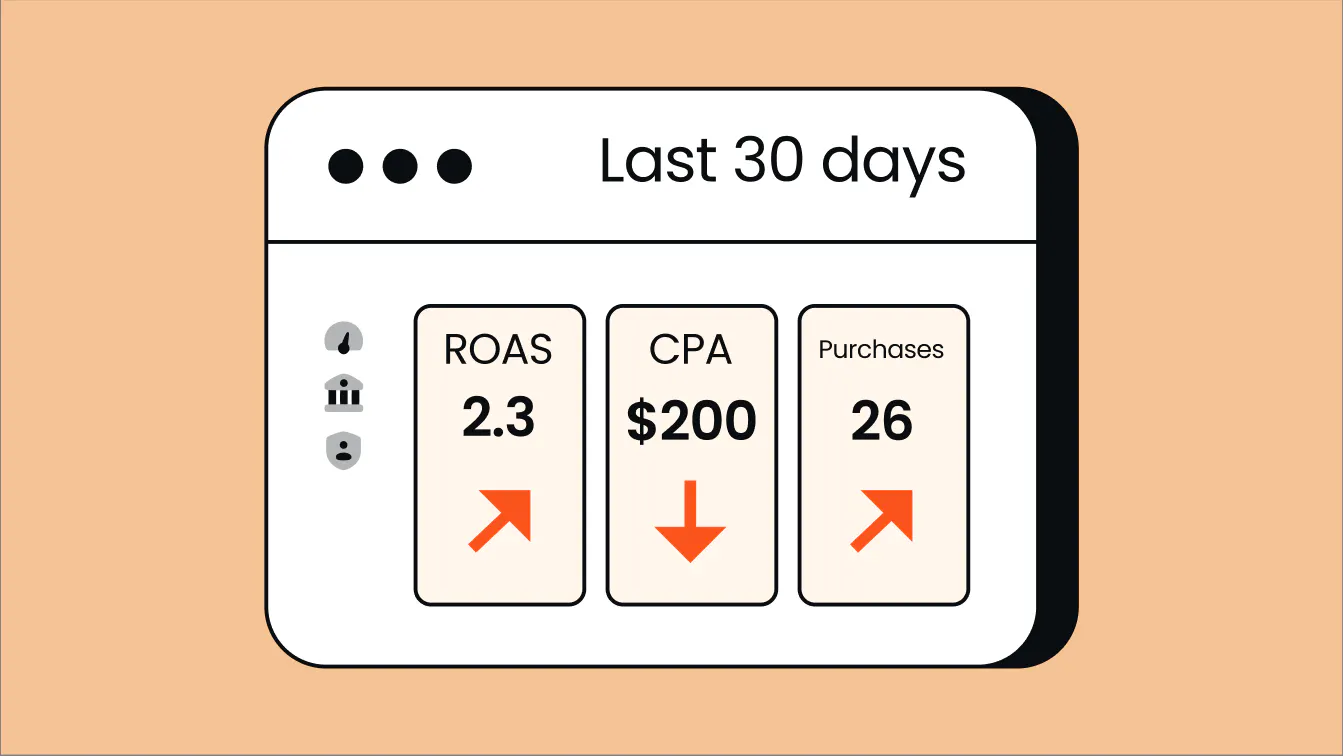
When clients are paying a fixed retainer, you want them to see the full value your work is driving, not a version distorted by missing data.
3. Scale without developer overhead
Server-side tracking platforms like Tracklution make it easy to set up and manage without deep technical knowledge. This means your team can deliver sophisticated tracking solutions, like cross-platform user tracking and enhanced data privacy controls, while minimizing operational costs.
Jacob Blæsbjerg, who runs the one-person agency The Morning Show, manages server-side tracking across 20+ client accounts in five minutes per setup with Tracklution, versus days with self-hosted alternatives. His policy: clients use Tracklution, or he doesn't work with them. “You're spending €100 on Google Ads but gambling with €40 of it due to poor tracking,” says Blæsbjerg.
What kind of results can I get with Tracklution's server-side tracking?
Every business is different, and results depend on how much data you were losing to begin with. But here are a few of the results our customers have seen after implementing server-side tracking with Tracklution.
“You'll see more attributed conversions almost immediately—but that's just the start. The algorithm then begins learning from the better data, and depending on volume, that takes a few weeks to a few months. After that, your cost per conversion should be meaningfully lower.” - Anni Salo, CEO at Tracklution
Increased conversion tracking accuracy
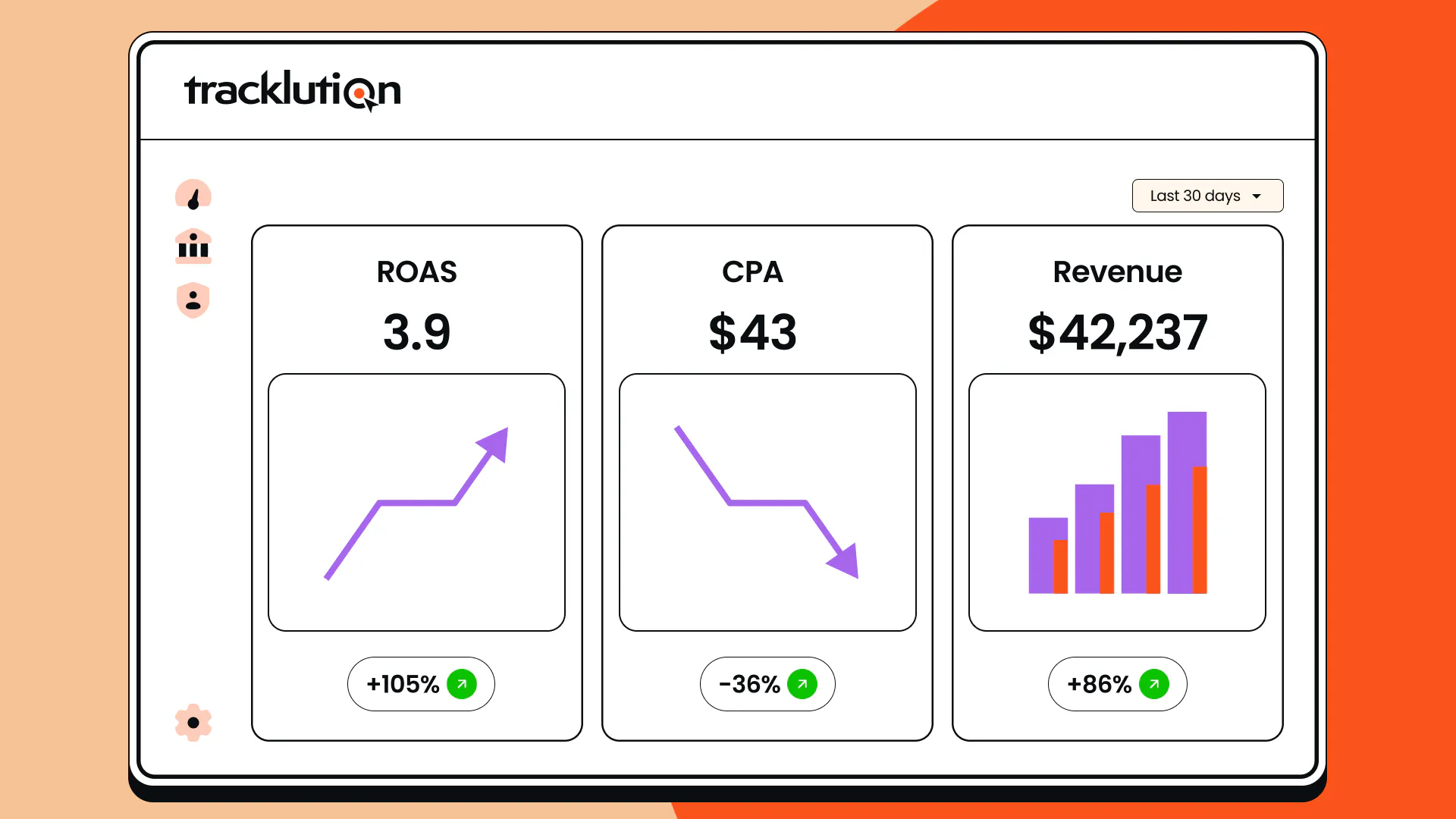
By switching from pixel-only tracking to Tracklution's server-side setup, customers see an average of 34.2% more conversions tracked, with improvements ranging from 11% to 67%.
Reduction in customer acquisition cost (CAC)
Customers typically see CAC reductions of 5% to 20%, with some reporting drops of up to 50%.
In practice, a modest 20% reduction in CAC could save you €20,000 on every €100,000 of ad spend, while retaining your current rate of customer acquisition.
Alternatively, it could translate into seeing 20% more customers and revenue without increasing your current spend.
Simple and fast implementation
With Tracklution, server-side tracking is live in 5 to 30 minutes—about the time it takes to drink your morning coffee. No developers required. You can read what customers say about the setup experience here.
Combined online and offline conversions
Connect offline sales (like phone orders, in-store purchases, and CRM deals) to your online campaigns, giving algorithms a complete picture of what's actually driving revenue.
Optimize for profit, not just revenue
Tracklution's profit tracking lets you optimize for actual profit. This way, your ad spend goes toward the customers that are genuinely worth acquiring.
A single source of truth
For the first time, you have somewhere to point to with confidence. Salo explains common feedback from our customers:
“Before, all the data around them was fuzzy and they didn't really know what to trust. But having full visibility changes how you do your job— it's not only the algorithms getting more efficient, it's also empowering the people running the campaigns. And with that confidence, you're more willing to try different things and experiment.”
How to get started with server-side tracking
There are a few different ways to implement server-side tracking, and the right one depends on your team's technical resources, timeline, and how much ongoing maintenance you're willing to take on.
1. Compare available methods
In practice, most teams end up choosing between a self-hosted GTM setup or a managed solution like Tracklution. Here's how all methods compare.
Full DIY
Building your own server-side setup from scratch gives you complete control and flexibility over every functionality. The tradeoff? Implementation takes months, requires a team of engineers, and demands ongoing maintenance as platforms and privacy requirements evolve. For most marketing teams, this isn't a realistic option.
Server-side GTM (self-hosted)
Google Tag Manager's server-side container is the most common alternative to a SaaS solution. It's a proven tool used by sophisticated tracking professionals. But setup is more demanding than many people expect.
Salo explains: “Some people think server-side GTM is something you just press a button and everything works. That's not the case. Depending on setup complexity and your technical skills, it's days, weeks, or months. I've spoken with organizations who spent a full year setting it up and only finished part of the project.”
There's also a cost misconception worth flagging: Hosting providers like Stape start at around €20 a month, which sounds cheap. But that's just the hosting. The real cost is the engineering time to configure it, build integrations, and maintain it as platforms evolve. When those project costs are factored in, it's rarely the cheaper option.
SaaS solution
Plug-and-play managed solutions handle the technical complexity for you. Setup takes 5 to 30 minutes, API updates and platform integrations are managed by the provider, and no developer resource is required.
“If you know how to copy-paste, follow instructions, or implement a normal client-side tracking tag to your website, you know how to install Tracklution. We handle all the difficult things—APIs, server management, updates, hashing, data processing—from our end. Even the CEO can do it.” - Anni Salo, CEO at Tracklution
One thing to look out for when evaluating SaaS options: many solutions are built exclusively for ecommerce. If you're an agency serving clients across lead gen, B2B, and other digital marketing verticals, that's a big limitation. Tracklution is built to work with any website type.
2. Choose the right solution
Not every SaaS solution will be the right fit for your business. When evaluating your options, focus on the following factors. And see our full guide to server-side tracking tools for a deeper comparison.
- Technical expertise: Take an honest look at your team's skills. Also check in about your team's bandwidth now and down the line. Are you ready to assign a person on your team (or hire someone) whose focus will be implementation and maintenance, or would you rather outsource all the tech hassle by using a plug-and-play tool?
- Scalability: Choose a server-side tracking tool that handles high traffic and can grow with your business. Also, check the pricing structure for the tool you choose. Most tiered pricing plans will have a limit on how many events you can track before needing to upgrade.
- Cost: Balance the upfront setup and maintenance costs (DIY tools, developer time, hosting costs etc.) vs. subscription fees (with managed tools like Tracklution). A good rule of thumb is that server-side tracking should boost your advertising efficiency by around 10%. So the cost of implementing server-side tracking should be no more than 10% of your ad budget—ideally around 5%.
- Integrations: Ensure your chosen tool integrates with your preferred platforms, like GA4, Meta, and TikTok.
- Ease of use: Consider not only how easy the tool is to implement and use for non-technical users, but the availability and quality of customer support.
- Compliance, data control, and privacy: Ensure the tool you choose is GDPR compliant if you operate in the EU, or CCPA compliant in the USA.
Server-side tracking methods: quick comparison table
Full DIY solution Build server-side tracking from a scratch | Server-Side GTM Self-service tool for configuring and managing server-side tagging | Tracklution Plug-and-play server-side tracking tool for any website | |
|---|---|---|---|
Technicality rating | 10/5 🫣 | 4/5 🫡 | 1/5 😎 |
Implementation time | 3-12+ months | Weks to months | 5 to 30 minutes |
Maintenance | ~ Full-time job | ~ Part-time job | Managed by the Tracklution crew ⚡️ |
For who? | Team of engineers | Web analytics specialist or engineer | Practically anyone can plug it in |
Scalability | Depends how you've built it | Ensure having enough server capacity | Scales as you scale |
Integrations | Build yourself what you want and need | Build yourself or utilise templates to help | Utilize ready-made integrations 🪄 |
API updates | Update manually | Update manually | Handled by Tracklution |
Support | If your tech team counts, then yes | Paid services available (e.g. consultants) | Included in the monthly fee |
3. Implement your solution
Next up, you'll need to put your decision into motion and start implementing.
For a full, step-by-step guide to implementation, check out our guide on how to set up server-side tracking, which breaks down the full process for different methods.
Or, take the easy route and give Tracklution a go.
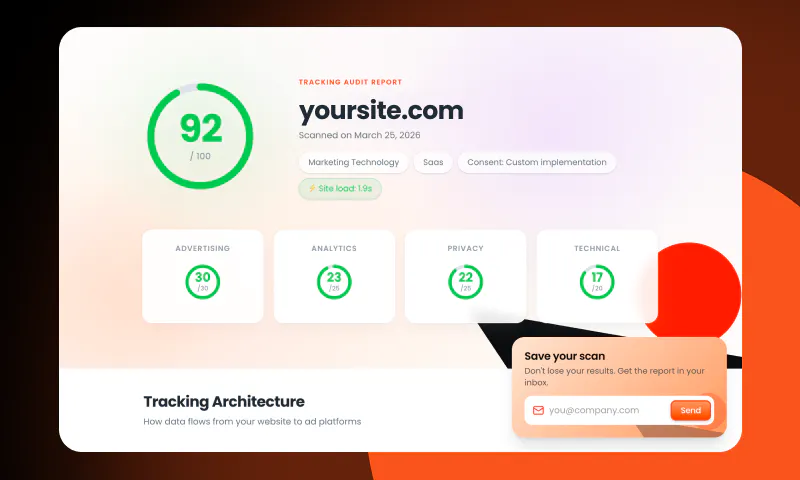
Find out what tracking data you’re missing
Tracklution's free tracking audit scans your current setup in minutes and shows you exactly where you're losing conversion data, and what to fix first.
Frequently Asked Questions
Do I need server-side tracking?
For any business running paid advertising at scale, the answer is yes. Otherwise, you’re losing money. The only exception is if you have a very small budget, like around €200/month, where the cost-benefit may not yet add up.
What is the difference between client-side and server-side tracking?
Client-side tracking happens in your browser. When you visit a website, your browser runs tracking scripts that collect data and send it directly to platforms like Google Analytics or Meta . With server-side tracking, the user’s browser sends the event data directly to a server you control, which then processes and forwards it to your ad platforms via secure API connections.
How does server-side tracking improve data accuracy?
Server-side tracking bypasses the browser-based obstacles like ad blockers, cookie restrictions, and consent opt-outs that degrade client-side tracking. Events are captured at the server level and sent directly to ad platforms via secure APIs, giving platforms more complete and consistent conversion signals to work with.
Is server-side tracking GDPR compliant?
Yes, and it makes compliance easier because you control the data collection and processing. That said, compliance isn’t automatic: you still need proper consent management mechanisms and a Data Processing Agreement with your provider. Tracklution is fully GDPR compliant and provides a DPA as standard.
When should I use server-side tracking?
If you're running paid advertising and relying on conversion data to optimize campaigns, server-side tracking should be part of your setup. It’s essential when you want to improve your data quality and ad performance, especially if you're relying on algorithmic bidding. It works great if you're running ads across multiple channels. You can also link up your online campaigns with offline purchases where relevant, and see how your efforts translate to real business outcomes.
Does server-side tracking require a developer?
It depends on the approach. DIY and self-hosted GTM setups require significant technical expertise and ongoing engineering resources. Managed solutions like Tracklution are designed for non-technical users and typically take 5 to 30 minutes.
Better yet, want to try it out for yourself?
Start tracking accurately in 30 minutes or less
Tracklution handles the technical complexity so you don't have to. Recover your missing conversions and see the difference clean data makes.
14-day trial included | No credit card needed
14-day trial included | No credit card needed




