Up to 100% accurate
Typeform
Set up and running in 16 minutes.
14-day trial • No credit card required • SOC2 & ISO 27001 compliant
Recover +34.2% conversions (avg. uplift) that ad blockers, iOS and embedded form frames hide from your ad platforms
Every completed form reaches Meta, Google Ads, TikTok and your other ad platforms as a Lead, with hashed email and phone for better matching
16-minute setup: a Zap sends each Typeform response to your Tracklution webhook URL, and you don't need a credit card to start







Lead-gen teams using Tracklution track 34.2% more conversions
A Typeform runs in its own frame (or on Typeform's own domain), so the pixel on your page often never sees anyone press submit. Tracklution picks up the response by webhook instead, adds the visit data from a lightweight first-party script on your website, and sends the conversion to your ad platforms through their Conversion APIs.
Tracklution for Typeform
Up to 100% data accuracy
Responses delivered from our server straight to each ad platform's API
Matched to the visit when an email, phone or external ID lines up
Contact details SHA-256 hashed before they reach your connectors
First-party tracking on your own domain, past ad blockers and iOS limits
One webhook feeds every ad platform you've connected
Real responses only, no modeled conversions
EU-built and operated. SOC2 & ISO 27001 certified. Forwards data based on your users' consent choices.
Typeform's built-in pixel tracking
As low as 40% data accuracy
Meta Pixel or GTM firing inside the form, browser-side only
Stopped by ad blockers and Safari or iOS privacy rules
Form events stay separate from the visit that brought the click
Each ad platform needs its own tag setup
Responses the pixel misses are lost for good
Ad platforms fill the gaps with modeled estimates
GDPR compliance depends on your legal basis and implementation
Make every form fill appear in your ad accounts
Start a free trial, and your next Typeform lead can reach Meta, Google Ads and TikTok with the details they need to optimize.
Make every form fill appear in your ad accounts
Start a free trial, and your next Typeform lead can reach Meta, Google Ads and TikTok with the details they need to optimize.
Typeform Integrations
Connect your website to multiple marketing channels and their Conversion APIs with one simple app. No coding or servers needed.

Google Ads

Meta Ads


Snapchat Ads

TikTok Ads



Awin

Adtraction

Taboola

Klaviyo

Bing Ads

LinkedIn Ads

OpenAI Ads

Outbrain
Connect the rest of your stack
Tracklution connects with a wide range of ad platforms, CRMs and ecommerce tools, including custom connectors. Browse every integration in one place.
Send events from CRMs, booking systems, and other tools to Tracklution using webhooks.
Still unsure if this works for you?
Feed your ad platforms all the leads your forms collect
Make sure your ad platforms can claim and learn from all form fills they initiate.
Every lead to every ad platform
Add your Meta, Google Ads or TikTok details once and switch the connectors on. Each finished Typeform response then reaches every platform as a Lead, server-side through its API.
Match responses to the click that started them
If the visitor's email, phone or an external ID has already reached us from your website, the response is linked to that session and its click IDs. If not, the lead still goes out, with hashed contact details the platforms can match on.
Go first-party with one DNS record
Point a subdomain at Tracklution and tracking runs under your own domain, where most ad blockers and browser cookie limits leave it alone. Your dashboard shows how many events were recovered.
Check each response as it arrives
Every incoming request shows up under Webhook Import Events in your Webhook tab, with the fields we parsed from it. Send a test submission and check it there before you move any campaigns over.
How to implement accurate conversion tracking for Typeform in 16 minutes
3 steps, and most of the work is a Zap you build once and then leave alone.
Step 01
4 min
Enable first-party data
Open your website hosting provider's DNS settings.
Set a CNAME record for the domain you want to track.
Data capture then happens in a first-party context, for better accuracy and less chance of being blocked.
Step 02
5 min
Install your Tracklution pixel
Add the Tracklution main script to the website where your forms are embedded or linked from.
Use the Google Tag Manager template, manual code, the Shopify app, the WooCommerce plugin and more.
The script catches the visit and its click IDs before anyone starts the form.
Step 03
7 min
Send Typeform responses to Tracklution
In Zapier, start with Typeform's New Entry trigger.
Add a Webhooks by Zapier POST action to the webhook URL from your Tracklution Webhook tab.
Put your event name (Lead, for example) in the track parameter.
Map the email and phone answers so we can match the response.
If Typeform's own Meta Pixel or GTM tracking already sends a Lead for that form, switch it off, or every lead is counted twice.
All done!
Typeform responses will start reaching your ad platforms as server-side conversions.
Under the hood:
Two things happen at different moments. First, the Tracklution main script on your website records the visit, click ID included. Then someone finishes the form, and Zapier posts the response to your Tracklution webhook endpoint with the event name, the respondent's email and phone, and a value if you want one.
Why the extra hop? Because the form runs in an embedded frame or on Typeform's own domain, the pixel on the parent page often misses the submit. A request sent from Zapier's servers to ours never touches the visitor's browser, so ad blockers, iOS restrictions and cookie limits don't come into it.
Next we look for a session to attach the response to, using an email, phone number or external ID already seen on your website (sent with a ContactInfo event). Matched responses go to Meta, Google Ads, TikTok and your other connectors with the original click ID. Unmatched ones still get delivered as enhanced conversions, carrying hashed contact data the platforms can match on. To link more responses to their clicks, fire a ContactInfo event on your website whenever you already know who the visitor is, for example after a login or an earlier signup.
Contact details are SHA-256 hashed before they go to your connectors. Running several forms? Give each its own event name in the webhook URL and map it to a different conversion in each ad platform. The full field list is in the webhook guide at tracklution.com/docs/send-events-from-any-platform-with-a-webhook/.
Using Tracklution vs. doing it yourself
How Tracklution compares with Typeform's built-in pixel tracking and with sending responses to each ad platform's API yourself.
 Basic Setup | Typeform's built-in tracking Browser-side | Custom API build per platform Server-side | |
|---|---|---|---|
Data accuracy | Up to 100% | 40-70% (browser only) | Up to 100% if the build is right |
Setup time | 16 minutes | Minutes per pixel | Days to weeks of dev time |
Sees completed responses server-side | |||
Links responses to the original ad click | (when email, phone or ID matches) | Only with your own matching logic | |
Unaffected by ad blockers on the form | |||
Every ad platform from one server-side feed | |||
No server to run | |||
Cost | From €39.20/mo (billed annually), Grow plan with every connector included | Conversion tracking from Typeform's Business plan | Dev time + hosting |
Basic Setup | Typeform's built-in tracking Browser-side | Custom API build per platform Server-side | |
|---|---|---|---|
Data accuracy | Up to 100% | 40-70% (browser only) | Up to 100% if the build is right |
Setup time | 16 minutes | Minutes per pixel | Days to weeks of dev time |
Sees completed responses server-side | |||
Links responses to the original ad click | (when email, phone or ID matches) | Only with your own matching logic | |
Unaffected by ad blockers on the form | |||
Every ad platform from one server-side feed | |||
No server to run | |||
Cost | From €39.20/mo (billed annually), Grow plan with every connector included | Conversion tracking from Typeform's Business plan | Dev time + hosting |
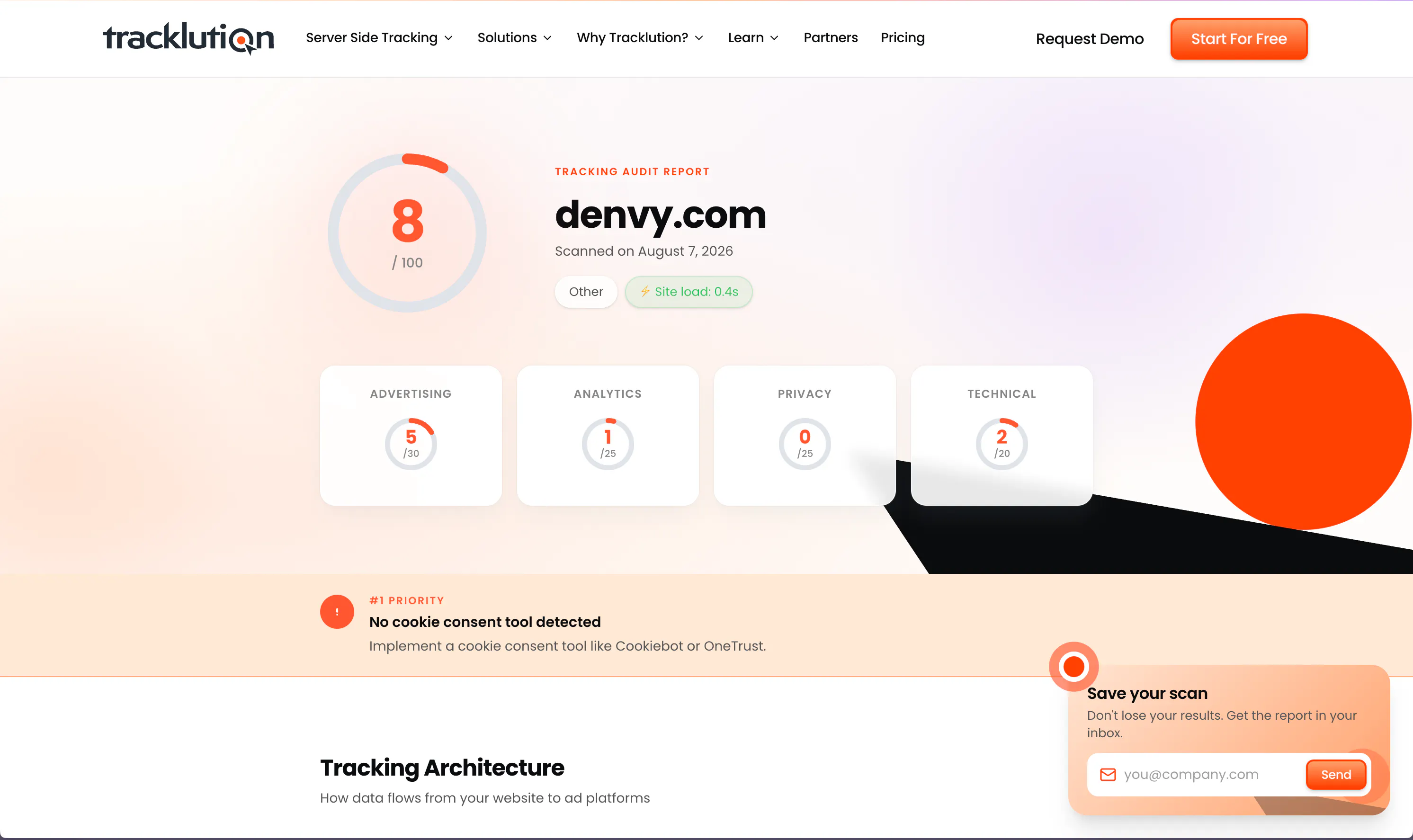
Do you trust your current setup?
Tracklution's free tracking audit scans your current setup and shows you exactly where you're losing conversion data, plus what to fix first.
Do you trust your current setup?
Tracklution's free tracking audit scans your current setup and shows you exactly where you're losing conversion data, plus what to fix first.
What you can track with Tracklution for Typeform
Tracklution tracks visits on your website and receives Typeform responses by webhook, then sends both to your ad platforms through their Conversion APIs.
Lead
Every completed form, sent as a Lead with the respondent's hashed email and phone.
Qualified lead
Responses that meet your criteria, filtered in Zapier and sent under their own event name.
Booking request
Demo or appointment requests collected in Typeform and passed on as a separate conversion.
Purchase
Typeform payment orders as a Purchase event, plus value and currency if your Zap passes them.
Page view
Visits to the pages hosting your forms, with UTM parameters and click IDs captured.
Custom events
Quiz outcomes, survey scores or any response that matters, sent under the name you choose.
Trusted by advertisers worldwide
See how teams like yours recover lost conversions, lower CAC, and get their campaigns optimizing on complete data.

We made Tracklution a standard part of our service agreement and technology stack for clients. It’s like a quality guarantee for conversion data. And setting it up doesn’t take more than a few minutes.
Sampo Soininen, Digital Strategist @ Aava & Bang


Now we know exactly which campaigns drive real appointments – and we’ve cut acquisition costs by more than 30% while keeping bookings steady.
Jesse Bartels, Chief Smile Officer @ Orthoclear


Almost every client we have onboarded to Tracklution has seen a growth in conversions. For reference, the media spend for these companies starts at just €500 a month.
Mikael Lahtinen, Head of Advertising @ Tagomo


The system runs so smoothly that contact with Tracklution is minimal. Support response time is excellent. Overall very positive experience with minimal issues.
Jacob Blæsbjerg, Founder @ The Morning Show


While others are still debating whether to modernise, we’ve already built the foundation for the next decade of advertising
Shaan Raja, Teamlead SEO & Integration Analyst @ The Platform Group
Why use server-side tracking for Typeform?

Pixels lose sight of the submit
A Typeform embedded on your landing page lives in its own frame, so your pixel sees the visit and usually misses the response. Tracklution picks up the completed form server-side and sends it as a conversion.

Lead campaigns optimize on what they're told
If Meta and Google Ads only hear about some of your leads, they go after the wrong people and your cost per lead creeps up. Send them every response and their bidding has far more to learn from.

One Zap instead of one build per platform
Wiring Typeform into each ad platform's API yourself means separate code, credentials and upkeep for every one of them. Here it's one webhook for all the connectors you've switched on, and we take care of hashing and formatting.
Privacy and security you can rely on
Tracklution is fully GDPR-compliant and certified under both ISO27001 and SOC2. Your data remains 100% yours — we never claim any rights to it. You have full control over what is tracked and what is sent to ad platforms. We’re simply your secure, privacy-first system provider.
SOC2, TYPE 2
Secure SSL Transactions

ISO 27001

GDPR Compliant
Questions and answers
How does Tracklution track Typeform conversions?
With two pieces. Our main script on your website tracks the visit and holds on to the click IDs and UTM parameters from your ads. The responses come in as webhook events, usually through a Zap (Typeform's New Entry trigger plus a Webhooks by Zapier action). Where we can, we match each response to its visit, then pass it on to your ad platforms through their Conversion APIs.
Do I need Zapier, or can Typeform send webhooks directly?
For now you'll want Zapier or a similar tool. Typeform's native webhooks send responses in Typeform's own nested format, while Tracklution's webhook expects named parameters like track, email and phoneNumber. Zapier maps each answer to the right field without code, and any automation tool that can send a POST request does the job too. Typeform lists webhooks and integrations from its Basic plan.
How are Typeform responses matched to my ad clicks?
We look for something that shows up both in the response and in an earlier website session: an email address, a phone number or an external ID. Sessions pick those up through Tracklution's ContactInfo event. If there's a match, the conversion carries the original click ID. If not, it's sent anyway, with hashed contact details the ad platforms use to match it themselves.
Will Typeform's own Meta Pixel integration double count my leads?
It can. Say Typeform's Meta Pixel or GTM tracking fires a Lead, and Tracklution sends a Lead for the same response. Meta has no shared event ID to tell them apart, so it counts both. Choose one source per event, and turn off the form-level pixel event on any form you route through Tracklution.
Can I send different forms as different conversions?
Yes. Build one Zap per form (or one Zap with filters) and give each its own event name in the webhook URL, such as Lead, DemoRequest or QuizComplete. Then map each event to the right conversion in every ad platform you've connected.
Why choose Tracklution over pixel-based form tracking?
Pixels run in the visitor's browser, where ad blockers and privacy settings strip out a good share of what they send. Those conversions are simply gone, and the ad platforms optimize on whatever is left. We collect data first-party and send it server-to-server instead. On top of that, Tracklution adds the conversions that happen away from your website (form responses, CRM updates, offline sales), so ad platforms optimize on all of it.
How many more conversions will I see?
Across Tracklution users, server-side tracking has recorded between 11 and 48% more tracked conversions than pixel-only, cookie-based tracking, with 34.2% as the average uplift. Every business is different, and results depend on how much data you were losing to begin with.
What will Tracklution cost me?
The first 14 days are free and you don't need a credit card. After that, the Grow plan is €39.20/mo (billed annually, 50k events/mo), with every connector and offline conversion tracking included. Details are at tracklution.com/pricing/.
Is Tracklution GDPR compliant?
Tracklution is fully GDPR compliant as a platform. All data is stored in the EU (AWS Stockholm), we act solely as a non-intrusive data channel, and we never manipulate or enrich user data ourselves. We support Consent Mode V2 and forward your users' consent choices to ad platforms. Whether your specific tracking setup is GDPR compliant depends on your legal basis, cookie consent implementation, and how you configure what data is sent.
Can I try it before I commit?
Yes. You can always try out Tracklution with our free trial, which runs for 14 days. We don't ask for a credit card, and you can cancel whenever you want.

Have further questions?
Count and learn from every Typeform lead
Set up server-side tracking in 16 minutes. Plans from €39.20/mo (billed annually), with every connector included.
Count and learn from every Typeform lead
Set up server-side tracking in 16 minutes. Plans from €39.20/mo (billed annually), with every connector included.